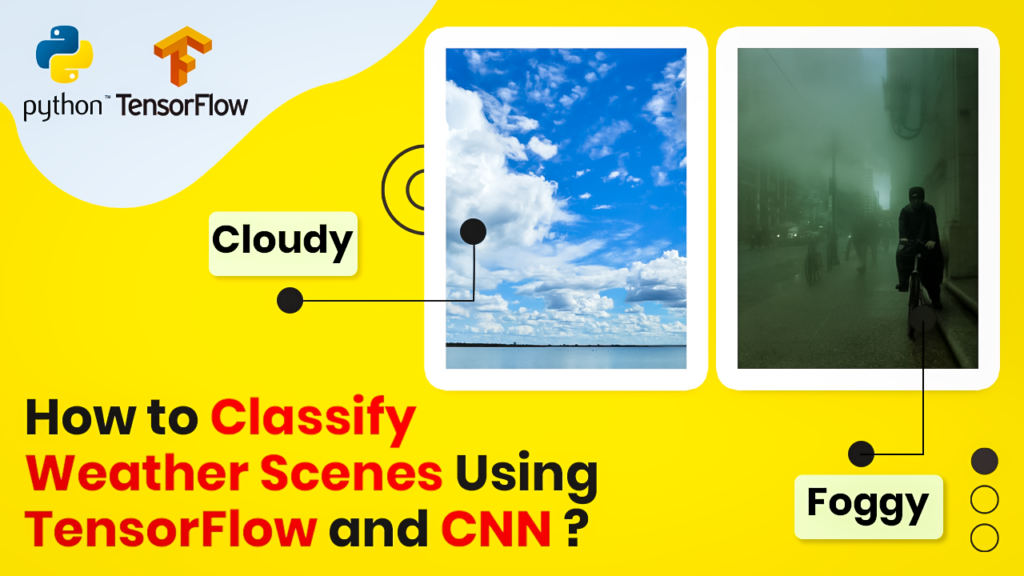
How to build a Keras CNN for Weather Image Classification / TensorFlow tutorials Contents hide 1 Introduction 1.1 How Does a Convolutional Neural Network (CNN) Classify Complex Visual Data? 1.2 Master Computer Vision 2 Here is the code : 2.1 Environment Setup and Library Installation for Keras : 2.2 Want the exact dataset so your results match mine? 3 Automated Dataset Splitting: Training vs. Validation Sets : 4 Architecting the Keras CNN Model and Training Pipeline : 5 Running Batch Predictions and Model Performance Evaluation : 6 FAQ : 7 Conclusion: Your Path to Production-Ready Computer Vision 7.1 Connect : Last Updated on 08/06/2026 by Eran Feit Introduction Building high-accuracy deep learning models from scratch requires more than just piling up neural layers; it demands a robust, end-to-end pipeline. In this TensorFlow image classification CNN tutorial, you will master how to engineer a production-ready Keras workflow capable of sorting complex meteorological data into five distinct categories. We will resolve the common pitfalls of overfitting and data scarcity by walking through dataset splitting, programmatic data augmentation, and efficient validation loops. By the end of this guide, you will have a saved, optimized Convolutional Neural Network (CNN) ready for real-time batch predictions on unseen test images How Does a Convolutional Neural Network (CNN) Classify Complex Visual Data? At the core of visual machine learning, a Convolutional Neural Network (CNN) mimics the biological structure of the human visual cortex to interpret image data. Unlike traditional dense neural networks that process images as flat vectors of pixels—thereby losing all spatial relationships—a CNN preserves the two-dimensional architecture of an image. It relies on a specialized mathematical operation called a convolution, which applies a sliding matrix filter across the image to map local pixel patterns. By processing images in this localized manner, the network efficiently detects structural features regardless of where they appear in the frame. The initial phase of a CNN classification pipeline focuses entirely on feature extraction through stacked convolutional and pooling layers. As the input image passes through the first few convolutional layers, small matrix filters detect primitive edges, high-contrast boundaries, and simple textures. As the data flows deeper into subsequent layers, these basic shapes are progressively combined to recognize complex structural forms, such as geometric shapes, object parts, and eventually entire distinct entities. Interspersed pooling layers downsample these feature maps, reducing computational complexity and helping the network become invariant to minor distortions or scaling differences. Once the network has extracted and compressed the most vital visual features, the multidimensional feature maps are flattened into a single, continuous linear vector. This vector is fed directly into one or more fully connected (dense) layers, which act as the global reasoning engine of the network. These final layers analyze the combinations of high-level features extracted in the previous steps—such as the presence of wheels, windows, and a chassis—to deduce what object the image most likely represents. The connections between these layers are optimized during training, allowing the network to weight certain features more heavily when deciding between specific target categories. The final layer of a classification CNN utilizes an activation function, typically Softmax for multi-class problems, to output a clean probability distribution across all predefined target classes. The Softmax function translates raw, unnormalized network scores into decimal probabilities between 0.0 and 1.0 that strictly sum up to 1.0, representing the model’s confidence for each possible category. During the training phase, these predicted probabilities are compared against the true target labels using a loss function like categorical crossentropy. The calculated error is then sent backward through the network via backpropagation, dynamically tuning the convolutional filters and dense layer weights to maximize classification accuracy over time. Subscription FormSubscribe for Code Tutorials How to build a Keras CNN for Weather Image Classification 9 The link for the video tutorial is here : https://youtu.be/gFiISJPCpKs&list=UULFTiWJJhaH6BviSWKLJUM9sg You can find the full code here : https://eranfeit.lemonsqueezy.com/buy/85806ed5-e3a5-4b29-8f22-06f1381bce4f or here : https://ko-fi.com/s/efaafe52c5 TRY IT NOW Master Computer Vision Follow my latest tutorials and AI insights on my Personal Blog. Beginner Complete CV Bootcamp Foundation using PyTorch & TensorFlow. Get Started → Interactive Deep Learning with PyTorch Hands-on practice in an interactive environment. Start Learning → Advanced Modern CV: GPT & OpenCV4 Vision GPT and production-ready models. Go Advanced → Here is the code : Environment Setup and Library Installation for Keras : # Requirements : Nvidia GPU card & and Cuda tool kit install # I am using this card : https://amzn.to/3mTa7HX # Working Anaconda enviroment conda create -n weather-predict-CNN python=3.7 conda activate weather-predict-CNN pip install tensorflow pip install tensorflow-gpu pip install pillow pip install SciPy pip install matplotlib pip install pandas pip install numpy Technical Logic: Setting up your environment correctly ensures deterministic behavior across execution environments. Importing TensorFlow’s Keras API directly provides highly optimized abstractions built on top of low-level C++ operations, reducing overhead during graph compilation. Ensuring your local Python path links properly to modern compute backends is a foundational step before processing high-resolution images. Want the exact dataset so your results match mine? If you want to reproduce the same training flow and compare your results to mine, I can share the dataset structure and what I used in this tutorial. Send me an email and mention the name of the tutorial / dataset , so I know what you’re requesting. 🖥️ Email: feitgemel@gmail.com Automated Dataset Splitting: Training vs. Validation Sets : This section prepares the directory structure and splits images into training and validation sets.It ensures only non-empty files are copied and preserves a randomized distribution across the splits. Before we feed pixels into our neural network layers, our TensorFlow image classification CNN tutorial workflow requires a solid data pipeline. Let’s look at how we split our raw weather directories into production-ready subsets A reliable train–validation split is the backbone of any TensorFlow image classification workflow.By scanning each class directory and excluding zero-byte files, the pipeline guards against corrupt samples that could destabilize training or inflate error metrics.Randomized shuffling ensures that seasonal biases, lighting conditions, or camera angles are evenly distributed across splits, which directly improves generalization for weather image classification. Using an 85% training and 15% validation ratio provides ample data to learn while preserving a clean hold-out set for monitoring overfitting.Because the split is performed per class folder, class balance is naturally preserved as long as the source folders are balanced.If your dataset is imbalanced, consider adjusting the ratio or augmenting underrepresented classes to maintain fair representation during keras cnn training. The file operations are implemented with os and shutil for speed and simplicity.Each valid filename is collected, shuffled, and copied into Train and validate destinations that mirror the class taxonomy.This keeps directory semantics consistent with Keras flow_from_directory, minimizing friction between dataset curation and model ingestion. Reproducibility is critical in deep learning pipelines.If you want exact reproducibility, seed Python’s random before sampling and record the seed alongside your experiment notes.This allows you to regenerate the exact same split and directly compare different augmentation or optimizer settings in later experiments. Well-structured folders also streamline MLOps tasks such as dataset versioning and storage.Placing Train and validate under a single dataset root simplifies backup, cloud syncing, and collaboration.It also makes it trivial to add a dedicated Test folder later for unbiased, final evaluation. ### Import the os module to interact with the filesystem. import os ### Import random for shuffling the dataset deterministically if seeded or randomly for diversity. import random ### Import shutil to copy files between folders. import shutil ### Define the original dataset folder path that contains class subfolders. dataOrgFolder = "C:/Python-cannot-upload-to-GitHub/Weather/original-dataset/" ### Define the base dataset folder path that will host Train and validate splits. dataBaseFolder = "C:/Python-cannot-upload-to-GitHub/Weather/dataset" ### List the class directories inside the original dataset folder. dataDirList = os.listdir(dataOrgFolder) ### Print the list of class directories for verification. print(dataDirList) ### Set the fraction of data that goes to the training split. splitSize = .85 ### Define a function to split files from a source class folder into training and validation targets. def split_data (SOURCE , TRAINING , VALIDATION , SPLIT_SIZE): ### Initialize an empty list to collect valid filenames. files = [] ### Iterate over each filename inside the source directory. for filename in os.listdir(SOURCE) : ### Build the absolute path to the file. file = SOURCE + filename ### Print the file path for debugging and traceability. print(file) ### Check that the file has nonzero size to avoid copying corrupt or empty files. if os.path.getsize(file) > 0 : ### Append the valid filename into our list. files.append(filename) else: ### Warn that the file will be skipped due to zero length. print(filename + " has 0 length , will not copy this file !!") ### Print the total number of valid files found in the source class folder. print(len(files)) ### Compute the number of training samples based on the split ratio. trainLength = int(len(files) * SPLIT_SIZE ) ### Compute the number of validation samples as the remainder. validLength = int( len(files) - trainLength ) ### Randomly shuffle the dataset to ensure a fair distribution. suffleDataSet = random.sample(files, len(files)) ### Slice out the training subset from the shuffled list. trainingSet = suffleDataSet[0:trainLength] ### Slice out the validation subset from the shuffled list. validSet = suffleDataSet[trainLength:] ### Copy each training file from the source to the training destination. for filename in trainingSet: ### Build the absolute path to the source file. f = SOURCE + filename ### Build the absolute path to the training destination file. dest = TRAINING + filename ### Perform the actual file copy. shutil.copy(f, dest) ### Copy each validation file from the source to the validation destination. for filename in validSet: ### Build the absolute path to the source file. f = SOURCE + filename ### Build the absolute path to the validation destination file. dest = VALIDATION + filename ### Perform the actual file copy. shutil.copy(f, dest) ### Define source, train, and validation folder paths for the 'cloudy' class. cloudySourceFolder = "C:/Python-cannot-upload-to-GitHub/Weather/original-dataset/cloudy/" cloudyTrainFolder = "C:/Python-cannot-upload-to-GitHub/Weather/dataset/Train/cloudy/" cloudyValidFolder = "C:/Python-cannot-upload-to-GitHub/Weather/dataset/validate/cloudy/" ### Define folder paths for the 'foggy' class. foggySourceFolder = "C:/Python-cannot-upload-to-GitHub/Weather/original-dataset/foggy/" foggyTrainFolder = "C:/Python-cannot-upload-to-GitHub/Weather/dataset/Train/foggy/" foggyValidFolder = "C:/Python-cannot-upload-to-GitHub/Weather/dataset/validate/foggy/" ### Define folder paths for the 'rainy' class. rainyySourceFolder = "C:/Python-cannot-upload-to-GitHub/Weather/original-dataset/rainy/" rainyTrainFolder = "C:/Python-cannot-upload-to-GitHub/Weather/dataset/Train/rainy/" rainyValidFolder = "C:/Python-cannot-upload-to-GitHub/Weather/dataset/validate/rainy/" ### Define folder paths for the 'shine' class. shineSourceFolder = "C:/Python-cannot-upload-to-GitHub/Weather/original-dataset/shine/" shineTrainFolder = "C:/Python-cannot-upload-to-GitHub/Weather/dataset/Train/shine/" shineValidFolder = "C:/Python-cannot-upload-to-GitHub/Weather/dataset/validate/shine/" ### Define folder paths for the 'sunrise' class. sunriseSourceFolder = "C:/Python-cannot-upload-to-GitHub/Weather/original-dataset/sunrise/" sunriseTrainFolder = "C:/Python-cannot-upload-to-GitHub/Weather/dataset/Train/sunrise/" sunriseValidFolder = "C:/Python-cannot-upload-to-GitHub/Weather/dataset/validate/sunrise/" ### Execute the split for the 'cloudy' class with the selected ratio. split_data(cloudySourceFolder , cloudyTrainFolder , cloudyValidFolder , splitSize) ### Execute the split for the 'foggy' class with the selected ratio. split_data(foggySourceFolder , foggyTrainFolder , foggyValidFolder , splitSize) ### Execute the split for the 'rainy' class with the selected ratio. split_data(rainyySourceFolder , rainyTrainFolder , rainyValidFolder , splitSize) ### Execute the split for the 'shine' class with the selected ratio. split_data(shineSourceFolder , shineTrainFolder , shineValidFolder , splitSize) ### Execute the split for the 'sunrise' class with the selected ratio. split_data(sunriseSourceFolder , sunriseTrainFolder , sunriseValidFolder , splitSize) You can find the full code here : https://ko-fi.com/s/efaafe52c5 A core pillar of any practical TensorFlow image classification CNN tutorial is overcoming overfitting through geometric transformations. By using Keras data augmentation, we artificially scale our training footprints. Pro-Tip: Utilizing ImageDataGenerator allows for on-the-fly data augmentation, meaning your GPU never has to idle while waiting for the storage drive to read altered files. By applying random shifts, rotations, and zooms, you synthetically expand your weather dataset, which trains the model to recognize semantic features rather than spatial biases. This approach drastically minimizes validation loss deviations. How to build a Keras CNN for Weather Image Classification 10 Architecting the Keras CNN Model and Training Pipeline : This section constructs a multi-block convolutional network with ReLU activations and MaxPooling.It augments training images, compiles the model with categorical crossentropy, and trains with validation tracking. Now, let’s look at the heart of our TensorFlow image classification CNN tutorial: the Convolutional Neural Network architecture. This block handles feature extraction and probability scoring This keras cnn architecture stacks multiple Conv2D → ReLU → MaxPooling stages, progressively increasing the number of filters from 16 up to 256.Early layers learn local features such as edges and color gradients, while deeper blocks capture higher-order structures like textures and silhouettes characteristic of cloudy, foggy, rainy, shine, and sunrise scenes.The pairings of consecutive convolutions before pooling allow the network to refine features at a given spatial resolution before reducing dimensionality. Image data augmentation is applied via ImageDataGenerator to boost robustness.Rescaling to [0, 1] normalizes pixel intensities, while rotation and zoom simulate real-world camera variance that your model will encounter in deployment.Horizontal flips add viewpoint diversity for landscape scenes, which is especially helpful in weather image classification where left–right symmetry does not alter semantics. The model is compiled with Adam and categorical_crossentropy, a standard setup for multi-class TensorFlow image classification.Tracking accuracy alongside the validation metric provides an intuitive signal of learning progress.If validation accuracy stalls or begins to diverge from training accuracy, it is a sign of overfitting or insufficient augmentation. As outlined earlier in this TensorFlow image classification CNN tutorial, we never just trust the final training epoch. Implementing a callback ensures we save the absolute peak performer. ModelCheckpoint monitors val_accuracy and persists the best-performing weights to disk.This guarantees that even if later epochs degrade due to noise or an overly long schedule, you still keep the strongest version for inference.Pairing this with EarlyStopping (optionally on val_loss) is a powerful pattern to reduce training time and improve generalization in keras cnn projects. The deep Dense(512) → Dense(512) head aggregates spatial features learned by the convolutional stack.These layers model complex class boundaries that single linear projections might miss, especially when weather cues are subtle or partially occluded.A final softmax outputs calibrated probabilities across the five classes, enabling thresholding, top-k inspection, and clean confusion-matrix analysis. Training curves for accuracy and loss are plotted with Matplotlib to visualize learning dynamics.Healthy curves show training and validation accuracy rising together while losses fall, with only modest gaps between them.Large gaps suggest the need to tune augmentation strength, adjust model depth, or incorporate regularization techniques such as Dropout or weight decay. ### Import Keras utilities for reading images and generating augmented batches. from tensorflow.keras.preprocessing.image import ImageDataGenerator ### Import the main convolutional, pooling, and dense layers. from tensorflow.keras.layers import Conv2D, MaxPooling2D, Flatten, Dense, Dropout ### Import the Sequential API to stack layers linearly. from tensorflow.keras.models import Sequential ### Import the Adam optimizer for efficient gradient updates. from tensorflow.keras.optimizers import Adam ### Import callbacks to control training and save model checkpoints. from tensorflow.keras.callbacks import EarlyStopping , ModelCheckpoint ### Import matplotlib to visualize training metrics. import matplotlib.pyplot as plt ### Set the target input width for the model. imgWidth = 256 ### Set the target input height for the model. imgHeight=256 ### Define how many samples per batch to load. batchSize = 16 ### Set the path to the training directory containing class subfolders. TRAIN_DIR = "C:/Python-cannot-upload-to-GitHub/Weather/dataset/Train/" #dont forget the last / ### Create a training ImageDataGenerator with rescaling and augmentation. train_datagetn = ImageDataGenerator (rescale = 1/255.0, rotation_range = 30 , zoom_range = 0.4, horizontal_flip=True) ### Build the training dataset pipeline from the directory. train_data_set = train_datagetn.flow_from_directory(TRAIN_DIR, batch_size = batchSize, class_mode = 'categorical', target_size = (imgHeight,imgWidth)) ### Set the path to the validation directory. VALIDATION_DIR = "C:/Python-cannot-upload-to-GitHub/Weather/dataset/validate/" ### Create a validation ImageDataGenerator with rescaling only. val_datagen = ImageDataGenerator(rescale = 1/255.0) ### Build the validation dataset pipeline from the directory. val_data_set = val_datagen.flow_from_directory(VALIDATION_DIR, batch_size = batchSize, class_mode = 'categorical', target_size = (imgHeight,imgWidth)) ### Instantiate EarlyStopping to halt training if validation loss stops improving. callback = EarlyStopping(monitor='val_loss', patience=5, verbose=1, mode='auto') ### Define a path to store the best model weights discovered during training. best_model_file_path = "C:/Python-cannot-upload-to-GitHub/Weather/bestWeatherModel.h5" ### Configure ModelCheckpoint to save the model with the highest validation accuracy. best_model = ModelCheckpoint(best_model_file_path, monitor="val_accuracy", verbose=1, save_best_only=True) ### Create a Sequential CNN architecture with stacked Conv2D and MaxPooling layers. model = Sequential([ ### First convolution extracts low-level features with 16 filters. Conv2D(16, (3,3) , activation='relu', input_shape=(imgHeight, imgWidth,3)), ### Downsample spatial dimensions while retaining salient features. MaxPooling2D(2,2), ### Second convolution increases capacity with 32 filters. Conv2D(32, (3,3) , activation='relu'), ### Pooling reduces feature map size and provides translation invariance. MaxPooling2D(2,2), ### Third convolution deepens feature extraction with 64 filters. Conv2D(64, (3,3) , activation='relu'), ### A second 64-filter convolution refines learned patterns. Conv2D(64, (3,3) , activation='relu'), ### Pooling halves spatial dimensions again. MaxPooling2D(2,2), ### Fourth convolution learns more complex structures with 128 filters. Conv2D(128, (3,3) , activation='relu'), ### Another 128-filter convolution to compound features. Conv2D(128, (3,3) , activation='relu'), ### Pooling controls overfitting and reduces compute. MaxPooling2D(2,2), ### Fifth convolution block with 256 filters captures high-level patterns. Conv2D(256, (3,3) , activation='relu'), ### Additional 256-filter convolution to enrich representations. Conv2D(256, (3,3) , activation='relu'), ### Third 256-filter convolution for deeper abstractions. Conv2D(256, (3,3) , activation='relu'), ### Final pooling before flattening to feed dense layers. MaxPooling2D(2,2), ### Flatten converts 3D feature maps into a 1D vector. Flatten(), ### Dense layer with 512 units for non-linear combination of features. Dense(512, activation='relu'), ### Another Dense(512) to enhance model capacity. Dense(512, activation='relu'), ### Output layer with 5 units for the five weather classes using softmax probabilities. Dense(5,activation='softmax') # values between 0 to 1 ]) ### Print the model summary to verify shapes and parameter counts. print(model.summary() ) ### Compile the model with Adam optimizer and categorical crossentropy for multi-class tasks. model.compile(optimizer='Adam', loss='categorical_crossentropy', metrics=['accuracy']) ### Train the model for up to 100 epochs while validating on the held-out set and saving best checkpoints. history = model.fit(train_data_set , epochs=100 , verbose=1 , validation_data=val_data_set, callbacks=[best_model]) ### Extract training accuracy history for plotting. acc = history.history['accuracy'] ### Extract validation accuracy history for plotting. val_acc = history.history['val_accuracy'] ### Extract training loss history for plotting. loss = history.history['loss'] ### Extract validation loss history for plotting. val_loss = history.history['val_loss'] ### Create a range of epoch indices for the x-axis. epochs = range(len(acc)) #-> from 0 to the last epoch ### Create a new figure to plot accuracy curves. fig = plt.figure(figsize = (14,7)) ### Plot training accuracy across epochs. plt.plot(epochs, acc, 'r' , label='Train accuracy') ### Plot validation accuracy across epochs. plt.plot(epochs, val_acc, 'b' , label='Validation accuracy') ### Label the x-axis with 'Epochs'. plt.xlabel('Epochs') ### Label the y-axis with 'Accuracy'. plt.ylabel('Accuracy') ### Set the title for the accuracy plot. plt.title('Train and validation accuracy') ### Add a legend to distinguish curves. plt.legend(loc='lower right') ### Render the accuracy plot to screen. plt.show() ### Create a second figure to plot loss curves. fig = plt.figure(figsize = (14,7)) ### Plot training loss across epochs. plt.plot(epochs, loss, 'r' , label='Train loss') ### Plot validation loss across epochs. plt.plot(epochs, val_loss, 'b' , label='Validation loss') ### Label the x-axis with 'Epochs'. plt.xlabel('Epochs') ### Label the y-axis with 'Loss'. plt.ylabel('Loss') ### Set the title for the loss plot. plt.title('Train and validation loss') ### Add a legend to distinguish curves. plt.legend(loc='upper right') ### Render the loss plot to screen. plt.show() ### Save the final trained model in case EarlyStopping did not trigger. model.save('C:/Python-cannot-upload-to-GitHub/Weather/bestWeatherModel2.h5') You can find the full code here : https://ko-fi.com/s/efaafe52c5 Technical Logic: The architecture pairs Conv2D layers for spatial feature extraction with MaxPooling2D layers to reduce dimensionality and processing strain. The inclusion of a Dropout layer forces the network to learn redundant pathways, which prevents it from memorizing the training dataset. We use categorical_crossentropy as our loss metric because it calculates the logarithmic penalty across mutually exclusive categories. Running Batch Predictions and Model Performance Evaluation : This section loads the saved model, preprocesses test images to a unified size, and runs batch predictions.It prints true labels and predictions for quick inspection and saves the processed array for reuse. The true test of our TensorFlow image classification CNN tutorial pipeline lies in running inference on unseen imagery. This script executes batch processing cleanly. The inference pipeline mirrors the training preprocessing for consistency.Each image is loaded, resized to (256, 256), converted to a NumPy array, expanded to include a batch dimension, and normalized to [0, 1].Keeping preprocessing identical to training is essential for faithful predict images keras behavior and reliable downstream metrics. A list of test filenames is read from CSV to create a reproducible evaluation batch.Vectorized concatenation produces a single tensor ImagesArray that flows efficiently through the model, leveraging GPU parallelism when available.This is faster and less error-prone than per-image prediction loops when working with hundreds or thousands of samples. Model outputs are class-probability vectors.Using argmax converts these to discrete class indices that map cleanly to human-readable labels like “cloudy” or “rainy”.Printing side-by-side true labels and predictions enables a quick qualitative sweep to catch obvious failure patterns before deeper analysis. Saving the prepared batch as a .npy file accelerates iteration.You can reuse the exact same tensor across different models or checkpoints without re-reading and re-processing images from disk.This helps when comparing a baseline against a stronger augmentation regime or an alternative optimizer in TensorFlow image classification experiments. For more rigorous evaluation, compute a confusion matrix, per-class precision/recall, and macro/micro F1 scores.These metrics reveal whether the model systematically confuses visually similar conditions such as foggy vs. cloudy, guiding targeted data augmentation or class-specific sampling strategies.Maintaining a clean separation between train, validation, and test ensures that reported improvements reflect genuine generalization rather than data leakage. ### Import Keras to load the trained model from disk. from keras.models import load_model ### Import NumPy for numerical operations and array manipulation. import numpy as np ### Import Keras image utilities for loading and converting images to arrays. from keras.preprocessing.image import load_img , img_to_array ### Import pandas for reading the CSV list of test image names. import pandas as pd ### Define the model input width used during training. imgWidth= 256 ### Define the model input height used during training. imgHeight=256 ### Provide a human-readable list of class names for mapping predictions. classes = ["cloudy","foggy", "rainy", "shine", "sunrise"] ### Load the best saved model from the training phase. model = load_model("C:/Python-cannot-upload-to-GitHub/Weather/bestWeatherModel.h5") ### Print model summary to confirm the architecture is correctly loaded. print(model.summary() ) ### Define a preprocessing function that loads and normalizes a single image. def prepareImage(ImagePath): ### Load the image from disk and resize to the model's expected dimensions. image = load_img(ImagePath, target_size=(imgHeight,imgWidth)) ### Convert the PIL image into a NumPy array. imgResult = img_to_array(image) ### Add a batch dimension so the shape becomes (1, H, W, C). imgResult = np.expand_dims(imgResult, axis = 0) ### Normalize pixel values to [0,1] to match training rescale. imgResult = imgResult / 255. ### Return the prepared image tensor. return imgResult ### Define the folder that contains the test images. testImagesFolder = "C:/Python-cannot-upload-to-GitHub/Weather/Test" ### Read the CSV file listing the test image filenames. testImagesNamesDF = pd.read_csv("C:/Python-cannot-upload-to-GitHub/Weather/test.csv") ### Initialize a Python list to collect full image paths. testImagesList = [] ### Convert the 'Image_id' column to a Python list of filenames. testDFList = testImagesNamesDF['Image_id'].tolist() ### Iterate over the filenames to build absolute test paths. for item in testDFList: ### Concatenate folder path and filename. tempName = testImagesFolder + "/" + str(item) ### Append the full path into the list of test images. testImagesList.append(tempName) ### Print the list of test image paths for verification. print("The list of the images : ") print(testImagesList) ### Prepare the first image and initialize the batch array. ImagesArray = prepareImage(testImagesList[0]) ### Iterate over the remaining images to append them into the batch. for imgName in testImagesList[1: ]: ### Log which image is being processed for transparency. print("preparing image : " + imgName) ### Preprocess the current image. processedImage = prepareImage(imgName) ### Append along axis 0 to grow the batch. ImagesArray = np.append(ImagesArray,processedImage,axis=0) ### Print the final batch shape to confirm the dimensions are correct. print("Images shape: ") print(ImagesArray.shape) ### Persist the prepared batch to disk for reproducibility and later reuse. np.save("C:/Python-cannot-upload-to-GitHub/Weather/ImagesArray.npy", ImagesArray) ### Run batch predictions with a reasonable batch size for speed and memory balance. resultArray = model.predict(ImagesArray, batch_size=16, verbose=1) ### Convert softmax probabilities to class indices using argmax. answers = np.argmax(resultArray, axis = 1) ### Print the numeric class predictions for quick inspection. print("Answers : ") print(answers) ### Extract the ground-truth labels from the CSV. yTrue = testImagesNamesDF['labels'] ### Assign the predicted indices for comparison. yPred = answers ### Initialize a counter to track image indices. num = 0 ### Iterate over test images to print ground truth and predicted class names. for imgName in testImagesList: ### Print a per-image line with the file path, true label, and predicted label. print ("Image :" + imgName + " True Value :" + classes[yTrue[num]] + " Predictions: " + classes[yPred[num]] ) ### Increment the counter to move to the next image. num = num + 1 You can find the full code here : https://ko-fi.com/s/efaafe52c5 FAQ : Q: What does the “Crawled – currently not indexed” status mean for my TensorFlow tutorial? A: This status indicates that Google’s web crawler visited your page and processed its contents, but decided not to add it to the search index. This usually happens when the algorithms flag the page as “thin content” because it contains mostly code blocks without enough unique, high-quality explanatory text to differentiate it from existing tutorials. Adding unique architectural breakdowns and fixing cross-platform duplicate content issues will resolve this. Q: Why does a high code-to-text ratio hurt my blog’s search rankings? A: Search engine crawlers struggle to evaluate the context and helpfulness of raw source code without human-readable text surrounding it. When a page consists almost entirely of code scripts, search algorithms categorize it as low-value or thin content, assuming it offers little instructional value over a Github repository. Balancing your scripts with conceptual breakdowns demonstrates topical authority and satisfies search intent. Q: How does programmatic data augmentation via ImageDataGenerator help my CNN? A: ImageDataGenerator creates real-time, randomized variations of your images (such as rotations, zooms, and flips) inside the RAM during training cycles. This prevents your Convolutional Neural Network from memorizing explicit pixel layouts, artificially expanding your training set size without increasing disk usage. Ultimately, this structural variety forces the model to learn invariant features, directly reducing overfitting. Q: What is the mechanical difference between training and validation datasets? A: The training dataset is the primary data your neural network consumes to adjust its internal weights and biases via backpropagation. The validation dataset is a completely separate slice of data held back during training, serving as an unbiased benchmark to evaluate model performance after every epoch. Tracking the metric gap between these two datasets allows you to pinpoint exactly when a model stops generalizing and starts overfitting. Q: Why do we use categorical crossentropy instead of binary crossentropy in this weather model? A: Binary crossentropy is mathematically designed for target variables with exactly two mutually exclusive classes, outputting a single probability value. Because this weather dataset classifies images into five distinct meteorological conditions, we must utilize categorical crossentropy to compute log losses across a multi-class probability distribution. This configuration pairs perfectly with a final Softmax activation layer to yield an array of class probabilities summing up to 1.0. Q: What is the explicit purpose of a Conv2D layer coupled with a MaxPooling2D layer? A: A Conv2D layer slides a specified matrix filter across an input image to extract structural features like edges, textures, and shapes into feature maps. The subsequent MaxPooling2D layer samples those maps by extracting the maximum pixel value from localized windows, which discards irrelevant spatial noise. This combination downsamples the data volume, lowering computation costs while maintaining spatial invariance. Q: How does adding a Dropout layer prevent my model from overfitting? A: A Dropout layer randomly deactivates a specified percentage of neurons during each training forward pass, which disrupts temporary co-adaptations. This constraint prevents specific neural nodes from relying entirely on neighboring nodes, forcing the entire network to learn robust, distributed representations of features. During testing and inference, the layer automatically turns off so the model can run at full capacity. Q: Why should I configure a ModelCheckpoint callback instead of just saving the final epoch? A: Deep learning training runs can experience validation degradation or accuracy plateaus during later epochs, meaning the final state of your model might not be its best state. A ModelCheckpoint callback automatically monitors a selected performance metric—such as validation loss—and writes the model weights to your disk only when it surpasses previous records. This protects your training investment from late-stage overfitting or sudden optimization divergence. Q: How do duplicate articles on platforms like Medium impact my self-hosted site’s indexation? A: When identical text and code exist on both your independent blog and a high-domain-authority platform like Medium, search engine algorithms filter out the lower-authority variant to prevent search clutter. Since Medium inherently possesses strong backlink equity, your personal blog loses the indexation race unless you implement a canonical link pointing to your site. Without this technical distinction, your original post remains trapped in the “crawled – unindexed” bucket. Q: What is the fastest strategy to get a fixed page re-indexed by Google? A: After expanding your text copy, adjusting your code-to-text balance, and saving your canonical URL parameter on Medium, navigate to your Google Search Console dashboard. Paste the exact blog post URL directly into the top search bar to initiate a live inspection run. Once the system finishes checking your live URL, click the “Request Indexing” button to bump your page to the front of the crawler priority queue. Conclusion: Your Path to Production-Ready Computer Vision Mastering deep learning requires moving beyond copy-pasting code blocks to understanding the underlying architectural mechanics. By implementing this TensorFlow image classification CNN tutorial workflow, you have successfully transformed raw meteorological imagery into a structured, production-ready computer vision pipeline. From programmatic data splitting and robust ImageDataGenerator data augmentation to deliberate convolutional layer design and automated checkpoint tracking, you now possess a blueprint capable of handling complex multi-class classification tasks. The key to achieving high-accuracy predictions on unseen test data lies entirely in continuous optimization. As you deploy your saved .h5 model for real-time batch processing, consider experimenting with deeper architectural layers, alternative optimization functions, or transfer learning techniques like MobileNet or ResNet to scale your model’s capacity. Computer vision is a rapidly evolving discipline, and a strong baseline model is your launchpad for more sophisticated AI applications. Connect : ☕ Buy me a coffee — https://ko-fi.com/eranfeit 🖥️ Email : feitgemel@gmail.com 🌐 https://eranfeit.net 🤝 Fiverr : https://www.fiverr.com/s/mB3Pbb Enjoy, Eran







 Skip to content