Last Updated on 26/04/2026 by Eran Feit
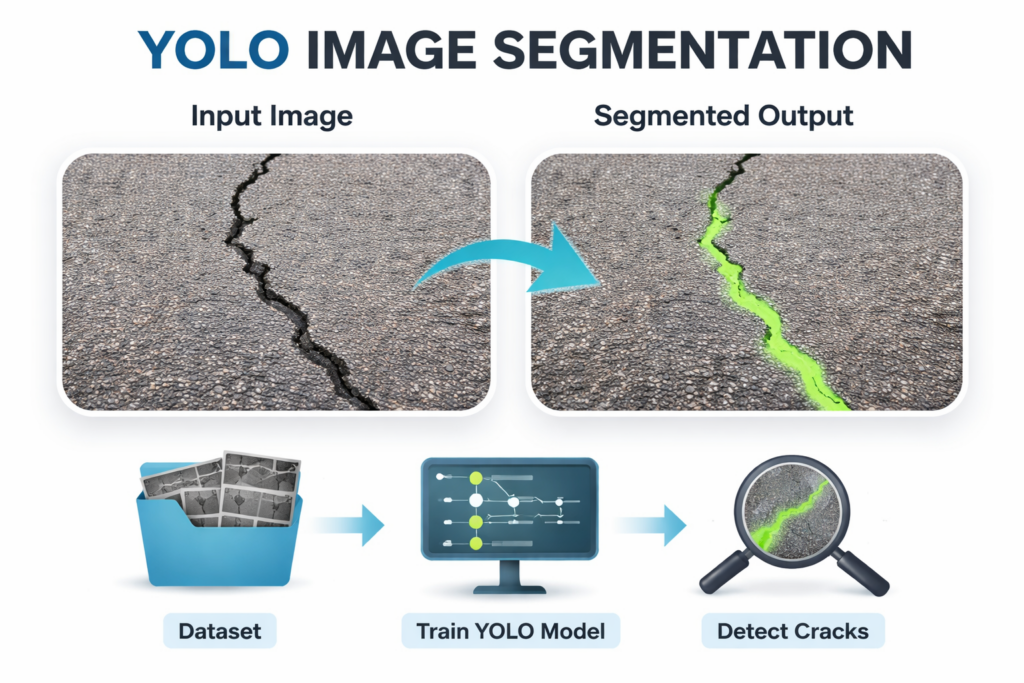
YOLO image segmentation is a practical way to move from “where is the object” to “which exact pixels belong to it.”
In a typical workflow, YOLO image segmentation starts with a dataset that includes images and segmentation labels that describe the target pixels.
A big advantage of YOLO-style segmentation is the speed-to-accuracy balance.
Once you have predicted masks, you can treat them like any other image in OpenCV and NumPy.
YOLO image segmentation for crack detection projects YOLO image segmentation for crack detection projects focuses on isolating crack pixels from everything else in the scene.
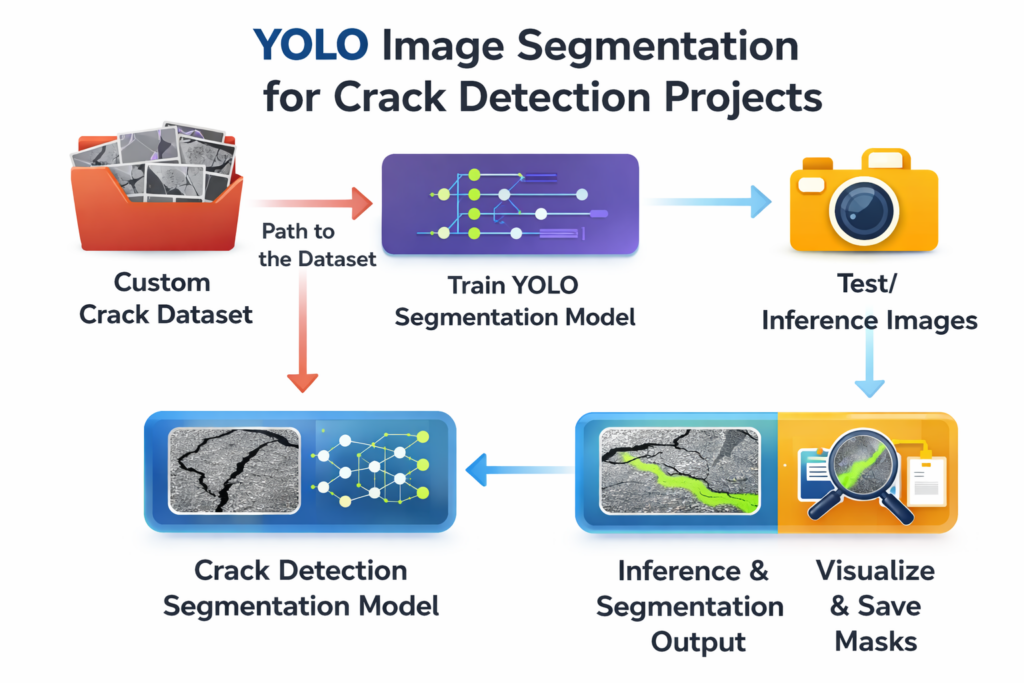
A high-level crack segmentation pipeline usually has three pillars: data, training, and inference.
The target output is typically a binary mask where crack pixels are “on” and background pixels are “off.”
At a practical level, crack segmentation is also about controlling false positives and making the masks usable.
YOLO image segmentation Training and Testing YOLO Image Segmentation for Crack Detection in Python This tutorial focuses on building a complete, practical pipeline for crack detection using YOLO image segmentation in Python.
At the training stage, the code loads a pretrained YOLO segmentation model and fine-tunes it on a custom crack dataset.
The dataset configuration plays a central role in the pipeline.
On the inference side, the code demonstrates how to load the trained model and apply it to a test image.
Link to the video tutorial here
Code for the tutorial here or here
Master Computer Vision
Follow my latest tutorials and AI insights on my
Personal Blog .
Beginner Complete CV Bootcamp
Foundation using PyTorch & TensorFlow.
Get Started → Interactive Deep Learning with PyTorch
Hands-on practice in an interactive environment.
Start Learning → Advanced Modern CV: GPT & OpenCV4
Vision GPT and production-ready models.
Go Advanced →
YOLO segmentation YOLO Image Segmentation for Crack Detection Projects YOLO image segmentation is one of the fastest ways to turn an input image into a pixel-accurate mask that outlines the exact shape of an object.
In this tutorial, the goal is simple and practical.
Setting up a clean environment for YOLO image segmentation A stable environment makes segmentation projects much easier to reproduce.
The goal is to avoid version drift and surprise dependency conflicts.
Install : - Create conda enviroment conda create -- name YoloV11 - 311 python = 3.11 conda activate YoloV11 - 311 nvcc -- version # Cuda 12.4 conda install pytorch == 2.5 . 0 torchvision == 0.20 . 0 torchaudio == 2.5 . 0 pytorch - cuda = 12.4 - c pytorch - c nvidia # install YoloV11 pip install ultralytics == 8.3 . 59 # more : pip install opencv - python == 4.10 . 0 . 84
Short summary.
Getting the crack dataset and keeping it organized Segmentation training depends on labeled masks, so the dataset is the foundation of everything that follows.email
Once you have the dataset, the most important thing is to keep the folder structure intact.
Pointing YOLO to the dataset with a simple config file The dataset config file is what connects your code to your data.
Keeping this in a YAML file is a big quality-of-life improvement.
Here is the config . yaml path : ' D:/Data-Sets-Object-Segmentation/crack.v2i.yolov11 ' train : ' train/images ' val : ' valid/images ' nc : 1 names : [ ' crack ' ] Short summary.
Loading a pretrained YOLOv11 segmentation model to start training Starting from a pretrained segmentation model is the fastest path to strong results on a custom dataset.
This structure also makes experiments easier to compare later.
### Import the YOLO class so we can load pretrained segmentation weights and run training. from ultralytics import YOLO ### Wrap the workflow in a main function so it is easy to run and reuse. def main (): ### Load a pretrained YOLOv11 segmentation model as the starting point for fine-tuning. model = YOLO ( " yolo11s-seg.pt " ) # Load a pretrained YOLOv11 segmentation model ### Define where training outputs will be saved so runs stay organized. project = " d:/temp/models/Crack-Segmentation-Using-YOLOv11 " # Define the project directory ### Give this run a clear name so you can compare multiple experiments later. experiment = " My-model-S " ### Set a batch size that fits your GPU memory and training speed needs. batch_size = 8 Short summary.
Training YOLOv11 on a crack segmentation dataset This training call is the heart of the tutorial.
A few parameters here matter a lot in practice.
### Train the model using the dataset YAML, controlling epochs, image size, and GPU device. resutls = model . train ( ### Point YOLO to the dataset config that defines paths and class names. data = " Best-Semantic-Segmentation-models/Yolo-V11/Crack Segmentation Using YOLOv11 - Custom dataset/config.yaml " , ### Set the number of training epochs for fine-tuning on cracks. epochs = 50 , # Set the number of training epochs ### Save outputs under a consistent project directory. project = project , # Specify the project directory ### Name this experiment so the run has its own folder. name = experiment , # Name of the experiment ### Use a batch size that balances speed with GPU memory. batch = batch_size , # Set the batch size ### Resize images to a fixed size for training stability and speed. imgsz = 416 , # Set the image size for training ### Select the GPU device, using "0" for the first GPU. device = " 0 " , # Specify the device to use (0 for GPU) ### Stop early if validation does not improve for several checks. patience = 5 , # Set the patience for early stopping ### Print detailed training logs to track progress. verbose = True , # Enable verbose output ### Enable validation during training to monitor generalization. val = True ,) ### Standard Python entry point so this file runs training only when executed directly. if __name__ == " __main__ " : # Enable validation during training main () Short summary.
Running inference and building a final crack mask After training, the next step is to load the best weights and run prediction on a new image.
The core idea is simple and robust.
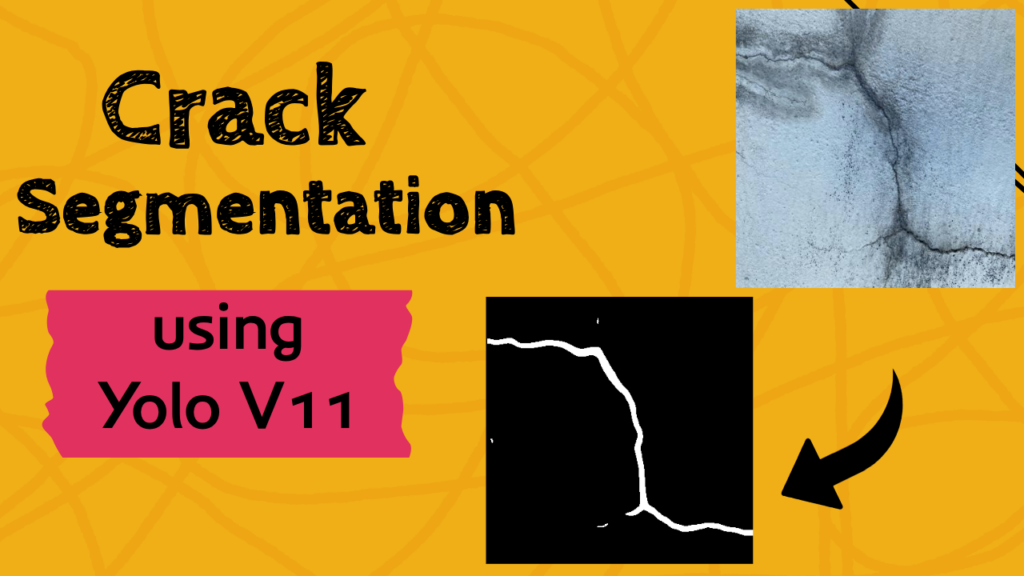
Crack test image :
Crack test image ### Import YOLO so we can load the trained segmentation model for inference. from ultralytics import YOLO ### Import NumPy for mask creation and array operations. import numpy as np ### Import OpenCV for reading images, resizing masks, saving outputs, and visualization. import cv2 ### Import OS utilities for creating output folders reliably. import os ### Define the path to the trained weights produced during training. model_path = " D:/Temp/Models/Crack-Segmentation-Using-YOLOv11/My-model-S/weights/best.pt " # Path to the trained model ### Define the test image path that we will run segmentation on. image_path = " Best-Semantic-Segmentation-models/Yolo-V11/Crack Segmentation Using YOLOv11 - Custom dataset/test_image.jpg " ### Create an output folder for masks so saving never fails. os . makedirs ( " d:/temp/Fiber-Segment " , exist_ok =True ) ### Read the input image from disk using OpenCV. img = cv2 . imread ( image_path ) # Read the input image ### Extract original image dimensions so we can resize masks back correctly. H , W , _ = img . shape # Get the dimensions of the image ### Load the trained YOLOv11 segmentation model from best.pt. model = YOLO ( model_path ) # Load the trained YOLOv11 model ### Run inference on the input image to get predicted boxes and masks. results = model ( img ) # Perform inference on the input image ### Grab the first result item for a single image inference call. result = results [ 0 ] # Get the first result from the inference ### Read the class-name dictionary from the model for readable outputs. names = model . names # Get the class names from the model ### Print the available class names to confirm label mapping. print ( " Classes: " , names ) # Print the class names ### Create an empty mask that will hold the merged segmentation output. final_mask = np . zeros (( H , W ), dtype = np . uint8 ) Short summary.
Saving predicted masks and visualizing the results This final part extracts each predicted mask, rescales it, and writes it to disk as a PNG.
This is also where you confirm the model output is sensible.
### Extract the predicted class IDs so each mask can be mapped to a class name. predicted_classes = result . boxes . cls . cpu (). numpy () # Get the predicted classes print ( " Predicted classes: " , predicted_classes ) # Print the predicted classes ### Loop over every predicted mask instance in the result. for j , mask in enumerate ( result . masks . data ): ### Convert the mask tensor to a NumPy array and scale values to 0-255 for saving. mask = mask . cpu (). numpy () * 255 # Convert the mask to a numpy array and scale it to 255 ### Convert the predicted class value to an integer index. classID = int ( predicted_classes [ j ]) # Get the class ID for the mask ### Print a readable line showing which object was detected and its class name. print ( " Object " + str ( j ) + " detected as " + str ( classID ) + " - " + names [ classID ]) # Print the class ID and name ### Resize the predicted mask back to the original image size. mask = cv2 . resize ( mask , ( W , H )) # Resize the mask to match the original image dimensions ### Merge this mask into the final output mask using a pixelwise max. final_mask = np . maximum ( final_mask , mask ) ### Build a unique output filename for this instance mask. file_name = " output " + str ( j ) + " .png " # Create a filename for the mask ### Save the instance mask to disk for inspection and reuse. cv2 . imwrite ( " d:/temp/Fiber-Segment/ " + file_name , mask ) # Save the mask to disk ### Save the merged mask that represents all crack pixels detected in the image. cv2 . imwrite ( " d:/temp/Fiber-Segment/final_mask.png " , final_mask ) # Save the final mask ### Display the final merged mask in a window for quick validation. cv2 . imshow ( " Final Mask " , final_mask ) # Show the final mask ### Display the original image side-by-side with the mask window. cv2 . imshow ( " Input Image " , img ) # Show the input image ### Pause until a key is pressed so you can inspect the output. cv2 . waitKey ( 0 ) # Wait for a key press ### Close OpenCV windows cleanly when done. cv2 . destroyAllWindows () # Close all OpenCV windows
The result : (final mask)Crack predicted mask Short summary.
YOLO Image Segmentation – FAQ What is YOLO image segmentation in simple terms? YOLO image segmentation predicts pixel masks instead of only bounding boxes. This is ideal when you need the exact shape of a target like thin cracks.
Why is segmentation better than detection for cracks? Cracks are thin and irregular, so boxes include lots of background. Masks isolate only crack pixels, which is better for visualization and measurement.
Do I need a special dataset format for YOLO segmentation? Yes. The dataset must follow a YOLO segmentation format and folder layout. The YAML file then points training to the correct train and validation paths.
What does the config.yaml file control? It defines the dataset root path, train and validation directories, and class names. A wrong YAML usually causes missing files or incorrect labels.
Why start from yolo11s-seg.pt instead of training from scratch? Pretrained segmentation weights typically converge faster and need fewer labeled images. Fine-tuning helps the model adapt to crack textures quickly.
What does imgsz change during training? imgsz sets the training image resolution. Higher values can preserve more crack detail but require more GPU memory and can slow training.
What does patience do in model.train? patience enables early stopping when validation stops improving. It saves time and can reduce overfitting on small segmentation datasets.
Why resize each predicted mask back to the original image size? Predicted masks may be produced at a different internal resolution. Resizing aligns the mask with the original pixels for saving, overlays, and comparisons.
Why merge masks with np.maximum? np.maximum merges multiple instance masks into one final mask without losing pixels. This is useful when cracks appear as separate predicted segments.
What is the fastest way to debug poor crack masks? Save per-instance masks and the merged mask, then compare them to the input image. If alignment is off, recheck labeling consistency and resizing.
Conclusion YOLO image segmentation is a strong fit for crack detection because it focuses on the pixels that actually matter.
The training section demonstrates a clean pattern that scales well.
The inference section turns the model into something usable.
If you want to take the next step, you can expand the same pipeline to batch processing or video.
Connect ☕ Buy me a coffee — https://ko-fi.com/eranfeit
🖥️ Email : feitgemel@gmail.com
🌐 https://eranfeit.net
🤝 Fiverr : https://www.fiverr.com/s/mB3Pbb
Enjoy,
Eran
 Skip to content