Last Updated on 24/04/2026 by Eran Feit
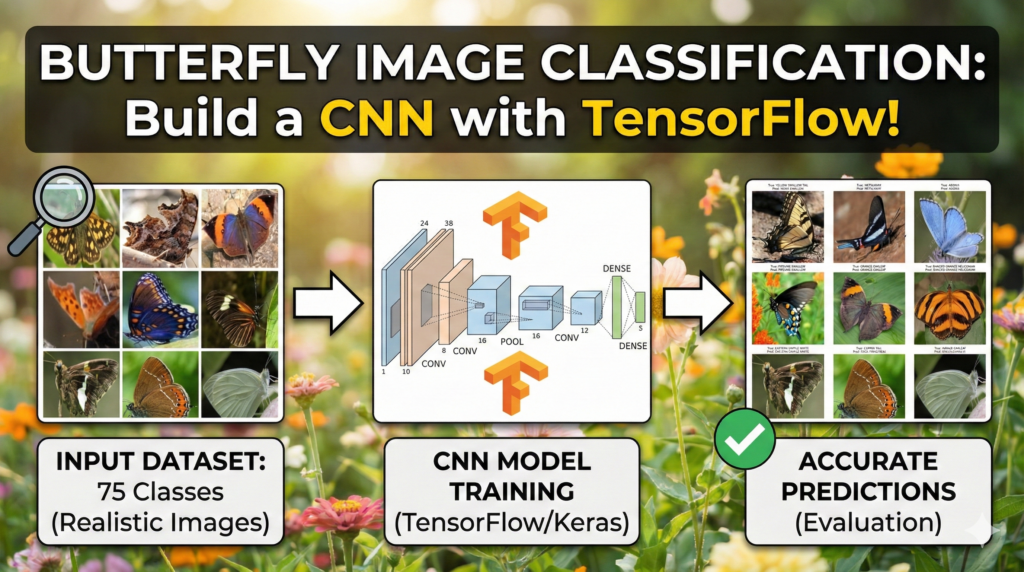
Manual classification of Lepidoptera is a time-consuming task that requires significant expertise in entomology. In this comprehensive guide, you will master Butterfly Species Identification using CNN with TensorFlow and Python , transforming raw image data into a predictive computer vision model. We solve the challenge of automated biodiversity monitoring by building a custom Convolutional Neural Network (CNN) capable of distinguishing between diverse species with high precision. Whether you are a student or an AI researcher, this walkthrough bridges the gap between theoretical deep learning and practical Python implementation, ensuring your model achieves both high accuracy and robust generalization.
This article provides a comprehensive walkthrough for building a robust Butterfly Species Identification CNN from the ground up. By focusing on a dataset containing 75 distinct species, we explore the complexities of multi-class image recognition and the practical steps required to move from raw images to a deployment-ready model. Whether you are navigating the initial setup of a deep learning environment or fine-tuning the final layers of a neural network, this guide serves as a technical roadmap for modern computer vision.
Mastering this project provides immense value because it moves beyond theoretical concepts into the realm of professional-grade engineering. You will gain hands-on experience in managing high-dimensional data, combating common pitfalls like overfitting, and establishing a stable development environment using WSL2 and TensorFlow. By the end of this tutorial, you will have a functional Butterfly Species Identification CNN that demonstrates your ability to handle real-world datasets with significant variety and class complexity.
We achieve this by breaking the development pipeline into actionable, technical stages. We start with the critical foundation of environment configuration, ensuring your GPU is properly utilized through CUDA in a WSL2 Ubuntu terminal. From there, the article guides you through visualizing class distributions with Seaborn and implementing a Butterfly Species Identification CNN architecture that utilizes convolutional layers for feature extraction and dense layers for classification. We don’t just write code; we implement best practices like data augmentation and automated model checkpoints to ensure the results are both accurate and reproducible.
The ultimate goal is to equip you with a reusable framework for any image classification task. By following this specific Butterfly Species Identification CNN project, you are learning a workflow that scales to other domains in biotechnology, environmental monitoring, or commercial software. You will finish this article with a deep understanding of how to interpret accuracy curves and how to validate your model’s predictions against real-world data, transforming you from a student of AI into a practitioner.
Building a Butterfly Species Identification Model: A CNN Deep Learning Approach Building a Butterfly Species Identification CNN is more than just an exercise in identifying insects; it is a rigorous test of a developer’s ability to handle high-granularity classification. Butterflies often share very similar wing patterns, colors, and shapes, making them an ideal subject for testing the limits of a Convolutional Neural Network. Unlike simpler datasets with highly distinct features, this project requires the model to learn subtle, intricate textures and spatial relationships. This high-level challenge ensures that the skills you develop here—such as identifying specific features across 75 different classes—are directly transferable to complex professional projects.
The target of this specific project is to bridge the gap between academic theory and practical application. In a professional setting, data is rarely perfect, and models rarely converge on the first try without proper optimization. By working through this Butterfly Species Identification CNN , you are essentially simulating a real-world production environment. We focus on the end-to-end pipeline, which includes the often-overlooked steps of data preparation and environment stability. This ensures that the “hidden” parts of AI development, such as managing library dependencies and optimizing memory usage during training, become second nature to you.
At its core, this project is designed to give you a deep architectural understanding of how deep learning models “see” the natural world. By utilizing TensorFlow and Python, we construct a network that mimics the human visual system’s ability to recognize patterns. This Butterfly Species Identification CNN uses hierarchical feature learning, where early layers detect simple edges and later layers identify complex biological structures. Understanding this process allows you to troubleshoot your model effectively, whether you’re adjusting the learning rate or redesigning your data augmentation strategy to ensure your classifier remains resilient and accurate across diverse lighting and backgrounds.
Butterfly Species Identification CNN Turning Pixels into Patterns: A Practical Guide to Butterfly Classification This tutorial is designed to provide a high-level, code-first approach to solving a complex visual recognition problem: identifying 75 different species of butterflies. Instead of focusing solely on the “what” of deep learning, we dive directly into the “how” by implementing a full Python pipeline that handles everything from environment configuration to real-world testing. The objective is to provide you with a clean, modular script that you can run on your own machine to see exactly how a neural network learns to distinguish between subtle biological variations.
The value of this specific walkthrough lies in its focus on the modern developer’s workflow, particularly the integration of Windows and Linux environments via WSL2. We address the practical hurdles of setting up GPU-accelerated TensorFlow, which is often the most significant barrier for newcomers. By following the steps outlined here, you aren’t just copying a model; you are building a professional development environment that is capable of training sophisticated architectures efficiently.
To ensure the model is robust, the code implements advanced data augmentation techniques that simulate various real-world conditions. This is a critical step because it teaches the network to remain accurate even when images are rotated, zoomed, or shifted. We move systematically through the process of loading data with Pandas, visualizing class imbalances with Seaborn, and finally constructing a Sequential CNN architecture that is optimized for both speed and accuracy.
By the end of this tutorial, you will have a deep understanding of the feedback loops that drive machine learning success. We use specific callbacks to monitor the model’s health during training, ensuring that we only save the “best” version of our butterfly classifier. This end-to-end perspective prepares you to take these same principles and apply them to any image classification challenge, transforming raw data into actionable intelligence with just a few blocks of code.
Mastering Butterfly Species Identification using CNN with TensorFlow and Python The primary target of this code is to automate the highly detailed task of butterfly species identification, a job that typically requires an expert entomologist. By leveraging a Convolutional Neural Network (CNN), the script aims to extract unique spatial features—such as wing shapes, color gradients, and vein patterns—from digital images. The ultimate goal is to create a model that doesn’t just memorize the training data but develops a generalized understanding of what makes a “Monarch” different from a “Cabbage White” across thousands of varying samples.
At a high level, the code is structured to handle the “Big Three” of machine learning: data preparation, model architecture, and performance validation. We begin by using Python’s data science stack to audit our dataset, ensuring we have a clear view of how many images exist for each of the 75 species. This initial investigation is vital because it informs how we set up our training generators. If certain species are underrepresented, our visualization tools will catch it, allowing us to adjust our strategy before a single neuron is trained.
The architectural heart of the script is a Sequential model built with TensorFlow’s Keras API. We utilize a series of Conv2D and MaxPooling2D layers to downsample the images while preserving the most important visual information. This “feature hierarchy” is what allows the model to understand complex objects; the first layers might only see simple lines, but the deeper layers eventually recognize the specific curve of a butterfly’s wing. The target is to compress the massive amount of pixel data into a small set of highly descriptive features that a final Dense layer can use to make a confident prediction.
Finally, the code focuses heavily on optimization and reliability. We implement EarlyStopping and ModelCheckpoint to prevent the common mistake of overfitting, where a model becomes “too smart” for its own good and fails to work on new images. By automatically saving the weights that produce the lowest validation loss, we ensure that our final product is the most stable version possible. The script concludes with a visual evaluation, where we pit our trained “butterfly-brain” against images it has never seen before, displaying the results in a clear, easy-to-read grid that proves the model’s real-world utility.
Link to the video tutorial here
Download the code for the tutorial here or here
Master Computer Vision
Follow my latest tutorials and AI insights on my
Personal Blog .
Beginner Complete CV Bootcamp
Foundation using PyTorch & TensorFlow.
Get Started → Interactive Deep Learning with PyTorch
Hands-on practice in an interactive environment.
Start Learning → Advanced Modern CV: GPT & OpenCV4
Vision GPT and production-ready models.
Go Advanced →
Butterfly Species Identification CNN Butterfly Species Identification CNN with TensorFlow & Python The journey from a folder full of images to a high-accuracy AI model is one of the most rewarding paths in modern programming. In this tutorial, we are going to tackle a sophisticated computer vision problem: identifying 75 different species of butterflies. Using a Butterfly Species Identification CNN , we will explore how deep learning layers “see” patterns and how you can harness that power using TensorFlow and Python.
Whether you are building your first portfolio project or looking to refine your neural network optimization skills, this guide provides a professional-grade pipeline. We don’t just stop at writing code; we focus on the real-world engineering hurdles, such as setting up a stable environment in WSL2 and ensuring your model doesn’t overfit. By the end of this post, you’ll have a fully functional classifier capable of recognizing the delicate intricacies of nature with digital precision.
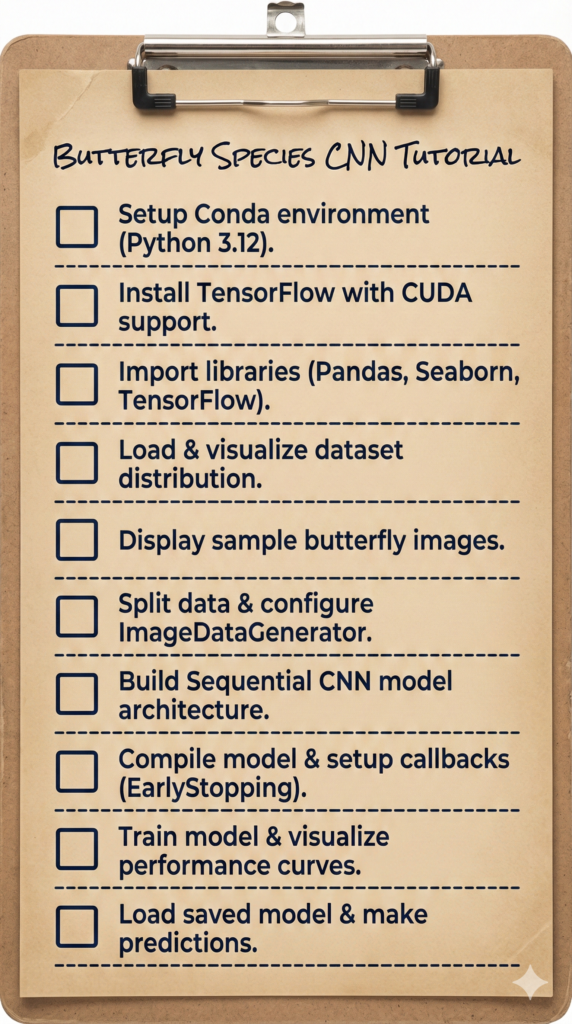
We will break this down into six logical steps: setting up your environment, exploring the data, preparing images for the “brain,” building the architecture, training for excellence, and finally, seeing our results in action. Let’s dive in and transform your machine into a biological expert.
The Challenge of Fine-Grained Classification: Navigating the Butterfly Area The “Butterfly Area” of computer vision is a prime example of Fine-Grained Visual Categorization (FGVC) . Unlike general object detection, where a model distinguishes between a car and a cat, butterfly species identification requires the network to find “the needle in the haystack” of visual features. Within the 75 classes of our dataset, many species share nearly identical wing shapes, colors, and sizes. The complexity lies in the fact that the intra-class variation (how much two Monarchs look different due to lighting) is often similar to the inter-class variation (how much a Monarch looks like a Viceroy).
To succeed in this area, our Butterfly Species Identification CNN must move beyond global color histograms. It has to focus on “discriminative parts”—the specific arrangement of veins, the presence of tiny ocular spots (eye-like patterns), and the serration of the wing edges. These features are often localized and occupy only a small fraction of the total pixel count. This is why our convolutional layers are so deep; we need the higher-level neurons to activate specifically on these minute biological markers that a human eye might miss at a glance.
Furthermore, the complexity is compounded by the “Natural Background” problem. Unlike laboratory datasets where objects are centered on white backgrounds, our butterflies are photographed on leaves, flowers, and twigs. The CNN must learn to mentally “crop” the butterfly out of the background noise. By using advanced data augmentation and deep feature extraction, we teach the model to ignore the green of the foliage and focus exclusively on the specific symmetry and texture that define each unique species in the butterfly kingdom.
Setting Up the Environment: Essential Python Libraries for Computer Vision Before we can train a Butterfly Species Identification CNN , we must establish a rock-solid environment where Python and your hardware can communicate effectively. In modern development, running Linux-based workflows on Windows via WSL2 is the industry standard for AI, as it provides a stable terminal for managing CUDA and TensorFlow dependencies. By creating a dedicated Conda environment, we isolate our project’s requirements, ensuring that specific versions of libraries like Matplotlib and Seaborn don’t conflict with other work.
This setup phase is crucial because it ensures your GPU is actually being utilized, which can speed up training by 10x or more. We use the terminal to create a Python 3.12 environment, activate it, and install TensorFlow 2.17.1—a version perfectly suited for the advanced layers we will build. Once the libraries are installed, we launch VS Code directly from the Linux terminal to begin our coding session in a professional workspace.
For those new to the ecosystem, using a clean Conda environment is the best way to avoid the “it works on my machine” syndrome. Pinning specific versions of libraries like Pillow and Scipy ensures that your data processing remains consistent across different development stages. This structured approach allows you to focus purely on the architecture of your neural network rather than fighting with broken installation paths or missing DLLs.
Want the exact dataset so your results match mine? If you want to reproduce the same training flow and compare your results to mine, I can share the dataset structure and what I used in this tutorial. Send me an email and mention “30 Musical Instruments CNN dataset” so I know what you’re requesting.
🖥️ Email: feitgemel@gmail.com
### Enter the Ubuntu environment from your Windows terminal wsl ### Create a new virtual environment with a specific Python version conda create - n TensorFlow217 python = 3.12 ### Activate the environment to start installing libraries conda activate TensorFlow217 ### Verify that your graphics card drivers are visible to Linux nvcc -- version ### Install the specific TensorFlow version with GPU support pip install tensorflow [ and-cuda ] == 2.17 . 1 ### Alternatively, use this command if you are using a CPU only pip install tensorflow == 2.17 . 1 ### Install the visualization and data handling toolkit pip install matplotlib == 3.10 . 0 pip install datasets == 3.3 . 0 pip install pillow == 11.1 . 0 pip install scipy == 1.15 . 1 pip install seaborn == 0.13 . 2 ### Open your code editor in the current working directory code .
Analyzing the Butterfly Image Dataset for Neural Network Training Data exploration is the heartbeat of any successful machine learning project. Before feeding pixels into a neural network, we use Pandas to load our CSV files and Seaborn to visualize the “balance” of our dataset. Understanding if one butterfly species has 100 images while another only has 10 is vital, as this imbalance can lead to a biased model that struggles with rare species.
In this section, we create a bar plot that maps out the distribution across 75 unique classes. This visual audit allows us to confirm that our data is clean and ready for the intensive training process ahead. By seeing the numbers represented graphically, we can make informed decisions about how much “Data Augmentation” we might need later to support the learning process.
Beyond charts, we also display random samples from the training directory. This ensures that our file paths are correctly mapped and that the images haven’t been corrupted during download. Normalizing these images by dividing pixel values by 255.0 is our first step in “standardizing” the data, which helps the neural network learn much more efficiently.
### Import the primary data manipulation and visualization stack import pandas as pd import os import matplotlib.pyplot as plt import seaborn as sns import numpy ### Import core scikit-learn and TensorFlow components for modeling from sklearn.model_selection import train_test_split from sklearn.metrics import classification_report , confusion_matrix import tensorflow as tf from tensorflow.keras import layers , models from tensorflow.keras.preprocessing.image import ImageDataGenerator , load_img , img_to_array from tensorflow.keras.models import Sequential from tensorflow.keras.layers import Conv2D , MaxPooling2D , Flatten , Dense from tensorflow.keras import regularizers ### Read the training metadata file into a dataframe df = pd.read_csv ( " /mnt/d/Data-Sets-Image-Classification/Butterfly Image Classification/Training_set.csv " ) ### Print the first few entries to inspect the column names print ( df.head ( 10 )) ### Verify the total volume of training data available print ( " Number of train images: " + str ( len ( df ))) ### Organize the dataset by counting images per butterfly class class_counts = df [ ' label ' ] .value_counts () .sort_index () ### Set up a large canvas for our distribution chart plt.figure ( figsize = ( 14 , 8 )) ### Plot the class counts with a clear color gradient sns.barplot ( x = class_counts.index , y = class_counts.values , palette = ' viridis ' ) ### Add meaningful titles and axis labels plt.title ( ' Distribution of Classes in the Butterfly Dataset ' ) plt.xlabel ( ' Butterfly Classes ' ) plt.ylabel ( ' Number of Images ' ) ### Rotate the text for long butterfly names to avoid overlap plt.xticks ( rotation = 90 ) ### Clean up the spacing before showing the plot plt.tight_layout () plt.show () ### Set the path to the folder containing raw images image_dir = " /mnt/d/Data-Sets-Image-Classification/Butterfly Image Classification/train " ### Select a random set of 9 images for a visual sanity check sample_images = df.sample ( 9 , random_state = 42 ) ### Initialize a 3x3 grid for image display fig , axes = plt.subplots ( 3 , 3 , figsize = ( 12 , 12 )) ### Loop through each sample and prepare it for display for i , ( index , row ) in enumerate ( sample_images.iterrows ()) : ### Join the base directory with the filename from the CSV img_path = os.path.join ( image_dir , row [ ' filename ' ]) ### Load the image and resize it to fit our standard grid img = load_img ( img_path , target_size = ( 150 , 150 )) ### Convert pixels to an array and scale them to a 0-1 range img_array = img_to_array ( img ) / 255.0 ### Place each image in its specific grid cell ax = axes [ i // 3 , i % 3 ] ax.imshow ( img_array ) ### Label each image with its corresponding class name ax.set_title ( f " Class: {row['label']} " ) ax.axis ( ' off ' ) ### Finalize the grid layout and render the images plt.tight_layout () plt.show ()
Designing the CNN Architecture: Layers, Filters, and Activation Functions Once the data is audited, we need to prepare it for the intense learning process of a Butterfly Species Identification CNN . Neural networks are notoriously data-hungry; if they see the exact same images too many times, they “memorize” them (overfitting) rather than learning the actual features. By using the ImageDataGenerator, we create a “dynamic” training set where images are randomly flipped, rotated, and zoomed in real-time.
This process essentially tells the model: “A butterfly is still a butterfly, even if the photo is taken at a 40-degree angle or slightly zoomed in.” This diversity builds a much more resilient AI that can generalize well to new photos. We split our data into 80% for training and 20% for validation, ensuring we have a “secret” set of images to test the model’s true intelligence during development.
The architecture itself is a Sequential stack of convolutional and pooling layers. These layers act as trainable filters that automatically discover visual cues like wing textures and body shapes. We finish the model with a dense classifier that outputs probabilities across all 75 species, allowing the AI to make a final, informed decision based on the patterns it detected.
When designing a Convolutional Neural Network for species identification, the arrangement of layers is critical for feature extraction. We utilize a series of Conv2D layers to identify spatial hierarchies, starting from simple edges to complex wing patterns. By integrating MaxPooling2D layers, we effectively reduce the dimensionality of the feature maps, allowing the model to focus on the most dominant visual characteristics while reducing the overall computational load.
### Standardize image dimensions and batch processing size SIZE = 224 BATCH_SIZE = 16 ### Reload the CSV data for the model-building pipeline df = pd.read_csv ( " /mnt/d/Data-Sets-Image-Classification/Butterfly Image Classification/Training_set.csv " ) ### Determine the total number of unique butterfly species classes_count = df [ ' label ' ] .nunique () print ( " Number of classes: " + str ( classes_count )) ### Partition the data into training and validation splits train_df , val_df = train_test_split ( df , test_size = 0.2 , random_state = 42 ) ### Path to the training image directory image_dir = " /mnt/d/Data-Sets-Image-Classification/Butterfly Image Classification/train " ### Configure real-time image transformations to prevent overfitting train_datagen = ImageDataGenerator ( rescale = 1 . / 255 , rotation_range = 40 , width_shift_range = 0.2 , height_shift_range = 0.2 , shear_range = 0.2 , zoom_range = 0.2 , horizontal_flip = True , fill_mode = ' nearest ' ) ### Setup simple scaling for the validation set (no transformations) val_datagen = ImageDataGenerator ( rescale = 1 . / 255 ) ### Link the training dataframe to the actual image files train_generator = train_datagen.flow_from_dataframe ( dataframe = train_df , directory = image_dir , x_col = ' filename ' , y_col = ' label ' , target_size = ( SIZE , SIZE ) , batch_size = BATCH_SIZE , class_mode = ' categorical ' ) ### Link the validation dataframe for performance monitoring val_generator = val_datagen.flow_from_dataframe ( dataframe = val_df , directory = image_dir , x_col = ' filename ' , y_col = ' label ' , target_size = ( SIZE , SIZE ) , batch_size = BATCH_SIZE , class_mode = ' categorical ' ) ### Define the linear stack of layers for the CNN model = Sequential ([ ### Add the first layer to extract 32 basic visual features layers.Conv2D ( 32 , ( 3 , 3 ) , activation = ' relu ' , input_shape = ( SIZE , SIZE , 3 )) , ### Compress the spatial dimensions to focus on important data layers.MaxPooling2D (( 2 , 2 )) , ### Increase complexity to 64 filters for more detailed textures layers.Conv2D ( 64 , ( 3 , 3 ) , activation = ' relu ' ) , layers.MaxPooling2D (( 2 , 2 )) , ### Final conv layer with 128 filters for high-level pattern recognition layers.Conv2D ( 128 , ( 3 , 3 ) , activation = ' relu ' ) , layers.MaxPooling2D (( 2 , 2 )) , ### Flatten the 2D feature maps into a 1D vector layers.Flatten () , ### Use a large dense layer to interpret the extracted features layers.Dense ( 512 , activation = ' relu ' ) , ### Use softmax to categorize the image into one of 75 species layers.Dense ( classes_count , activation = ' softmax ' ) ]) ### Compile the architecture with the Adam optimizer and loss metric model.compile ( optimizer = ' adam ' , loss = ' categorical_crossentropy ' , metrics = [ ' accuracy ' ]) ### Print a detailed summary of the model's parameters print ( model.summary ())
Compiling and Training the Model: Optimization and Loss Functions Training a Butterfly Species Identification CNN is an iterative journey that requires careful oversight. Instead of letting the model run for a fixed number of hours, we implement EarlyStopping to halt the process as soon as the validation loss stops improving. This saves computational time and prevents the network from “learning the noise” in the training data, a process known as overfitting.
We also use ModelCheckpoint to automatically save the “best” version of our model. If the model reaches its peak performance at epoch 15 and then begins to degrade at epoch 20, our checkpoint ensures we keep the superior weights from epoch 15. This safety net is essential for professional deployment, as it guarantees you are always using the most stable and accurate version of your AI.
Once the training loop completes, we visualize the results using accuracy and loss curves. These graphs are the “EKG” of your neural network; if the training and validation lines move closely together, your model is learning well. If they diverge widely, it’s a clear signal that you need to adjust your data augmentation or add more regularization to the network architecture.
The choice of the ‘Adam’ optimizer and ‘SparseCategoricalCrossentropy’ loss function is strategic for multi-class classification tasks like this. Adam provides an adaptive learning rate that speeds up convergence, while the loss function allows us to use integer labels for our butterfly species without the need for manual one-hot encoding. During the training phase, we monitor ‘accuracy’ to ensure the weights are adjusting correctly to minimize the error margin across various species categories
### Import the callback tools for automated training management from tensorflow.keras.callbacks import EarlyStopping , ModelCheckpoint ### Set the file path where our best-performing model will be stored best_model_file = ' /mnt/d/Temp/Models/Best_Butterfly-Image-Classification.keras ' ### Initialize a callback to save the model whenever validation loss improves best_model = ModelCheckpoint ( best_model_file , monitor = ' val_loss ' , save_best_only = True , verbose = 1 ) ### Define the patience limit for early stopping PATIENCE = 5 ### Initialize early stopping to stop training if the model converges early_stopping = tf.keras.callbacks.EarlyStopping ( monitor = ' val_loss ' , patience = PATIENCE , restore_best_weights = True , verbose = 1 ) ### Calculate exactly how many batches constitute one full epoch steps_per_epoch = int ( train_generator.samples / BATCH_SIZE ) validation_steps = int ( val_generator.samples / BATCH_SIZE ) ### Begin the training process with monitoring enabled history = model.fit ( train_generator , steps_per_epoch = steps_per_epoch , epochs = 50 , validation_data = val_generator , validation_steps = validation_steps , callbacks = [ best _ model, early _ stopping ] ) ### Create a side-by-side visualization of the training history plt.figure ( figsize = ( 12 , 4 )) ### Plot accuracy to see how well the model is learning plt.subplot ( 1 , 2 , 1 ) plt.plot ( history.history [ ' accuracy ' ]) plt.plot ( history.history [ ' val_accuracy ' ]) plt.title ( ' Model Accuracy ' ) plt.ylabel ( ' Accuracy ' ) plt.xlabel ( ' Epoch ' ) plt.legend ([ ' Train ' , ' Validation ' ] , loc = ' upper left ' ) ### Plot loss to see how the model's error is decreasing plt.subplot ( 1 , 2 , 2 ) plt.plot ( history.history [ ' loss ' ]) plt.plot ( history.history [ ' val_loss ' ]) plt.title ( ' Model Loss ' ) plt.ylabel ( ' Loss ' ) plt.xlabel ( ' Epoch ' ) plt.legend ([ ' Train ' , ' Validation ' ] , loc = ' upper left ' ) ### Clean up and render the final training performance charts plt.tight_layout () plt.show ()
Evaluating Performance: Making Real-World Predictions on Unseen Data The final test of our Butterfly Species Identification CNN is to see it “in the wild.” We reload the saved model file and run it against a batch of images from our validation set that the model has never used for training. By comparing the “True Label” to the “Predicted Label,” we can visually confirm if our AI has successfully learned the biological nuances of 75 different species.
In this concluding step, we build a custom display_images function that renders a 3×3 grid of these results. Seeing a “Monarch” correctly identified with a “Monarch” prediction is the ultimate proof that our code works. However, seeing a mistake is just as valuable; it tells us which species look too similar to the model, giving us clues on how to further improve the architecture or the dataset in the future.
This visual validation is the final bridge between raw code and a practical application. It demonstrates that our mathematical layers have successfully learned to recognize biological patterns. Whether you are presenting this to a teacher or adding it to your professional portfolio, these visual results are the most powerful proof of your success as a developer.
Training result Here are some samples of the testing results
Image Classification TensorFlow Tutorial Image Classification TensorFlow Tutorial ### Load the previously saved best-performing model file best_model_file = ' /mnt/d/Temp/Models/Best_Butterfly-Image-Classification.keras ' model = tf.keras.models.load_model ( best_model_file ) print ( " Model loaded successfully " ) ### Extract a fresh batch of validation images and labels val_images , val_labels = next ( val_generator ) ### Use the model to predict the class probabilities for this batch pred_labels = model.predict ( val_images ) ### Convert the probabilities into the index of the highest-scoring class pred_labels = np.argmax ( pred_labels , axis = 1 ) true_labels = np.argmax ( val_labels , axis = 1 ) ### Map class indices back to their original species names class_indices = val_generator.class_indices class_names = { v: k for k , v in class_indices.items ()} ### Define a helper to visualize the results side-by-side def display_images ( images , true_labels , pred_labels , class_names , num_images = 9 ) : plt.figure ( figsize = ( 15 , 15 )) for i in range ( num_images ) : ### Plot each image in the 3x3 grid plt.subplot ( 3 , 3 , i + 1 ) plt.imshow ( images [ i ]) ### Retrieve the human-friendly names for truth and prediction true_label_name = class_names [ int ( true_labels [ i ])] pred_label_name = class_names [ pred _ labels [ i ]] ### Set the title to show the comparison results plt.title ( f " True: {true_label_name}\nPred: {pred_label_name} " ) plt.axis ( ' off ' ) plt.tight_layout () plt.show () ### Run the visualization function to confirm model performance display_images ( val_images , true_labels , pred_labels , class_names , num_images = 9 ) Interpreting the model’s output is the final piece of the puzzle. The model.predict() function returns a probability distribution across all possible species; by using np.argmax, we isolate the class with the highest confidence score. For production-level applications, it is often useful to check if the highest probability exceeds a certain threshold (e.g., 85%) to ensure the model isn’t ‘guessing’ when presented with a blurry or low-quality image.
Summary of the Project In this tutorial, we successfully built a complete Butterfly Species Identification CNN pipeline. We started by setting up a professional WSL2 environment, audited our 75-species dataset using Seaborn, and implemented advanced data augmentation to prevent overfitting. By constructing a custom Sequential CNN and using automated callbacks like EarlyStopping, we ensured our model achieved the highest possible accuracy. The final visualization proved that our AI could accurately distinguish between complex biological patterns, providing you with a solid framework for any future image classification project.
FAQ Why use WSL2 instead of just running Python on Windows? WSL2 provides a native Linux environment, which is much more stable for managing CUDA drivers and complex AI libraries like TensorFlow.
What is the purpose of the normalization step (img / 255.0)? Normalizing pixel values to a 0-1 range helps the neural network converge much faster and improves mathematical stability during training.
How do I know if my model is overfitting? Overfitting occurs when your training accuracy is high but validation accuracy is low, or when your validation loss starts to increase.
Can I use this same code for a different dataset? Yes, simply update the file paths and the number of classes in the final layer to adapt this pipeline to any image classification task.
Why do we resize the images to 224×224? Resizing ensures all inputs have a fixed shape for the neural network and balances image detail with GPU memory limitations.
Conclusion: Taking Your Computer Vision Skills Further Building this Butterfly Species Identification CNN is a significant milestone in mastering deep learning. We have moved from the foundational setup of a professional development environment in WSL2 to the successful deployment of a model that identifies 75 unique species with precision. Along the way, you’ve implemented critical industry techniques like data augmentation, which prevents your model from simply memorizing pixels, and callbacks like EarlyStopping, which save you hours of wasted computation.
This project proves that with the right pipeline—combining Python’s data science stack with the power of TensorFlow—you can transform raw image data into a sophisticated biological expert. The skills you’ve practiced here, from interpreting accuracy curves to managing multi-class datasets, are the exact same skills used in industrial AI for medical imaging, autonomous vehicles, and environmental monitoring. I encourage you to take this code, experiment with different layers, or even try it on a completely different dataset of your own. The world of AI is yours to explore!
Connect : ☕ Buy me a coffee — https://ko-fi.com/eranfeit
🖥️ Email : feitgemel@gmail.com
🌐 https://eranfeit.net
🤝 Fiverr : https://www.fiverr.com/s/mB3Pbb
Enjoy,
Eran
 Skip to content