Last Updated on 05/08/2026 by Eran Feit
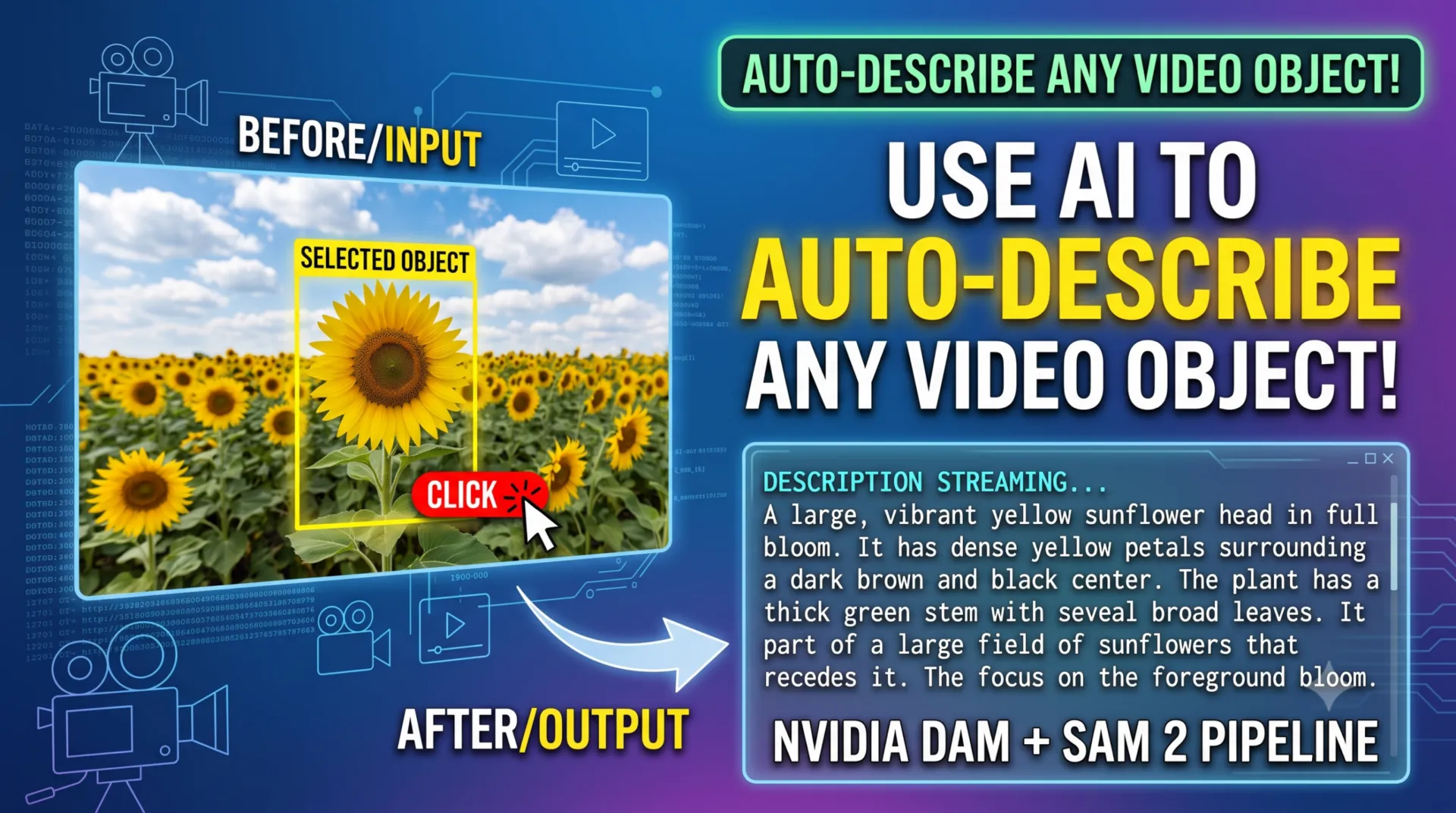
Building a local pipeline around the nvidia describe anything model solves a critical engineering problem for developers seeking to pair pixel-level object segmentation with advanced multimodal reasoning. Traditional computer vision setups struggle to bridge the gap between isolating an object and genuinely understanding its semantic details, often forcing teams to rely on cloud-hosted Multimodal Large Language Models (MLLMs) that incur steep API token fees. By working through this guide, you will bypass external cloud dependencies entirely, deploying a self-contained, high-performance visual description pipeline directly onto your local machine.
The structural value of this tutorial lies in its hands-on approach to integrating zero-shot visual masking with region-specific text generation. Instead of settling for basic bounding-box labels like “person” or “vehicle,” you will learn to implement an architecture that captures highly specific visual features, spatial states, and moving components in dense, textual prose. For AI developers, computer vision engineers, and technical researchers, this localized deployment offers total command over private inference data, eliminated web latency, and a runtime environment that operates completely free of recurring cloud costs.
To achieve this, the article walks you through a step-by-step programming workflow that uses OpenCV to build an interactive graphical user interface (GUI). This interface empowers users to supply immediate spatial coordinates—via direct point clicks or dragged bounding boxes—straight onto an active image canvas or video frame. The underlying code immediately processes these points into geometric masks, crops the targeted region, and forwards the localized data into an advanced local neural network to stream a descriptive analysis.
Specifically, this vision-language pipeline is constructed by linking Meta’s Segment Anything framework (SAM & SAM 2) with the newly released nvidia describe anything model (DAM-3B). By following the clear, modular layout provided across environment setup, static asset selection, and multi-frame video propagation, you will discover exactly how to combine disconnected vision models into a unified on-device system. By the conclusion of this tutorial, you will possess a fully functional Python codebase tailored to parse complex visual scenes on consumer-grade GPU hardware.
Mastering the Nvidia Describe Anything Model for Dense Captioning The nvidia describe anything model (commonly referenced as DAM) represents a profound architectural shift in how multimodal deep learning models interpret targeted segments within an active camera view. While classic image captioning algorithms process an entire scene globally to generate a single sweeping overview, the design criteria of DAM centers explicitly on Detailed Localized Captioning (DLC). This specialization allows software applications to feed specific spatial indicators—such as mouse-click coordinates, bounded box parameters, scribbles, or raw binary masks—and extract rich, descriptive text focusing uniquely on the isolated element.
At a foundational engineering level, the nvidia describe anything model accomplishes this distinct level of visual understanding through a unique dual-stream pipeline incorporating a focal prompt mechanism. Instead of relying on a standard low-resolution grid that drops intricate structural data, the architecture evaluates both the complete global image context and a dedicated high-resolution focal crop centered on the user-selected coordinates. This approach ensures that fine-grained physical attributes—such as material textures, exact micro-components, or subtle shadowing—remain distinct and highly visible to the text generation head while keeping the object structurally anchored to its surroundings.
This architecture showcases exceptional utility when working with dynamic tracking data via the optimized DAM-3B-Video model weights. When tracking an isolated subject across an evolving timeline, the network moves beyond basic static labeling to actively analyze motion patterns, structural transformations, and context changes between consecutive frames. By establishing the nvidia describe anything model locally within your project workflows, you unlock an advanced, edge-capable processing system that elevates local computer vision tasks, contextual metadata creation, and autonomous inspection software.
nvidia describe anything model Setting Up the Local Vision-Language Pipeline in Python This hands-on programming guide provides a complete, production-grade implementation blueprint for developers looking to deploy a state-of-the-art vision-language system entirely on local hardware. The foundational script architecture is specifically engineered to handle two primary tasks: localized geometric segmentation and real-time multimodal description extraction. By utilizing clean, modular Python scripting, this tutorial removes the complexity of managing large visual datasets, allowing you to pass raw media files through an on-device workflow that tracks, isolates, and summarizes visual elements completely free of external cloud tokens or server subscriptions.
The primary engineering objective of this code is to establish an interactive loop between user input and deep neural model execution using a standard OpenCV graphical interface. Instead of running automated, generic evaluations across a full image canvas, the scripts construct an agile, event-driven runtime environment. Users can feed real-time spatial indicators—either by clicking specific points or dynamically drawing a bounding box—directly onto an active frame. The system immediately captures these pixel coordinates, translates them into spatial prompt shapes, and coordinates data exchange between different vision models running on your local GPU.
To achieve this seamlessly, the script framework is split into three core algorithmic routines: library dependency initialization, image-space interactive segmentation, and temporal video frame propagation. The environment configuration stage ensures that heavy compute packages, including PyTorch configured for newer CUDA runtimes, are correctly aligned with foundational transformer models. The downstream runtime code then takes the user’s GUI prompts, passes them to a zero-shot visual segmentation head to generate highly precise object masks, and isolates the target target region down to its pixel boundaries.
Finally, the localized visual array is passed into an advanced neural language decoder, which extracts contextual, natural-language tokens in a fast streaming layout. When moving from static images to video data, the script leverages an advanced temporal propagation engine to track selected items across multiple consecutive frames without requiring manual re-selection. By mapping out this cross-model pipeline within a single local script file, you acquire a robust, scalable technical template for custom surveillance software, autonomous spatial analytics, and detailed metadata generation tools.
How do SAM 2 and the Nvidia Describe Anything Model pass visual data to each other locally? The pipeline establishes a precise mathematical handoff inside your GPU’s VRAM. When you interact with the OpenCV GUI, your coordinates are converted into a tensor array that Meta’s Segment Anything (SAM/SAM 2) uses to isolate the target object and produce a binary mask matrix. The code then converts this matrix into a distinct, high-resolution visual region of interest, which is forwarded directly alongside the global image layout to the nvidia describe anything model . This dual-stream input allows the language model to extract fine-grained structural features while using the global context to stream context-aware text responses.
Link to the tutorial here .
Download the code for the tutorial here or here .
Link for Medium users here
Master Computer Vision
Follow my latest tutorials and AI insights on my
Personal Blog .
Beginner Complete CV Bootcamp
Foundation using PyTorch & TensorFlow.
Get Started → Interactive Deep Learning with PyTorch
Hands-on practice in an interactive environment.
Start Learning → Advanced Modern CV: GPT & OpenCV4
Vision GPT and production-ready models.
Go Advanced →
Build a Local SAM 2 & Nvidia Describe Anything Model Pipeline 13 Preparing Your System For Visual Language Models Building a self-contained vision-language processing ecosystem begins with creating a clean virtual environment dedicated entirely to the compilation of multi-modal packages. When setting up a pipeline that depends on the interaction between multiple complex model weights, installing foundational components inside an isolated conda namespace prevents package conflicts and dependency drift. Managing raw environment binaries is a key best practice for machine learning engineers to keep on-device compute dependencies reproducible.
Next, you must coordinate your active GPU architecture with the matching framework distributions. The implementation code leverages advanced acceleration runtimes by verifying your specific NVCC driver versions before downloading customized wheel structures for PyTorch. Because managing deep visual tensors requires unified runtime support across CUDA extensions, allocating the correct pre-compiled wheel file ensures the neural execution engine leverages dedicated hardware tensors optimally.
Finally, the localized visual stack wraps everything together by cloning the model repository and deploying development-mode dependencies alongside Facebook’s interactive segmentation weights. Ensuring that your local path layout exposes the necessary config layers allows subsequent script pipelines to move data from input media folders into the target inference layers smoothly. This sequence provides a reliable structure for building real-world vision pipelines on standard computer workstations.
What core runtime dependencies are needed to align local multimodal vision models on consumer GPUs? The system requires an isolated Conda container configured with Python 3.11, a precise PyTorch 2.6.0 distribution compiled to match your exact host system CUDA version, and active Segment Anything (SAM 2) model weights saved inside a relative local checkpoints tree.
1. Create environment conda create -n Describe python= 3.11 conda activate Describe 2. Install Pytorch nvcc --version # ROCM 6.1 (Linux only) pip install torch== 2.6 .0 torchvision== 0.21 .0 torchaudio== 2.6 .0 --index-url https://download.pytorch.org/whl/rocm6.1 # ROCM 6.2.4 (Linux only) pip install torch== 2.6 .0 torchvision== 0.21 .0 torchaudio== 2.6 .0 --index-url https://download.pytorch.org/whl/rocm6.2.4 # CUDA 11.8 pip install torch== 2.6 .0 torchvision== 0.21 .0 torchaudio== 2.6 .0 --index-url https://download.pytorch.org/whl/cu118 # CUDA 12.4 pip install torch== 2.6 .0 torchvision== 0.21 .0 torchaudio== 2.6 .0 --index-url https://download.pytorch.org/whl/cu124 # CUDA 12.6 pip install torch== 2.6 .0 torchvision== 0.21 .0 torchaudio== 2.6 .0 --index-url https://download.pytorch.org/whl/cu126 # CPU only pip install torch== 2.6 .0 torchvision== 0.21 .0 torchaudio== 2.6 .0 --index-url https://download.pytorch.org/whl/cpu 3. Install " Describe Anything " cd tutorials git clone https://github.com/NVlabs/describe-anything cd describe-anything python.exe -m pip install -e . 4. Install all required libraries pip install transformers== 4.51 .3 sentencepiece== 0.2 .1 accelerate== 0.28 .0 gradio== 5.6 .0 gradio-client== 1.4 .3 pillow== 11.3 .0 pip install numpy== 1.26 .4 opencv-python== 4.9 .0.80 pip install pydantic== 2.10 .6 pip install openai== 1.55 .0 pip install requests httpx uvicorn fastapi protobuf 5. Install Segment Anything pip install git+https://github.com/facebookresearch/sam2.git Create a folder named " checkpoints " inside " describe-anything " Download the weights file from https://dl.fbaipublicfiles.com/segment_anything_2/092824/sam2.1_hiera_large.pt and copy it to : " describe-anything/checkpoints " 6. Copy the folder " My-Media " into the " describe-anything " working folder 7. Copy these files to the main " describe-anything " root folder : " Step1-interactive_points_dam.py " , " Step2-interactive_box_dam.py " , " Step3-interactive_video_dam.py " 8. Run Vscode open folder " c:/tutorials/describe-anything " as your working folder Summary: This section establishes the base infrastructure by building a clean python space, configuring hardware acceleration parameters, and sourcing core tracking and language weights.
Interactive Point Selection And Local Segment Isolation This segment of the pipeline transitions into the real-time application runtime by establishing an interactive mouse-event interface over target assets. The python code registers interactive point selections on a clean image canvas, feeding live click arrays into memory while rendering instant graphical tracking hints. By relying on native GUI events rather than rigid programmatic definitions, developers can easily target arbitrary regions of an image for deep semantic analysis.
The architectural heart of this script relies on handing off isolated point metrics directly into a pre-trained facebook/sam-vit-huge framework instance. The processing engine maps user foreground markers into spatial prompt tensors to derive precise pixel boundary definitions across the targeted region. By picking the top-scoring intersection mask generated by the visual processor, the script converts arbitrary coordinates into isolated binary mask files.
Finally, the system feeds this precise regional array into the nvidia describe anything model via a streaming inference iterator loop. The framework builds a custom dual-view crop centered on the isolated object to maintain physical clarity while querying the text generation model for dense descriptions. The resulting execution stream outputs highly nuanced natural language summaries directly to the developer’s monitoring console as they generate.
How does the code transform raw mouse click coordinates into structured inputs for the segmentation processor? The script sets up an event callback that pushes each canvas click coordinate into a dynamic coordinate list, which is later reformatted into a structured batch array and paired with a matching array of foreground indicator tokens required by the network.
The source image :
Build a Local SAM 2 & Nvidia Describe Anything Model Pipeline 14 Test image with Point Selection :
Build a Local SAM 2 & Nvidia Describe Anything Model Pipeline 15
### Import necessary Abstract Syntax Tree utilities for token tracking import ast ### Import core PyTorch libraries for model execution and tensor mapping import torch ### Import NumPy package for structural matrix operations on mask regions import numpy as np ### Import PIL image processing handlers for visual input alignment from PIL import Image ### Import Hugging Face transformer model handlers for Segment Anything from transformers import SamModel , SamProcessor ### Import OpenCV package for constructing interactive GUI mouse listeners import cv2 ### Import system management modules for setting internal library paths import sys ### Import operational path tools to verify directory trees import os # Inject project root path to allow seamless imports from any working directory sys . path . insert ( 0 , os . path . abspath ( os . path . join ( os . path . dirname ( __file__ ), ' .. ' ))) ### Import custom localized captioning pipeline classes from project folder from dam import DescribeAnythingModel , disable_torch_init # ==================== CONFIGURATION VARIABLES ==================== IMAGE_PATH = " My-Media/Sunflower-couple2.jpg " MODEL_PATH = " nvidia/DAM-3B " PROMPT_MODE = " focal_prompt " CONV_MODE = " v1 " TEMPERATURE = 0.2 TOP_P = 0.5 # ================================================================= # Global variables for tracking multiple points clicked_points = [] ### Define mouse button listener to log interactive coordinate points on click def click_event ( event , x , y , flags , param ): global clicked_points , img_cv_show if event == cv2 . EVENT_LBUTTONDOWN : # Save the new point coordinates clicked_points . append ([ x , y ]) # Draw a prominent large filled circle with a border cv2 . circle ( img_cv_show , ( x , y ), radius = 8 , color = ( 0 , 255 , 0 ), thickness =- 1 ) cv2 . circle ( img_cv_show , ( x , y ), radius = 9 , color = ( 0 , 0 , 0 ), thickness = 1 ) # Display the updated image with the counter of points cv2 . putText ( img_cv_show , f "P { len ( clicked_points ) } " , ( x + 12 , y + 5 ), cv2 . FONT_HERSHEY_SIMPLEX , 0.5 , ( 0 , 255 , 0 ), 2 ) ### Wrap segmentation inference to extract pixel masks based on input flags def apply_sam ( image , input_points =None , input_labels =None ): inputs = sam_processor ( image , input_points = input_points , input_labels = input_labels , return_tensors = " pt " ). to ( device ) with torch . no_grad (): outputs = sam_model ( ** inputs ) masks = sam_processor . image_processor . post_process_masks ( outputs . pred_masks . cpu (), inputs [ " original_sizes " ]. cpu (), inputs [ " reshaped_input_sizes " ]. cpu () )[ 0 ][ 0 ] scores = outputs . iou_scores [ 0 , 0 ] mask_selection_index = scores . argmax () return masks [ mask_selection_index ]. numpy () ### Format streaming textual arrays for instant output to console def print_streaming ( text ): print ( text , end = "" , flush =True ) # Load image for GUI visualization and model inference img_pil = Image . open ( IMAGE_PATH ). convert ( ' RGB ' ) img_cv_clean = cv2 . imread ( IMAGE_PATH ) img_cv_show = img_cv_clean . copy () # Initialize vision models on target device device = torch . device ( " cuda " if torch . cuda . is_available () else " cpu " ) print ( f "Loading SAM and DAM models to { device } ..." ) sam_model = SamModel . from_pretrained ( " facebook/sam-vit-huge " ). to ( device ) sam_processor = SamProcessor . from_pretrained ( " facebook/sam-vit-huge " ) disable_torch_init () prompt_modes = { " focal_prompt " : " full+focal_crop " } dam = DescribeAnythingModel ( model_path = MODEL_PATH , conv_mode = CONV_MODE , prompt_mode = prompt_modes . get ( PROMPT_MODE , PROMPT_MODE ), ). to ( device ) # Setup OpenCV window and bind mouse callback for points selection window_name = " Select Points - Press ENTER to Process " cv2 . namedWindow ( window_name ) cv2 . setMouseCallback ( window_name , click_event ) print ( " \n --> INSTRUCTIONS: " ) print ( " 1. Click anywhere on the image to add multiple foreground points targeting the object. " ) print ( " 2. Press ENTER or SPACEBAR when you are done selecting points to run inference. " ) print ( " 3. Press ESC to cancel. " ) while True : cv2 . imshow ( window_name , img_cv_show ) key = cv2 . waitKey ( 1 ) & 0x FF # Check if Enter (13) or Spacebar (32) is pressed to finish selection if ( key == 13 or key == 32 ) and len ( clicked_points ) > 0 : break # Cancel execution safely if ESC (27) is pressed if key == 27 : print ( " Execution cancelled. " ) cv2 . destroyAllWindows () exit () cv2 . destroyAllWindows () # Format points and labels for Segment Anything Model # SAM expects input_points shape: [batch_size, num_points, 2] input_points = [ clicked_points ] # Label 1 indicates a foreground point input_labels = [[ 1 ] * len ( clicked_points )] print ( f " \n Processing matching mask using { len ( clicked_points ) } points: { clicked_points } " ) # Generate localized mask via SAM using multiple points mask_np = apply_sam ( img_pil , input_points = input_points , input_labels = input_labels ) mask_pil = Image . fromarray (( mask_np * 255 ). astype ( np . uint8 )) # Generate and stream multimodal text description query = " <image> \n Describe the masked region in detail. " print ( " \n Description: " ) for token in dam . get_description ( img_pil , mask_pil , query , streaming =True , temperature = TEMPERATURE , top_p = TOP_P , num_beams = 1 , max_new_tokens = 512 ): print_streaming ( token ) print ( " \n\n Done. " ) Summary: This script accepts interactive user mouse coordinates, computes a high-fidelity semantic boundary mask using SAM, and transfers the isolated array data to the local description architecture.
Bounding Box Control Layers For Targeted Object Context This part introduces an alternative spatial prompt mode by implementing an interactive bounding box configuration over the target visual array. Dragging bounding boxes across an active window canvas allows users to isolate objects of varying size scales while maintaining a tight geometric boundary condition. This capability is exceptionally useful for isolating complex, irregular shapes that multiple distinct point markers might struggle to capture quickly.
The structural logic in this step handles canvas mouse events to calculate box arrays in real-time. Pushing mouse-drag dimensions into a structured tracking matrix allows the app to draw a clean feedback frame while extracting final diagonal pixel coordinates on release. The script then formats these precise maximum and minimum corners into the localized coordinate layout required by our parsing framework.
The isolated bounding parameters are then pushed directly to the vision network to evaluate the underlying pixel layout. Capturing the region within the bounding coordinates gives the nvidia describe anything model a clean, isolated visual field. The model processes this targeted image slice to stream deep descriptions of textures, relative object placements, and fine structural features directly to your monitor.
Why does a bounding box prompt offer more stable localized segmentation results than individual seed points for large targets? A bounding box establishes explicit outer borders that restrict the segmentation mask search area, preventing the model from leaking across edge thresholds or picking up background objects that happen to match the target’s color.
Test image with Bounding box Selection :
Build a Local SAM 2 & Nvidia Describe Anything Model Pipeline 16 ### Import AST layout tools for structural token parsing import ast ### Import main PyTorch package for model tracking and GPU math execution import torch ### Import NumPy package for managing spatial coordinate grids import numpy as np ### Import PIL image object structures to handle asset color mappings from PIL import Image ### Import Hugging Face model utilities for downloading vision layers from transformers import SamModel , SamProcessor ### Import OpenCV package to build interactive canvas windows import cv2 ### Import system management modules for modifying base environment configurations import sys ### Import operational path utilities for building parent directory flags import os # Inject project root path to allow seamless imports from any working directory sys . path . insert ( 0 , os . path . abspath ( os . path . join ( os . path . dirname ( __file__ ), ' .. ' ))) ### Import specialized Nvidia local multimodal language modules from dam import DescribeAnythingModel , disable_torch_init # ==================== CONFIGURATION VARIABLES ==================== IMAGE_PATH = " My-Media/Sunflower-couple2.jpg " MODEL_PATH = " nvidia/DAM-3B " PROMPT_MODE = " focal_prompt " CONV_MODE = " v1 " TEMPERATURE = 0.2 TOP_P = 0.5 # ================================================================= # Global variables for tracking bounding box selection drawing = False ix , iy = - 1 , - 1 x1 , y1 , x2 , y2 = - 1 , - 1 , - 1 , - 1 box_selected = False ### Process canvas mouse events to track drag dimensions for bounding blocks def draw_bounding_box ( event , x , y , flags , param ): global ix , iy , x1 , y1 , x2 , y2 , drawing , box_selected , img_cv_show if event == cv2 . EVENT_LBUTTONDOWN : drawing = True ix , iy = x , y elif event == cv2 . EVENT_MOUSEMOVE : if drawing : # Refresh view with clean image and draw current temporary rectangle img_cv_show = img_cv_clean . copy () cv2 . rectangle ( img_cv_show , ( ix , iy ), ( x , y ), ( 0 , 255 , 0 ), 2 ) elif event == cv2 . EVENT_LBUTTONUP : drawing = False x1 , y1 , x2 , y2 = ix , iy , x , y box_selected = True # Finalize and draw the bounding box rectangle cv2 . rectangle ( img_cv_show , ( x1 , y1 ), ( x2 , y2 ), ( 0 , 255 , 0 ), 2 ) ### Compute segmentation arrays specifically based on edge coordinate boundaries def apply_sam ( image , input_boxes =None ): inputs = sam_processor ( image , input_boxes = input_boxes , return_tensors = " pt " ). to ( device ) with torch . no_grad (): outputs = sam_model ( ** inputs ) masks = sam_processor . image_processor . post_process_masks ( outputs . pred_masks . cpu (), inputs [ " original_sizes " ]. cpu (), inputs [ " reshaped_input_sizes " ]. cpu () )[ 0 ][ 0 ] scores = outputs . iou_scores [ 0 , 0 ] mask_selection_index = scores . argmax () return masks [ mask_selection_index ]. numpy () ### Push raw token strings cleanly into the system console stream def print_streaming ( text ): print ( text , end = "" , flush =True ) # Load image for GUI visualization and model inference img_pil = Image . open ( IMAGE_PATH ). convert ( ' RGB ' ) img_cv_clean = cv2 . imread ( IMAGE_PATH ) img_cv_show = img_cv_clean . copy () # Initialize vision models on target device device = torch . device ( " cuda " if torch . cuda . is_available () else " cpu " ) print ( f "Loading SAM and DAM models to { device } ..." ) sam_model = SamModel . from_pretrained ( " facebook/sam-vit-huge " ). to ( device ) sam_processor = SamProcessor . from_pretrained ( " facebook/sam-vit-huge " ) disable_torch_init () prompt_modes = { " focal_prompt " : " full+focal_crop " } dam = DescribeAnythingModel ( model_path = MODEL_PATH , conv_mode = CONV_MODE , prompt_mode = prompt_modes . get ( PROMPT_MODE , PROMPT_MODE ), ). to ( device ) # Setup OpenCV window and bind mouse callback for bounding box selection window_name = " Select Bounding Box - Press ENTER to Process " cv2 . namedWindow ( window_name ) cv2 . setMouseCallback ( window_name , draw_bounding_box ) print ( " \n --> INSTRUCTIONS: " ) print ( " 1. Click and drag with the MOUSE to draw a bounding box around the target object. " ) print ( " 2. Press ENTER or SPACEBAR when you are done selecting the box to run inference. " ) print ( " 3. Press ESC to cancel. " ) while True : cv2 . imshow ( window_name , img_cv_show ) key = cv2 . waitKey ( 1 ) & 0x FF # Check if Enter (13) or Spacebar (32) is pressed to finish selection if ( key == 13 or key == 32 ) and box_selected : break # Cancel execution safely if ESC (27) is pressed if key == 27 : print ( " Execution cancelled. " ) cv2 . destroyAllWindows () exit () cv2 . destroyAllWindows () # Format bounding box coordinates for Segment Anything Model # Expected box coordinates layout: [x_min, y_min, x_max, y_max] box_coords = [ min ( x1 , x2 ), min ( y1 , y2 ), max ( x1 , x2 ), max ( y1 , y2 )] input_boxes = [[ box_coords ]] print ( f " \n Processing matching mask using bounding box: { box_coords } " ) # Generate localized mask via SAM using bounding box configuration mask_np = apply_sam ( img_pil , input_boxes = input_boxes ) mask_pil = Image . fromarray (( mask_np * 255 ). astype ( np . uint8 )) # Generate and stream multimodal text description query = " <image> \n Describe the masked region in detail. " print ( " \n Description: " ) for token in dam . get_description ( img_pil , mask_pil , query , streaming =True , temperature = TEMPERATURE , top_p = TOP_P , num_beams = 1 , max_new_tokens = 512 ): print_streaming ( token ) print ( " \n\n Done. " ) Summary: This module captures bounding frame metrics via an interactive mouse-drag tracking loop, generates a sharp regional silhouette, and requests detailed textual analysis from the local vision-language processor.
Streaming Video Tracking and Local Object Interpretation This final section expands the visual pipeline from static images into dynamic temporal video streams. Processing continuous video tracks requires an orchestration layer that takes initial user seed inputs and projects that tracking target across an entire sequence of moving frames. This step utilizes Meta’s advanced SAM 2 memory block architecture to track object contours through pixel displacement over time.
The programmatic workflow extracts incoming video files into temporary image folders, displaying the first frame to capture seed tracking coordinates. On verification, the script passes the point tokens into the SAM 2 video predictor state management layer, running a video propagation routine. The model tracks the target object forward through the file, saving a synchronized array of boundary masks across the entire timeline.
The code down-samples the generated tracking stream into eight uniform frames to assemble a cohesive temporal layout for the nvidia describe anything model video processor. This variant parses the visual updates across the sequence to analyze actions, material variations, and scene transitions. The pipeline then streams a detailed, comprehensive text summary detailing the targeted object’s behavior over time.
How does SAM 2 maintain an object’s tracking state across changing video frames without re-initiating user input? The model relies on a unique memory block system that continuously stores feature embeddings and mask predictions from previous frames, allowing it to predict motion paths and adapt boundaries dynamically across consecutive video steps.
Test Video : here
First frame with Point Selection :
Build a Local SAM 2 & Nvidia Describe Anything Model Pipeline 17 ### Import fundamental core torch tensors for handling temporal weights import torch ### Import structural array handlers for indexing complex multi-frame matrix outputs import numpy as np ### Import PIL image object loaders for managing single video frames from PIL import Image ### Import OpenCV package to split and trace video files frame-by-frame import cv2 ### Import system management modules to expose project directory trees import sys ### Import operational path utilities to compile dynamic folder systems import os ### Import temporary file structures to store frame steps safely import tempfile ### Import utility disk operators to remove storage folders on script close import shutil # Inject project root path to allow seamless imports from any working directory sys . path . insert ( 0 , os . path . abspath ( os . path . join ( os . path . dirname ( __file__ ), ' .. ' ))) ### Import specialized localized captioning utilities from project core from dam import DescribeAnythingModel , disable_torch_init ### Import SAM 2 video predictor factory initializers from facebook installation from sam2 . build_sam import build_sam2_video_predictor # ==================== CONFIGURATION VARIABLES ==================== VIDEO_PATH = " My-Media/Lilach.mp4 " # Path to your input video file MODEL_PATH = " nvidia/DAM-3B-Video " # Video-specific DAM checkpoint PROMPT_MODE = " focal_prompt " CONV_MODE = " v1 " TEMPERATURE = 0.2 TOP_P = 0.5 SAM2_CHECKPOINT = " checkpoints/sam2.1_hiera_large.pt " MODEL_CFG = " configs/sam2.1/sam2.1_hiera_l.yaml " # ================================================================= # Global variables for tracking multiple points on the first frame clicked_points = [] ### Setup interactive click listener to register seed coordinates on frame one def click_event ( event , x , y , flags , param ): global clicked_points , img_cv_show if event == cv2 . EVENT_LBUTTONDOWN : # Save the new point coordinates clicked_points . append ([ x , y ]) # Draw a prominent large filled circle with a border cv2 . circle ( img_cv_show , ( x , y ), radius = 8 , color = ( 0 , 255 , 0 ), thickness =- 1 ) cv2 . circle ( img_cv_show , ( x , y ), radius = 9 , color = ( 0 , 0 , 0 ), thickness = 1 ) # Display the updated image with the counter of points cv2 . putText ( img_cv_show , f "P { len ( clicked_points ) } " , ( x + 12 , y + 5 ), cv2 . FONT_HERSHEY_SIMPLEX , 0.5 , ( 0 , 255 , 0 ), 2 ) ### Unpack raw video streams into sequential image formats inside temp space def extract_frames_from_video ( video_path ): """ Extract all frames from a video file and save them to a temporary directory. """ temp_dir = tempfile . mkdtemp () cap = cv2 . VideoCapture ( video_path ) frame_paths = [] frame_count = 0 while True : ret , frame = cap . read () if not ret : break frame_path = os . path . join ( temp_dir , f " { frame_count :04d } .jpg" ) cv2 . imwrite ( frame_path , frame ) frame_paths . append ( frame_path ) frame_count += 1 cap . release () if frame_count == 0 : raise ValueError ( " No frames were extracted from the video. Check the file path. " ) return frame_paths , temp_dir ### Register initial point values to pass mask states across continuous video arrays def apply_sam2_video ( image_files , points ): """ Initialize SAM2 state and propagate point tracking throughout the video frames. """ video_dir = os . path . dirname ( image_files [ 0 ]) inference_state = predictor . init_state ( video_path = video_dir ) predictor . reset_state ( inference_state ) ann_frame_idx = 0 # First frame index ann_obj_id = 1 # Tracking Object ID with torch . autocast ( " cuda " , dtype = torch . bfloat16 ): # Convert points to numpy array and add labels (1 = foreground) points_np = np . array ( points , dtype = np . float32 ) labels_np = np . ones ( len ( points_np ), dtype = np . int32 ) predictor . add_new_points_or_box ( inference_state = inference_state , frame_idx = ann_frame_idx , obj_id = ann_obj_id , points = points_np , labels = labels_np ) # Propagate through the video and collect generated masks masks = [] for out_frame_idx , out_obj_ids , out_mask_logits in predictor . propagate_in_video ( inference_state ): mask = ( out_mask_logits [ 0 ] > 0.0 ). cpu (). numpy () masks . append ( mask ) return masks ### Direct text block data stream outputs to system log def print_streaming ( text ): print ( text , end = "" , flush =True ) # Optimization parameters for newer GPU architectures (Ampere or newer) if torch . cuda . is_available () and torch . cuda . get_device_properties ( 0 ). major >= 8 : torch . backends . cuda . matmul . allow_tf32 = True torch . backends . cudnn . allow_tf32 = True device = torch . device ( " cuda " if torch . cuda . is_available () else " cpu " ) # 1. Extract frames from video source print ( f "Extracting frames from video: { VIDEO_PATH } ..." ) image_files , temp_frame_dir = extract_frames_from_video ( VIDEO_PATH ) # Read the first frame for the interactive GUI selection img_cv_clean = cv2 . imread ( image_files [ 0 ]) img_cv_show = img_cv_clean . copy () # 2. Setup OpenCV interactive window to collect seed points window_name = " Select Points on First Frame - Press ENTER when done " cv2 . namedWindow ( window_name ) cv2 . setMouseCallback ( window_name , click_event ) print ( " \n --> INSTRUCTIONS: " ) print ( " 1. Click anywhere on the image to add multiple foreground points targeting the object. " ) print ( " 2. Press ENTER or SPACEBAR when you are done selecting points to run video propagation. " ) print ( " 3. Press ESC to cancel. " ) while True : cv2 . imshow ( window_name , img_cv_show ) key = cv2 . waitKey ( 1 ) & 0x FF if ( key == 13 or key == 32 ) and len ( clicked_points ) > 0 : break if key == 27 : print ( " Execution cancelled. " ) cv2 . destroyAllWindows () shutil . rmtree ( temp_frame_dir ) exit () cv2 . destroyAllWindows () # 3. Load SAM2 and DAM video models on the target device print ( f " \n Loading SAM2 and DAM models to { device } ..." ) predictor = build_sam2_video_predictor ( MODEL_CFG , SAM2_CHECKPOINT , device = device ) disable_torch_init () prompt_modes = { " focal_prompt " : " full+focal_crop " } dam = DescribeAnythingModel ( model_path = MODEL_PATH , conv_mode = CONV_MODE , prompt_mode = prompt_modes . get ( PROMPT_MODE , PROMPT_MODE ), ). to ( device ) # 4. Process entire video sequence using SAM2 tracking print ( f "Propagating { len ( clicked_points ) } tracking points across all frames..." ) all_video_masks = apply_sam2_video ( image_files , points = clicked_points ) # 5. Uniformly select 8 frames and corresponding masks across the sequence for DAM input indices = np . linspace ( 0 , len ( image_files ) - 1 , 8 , dtype = int ) selected_files = [ image_files [ i ] for i in indices ] selected_masks = [ all_video_masks [ i ] for i in indices ] processed_images = [ Image . open ( f ). convert ( ' RGB ' ) for f in selected_files ] processed_masks = [ Image . fromarray (( m . squeeze () * 255 ). astype ( np . uint8 )) for m in selected_masks ] # 6. Generate and stream localized video description query = ( " Video: <image><image><image><image><image><image><image><image> \n " " Given the video in the form of a sequence of frames above, " " describe the object in the masked region in the video in detail. " ) print ( " \n Description: " ) for token in dam . get_description ( processed_images , processed_masks , query , streaming =True , temperature = TEMPERATURE , top_p = TOP_P , num_beams = 1 , max_new_tokens = 512 ): print_streaming ( token ) # Cleanup temporary files shutil . rmtree ( temp_frame_dir ) print ( " \n\n Done. " ) Summary: This advanced script tracks moving visual targets frame-by-frame across an active video timeline via SAM 2 propagation, samples key frame matrices, and pipes the sequential array data into the local language block to generate full structural behavioral text over time.
FAQ : What hardware is required to run the Nvidia Describe Anything Model locally? You will need an NVIDIA GPU with at least 8GB of VRAM to comfortably run the combined SAM 2 and DAM-3B pipelines. Newer architectures like Ampere or Ada Lovelace are highly recommended to leverage faster TF32 tensor math precision.
Can I run this visual language system completely offline without internet? Yes, after the initial model weights are downloaded from Hugging Face and Meta’s servers during your first script execution, the entire vision pipeline runs completely localized on your machine hardware without making external web API or token calls.
Why does the script down-sample the video into exactly eight frames for the description engine? The nvidia/DAM-3B-Video model is specifically architectural-optimized to accept an eight-frame visual sequence stack as its primary structural video query input. Passing exactly eight evenly spaced matrices minimizes VRAM memory bloat while preserving critical action context from the timeline.
What is the difference between standard object captioning and the Detailed Localized Captioning (DLC) technique used here? Traditional systems evaluate a full image uniformly, returning broad, global descriptions of the entire environment canvas. Detailed Localized Captioning combines binary target masks with specialized dual-stream focal cropping networks to describe only the specific pixel regions isolated by the developer.
How do I fix out-of-memory (OOM) errors during the video tracking stage? You can resolve memory allocations by reducing input video resolution, lowering your max generation token counts, or explicitly passing half-precision bfloat16 allocations during the SAM 2 status initiation block within your code.
Is it possible to use bounding boxes instead of points inside the video tracking module? Yes, the SAM 2 framework video predictor exposes an add_new_points_or_box configuration block that accepts standard box coordinate boundaries to kick off automated temporal propagation across subsequent image file tracks.
Why do we use a Conda virtual environment for this specific machine learning implementation? Multimodal vision systems require tight dependency bindings across native CUDA runtimes, PyTorch, and third-party transformer dependencies. A dedicated Conda container isolates these complex wheel libraries from system-wide packages, avoiding version drift or corrupted development installations.
What does the prompt mode configuration string “focal_prompt” actually do? The “focal_prompt” flag tells the model to invoke a specialized visual encoder path that combines a global macro frame reference with a dedicated high-resolution crop of the target mask, keeping details visible without detaching the item from its context.
How accurate is the local text token streaming performance on a mid-range computer workstation? With a properly configured CUDA toolkit installation running over a modern GPU, the DAM-3B architecture yields responsive, low-latency text token streaming that matches or exceeds cloud API response delays while staying totally free to run.
Can this system be deployed inside a microservice backend using tools like FastAPI? Yes, because the Python codebase is completely modular and built around standard data structures like NumPy matrices and PIL objects, you can easily wrap these scripts inside FastAPI routes or background workers for scalable application architectures.
Conclusion Deploying this localized vision-language pipeline on your own machine hardware brings immediate benefits for data security, operational speed, and budget control. By linking Meta’s pixel segmentation models with the nvidia describe anything model , we have designed a robust Python framework that converts arbitrary interactive mouse inputs into dense, context-aware descriptions. This system processes both static pictures and dynamic video tracks completely offline, proving that you no longer need to depend on expensive cloud APIs or pay recurring token fees to run high-performance computer vision tasks.
As open-source vision-language technologies move forward, building clean, modular pipeline setups like this gives machine learning teams a flexible base to build on. You can easily adapt the coordinate tracking rules, adjust language model parameters, or tie the video output arrays into custom application backends. Whether you are creating advanced media search tags, building automated quality inspection loops, or developing contextual surveillance systems, running your infrastructure locally keeps your development agile, private, and highly cost-efficient.
Connect ☕ Buy me a coffee — https://ko-fi.com/eranfeit
🖥️ Email : feitgemel@gmail.com
🌐 https://eranfeit.net
🤝 Fiverr : https://www.fiverr.com/s/mB3Pbb
Enjoy,
Eran
 Skip to content