 Skip to content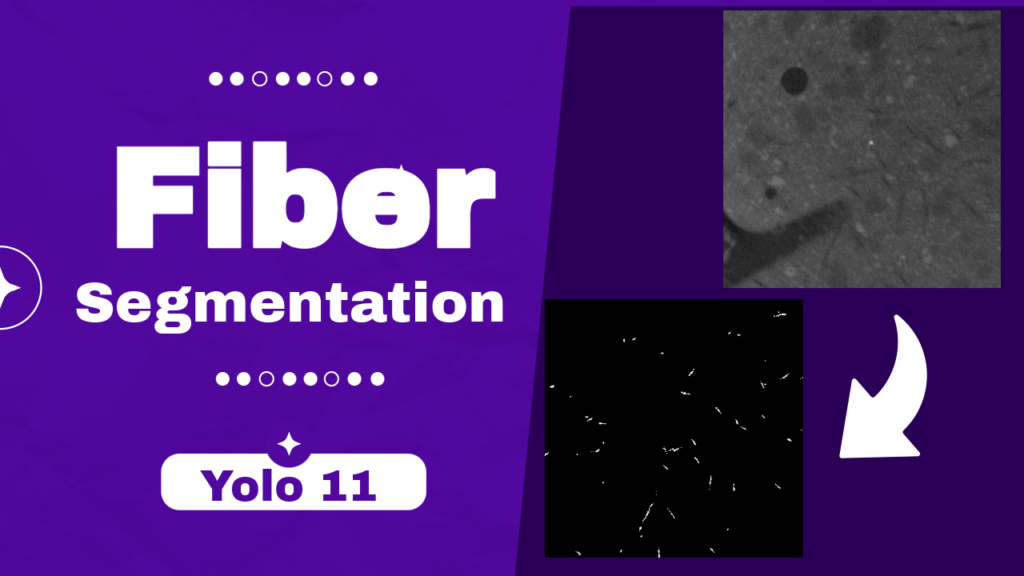
Last Updated on 03/03/2026 by Eran Feit
YOLO segmentation is one of the fastest ways to turn images into meaningful pixel-level information.
Instead of only drawing bounding boxes, it predicts an object mask that outlines the exact shape of what you care about.
That extra precision matters when the boundaries are thin, irregular, or overlapping, like fibers, cracks, wires, hair, or medical structures.
At a high level, YOLO segmentation keeps the speed and simplicity that made YOLO popular, but upgrades the output so you can measure real areas, shapes, and coverage.
When you need to quantify how much of an image is occupied by a class, track fine details, or separate objects that touch each other, masks are often a better fit than boxes.
This is especially true in industrial inspection, microscopy, quality control, and material science, where the edge of an object is the main signal.
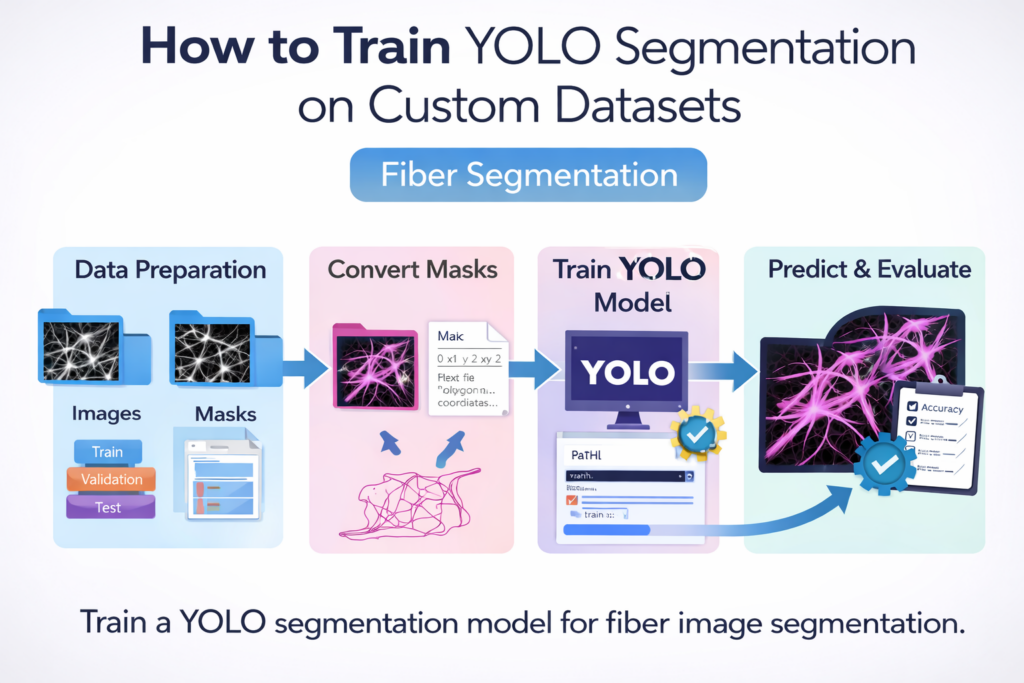
A practical YOLO segmentation workflow usually has four pieces.
First, you organize the dataset into consistent train, validation, and test folders.
Second, you convert your masks into the format expected by the model so training can learn from pixel-accurate ground truth.
Third, you train a segmentation-capable YOLO checkpoint for enough epochs to generalize beyond the training samples.
Finally, you run inference on new images and produce predicted masks that you can save, visualize, and evaluate against true masks.
What makes YOLO segmentation attractive for real projects is how quickly you can go from raw data to usable predictions.
With a clean dataset structure, a correct label conversion step, and a sensible training configuration, you can train a custom segmentation model that behaves consistently on unseen data.
Once trained, inference can be integrated into pipelines that automatically generate masks, compute statistics, or flag anomalies in real time.
YOLO segmentation in a real training pipeline
YOLO segmentation is easiest to understand when you look at the full pipeline from start to finish.
The goal is to teach a model to output a clean mask for your target object class, using examples that represent the real conditions you care about.
In fiber segmentation, the target is usually thin structures with varying thickness, direction, and texture, often on noisy backgrounds.
A model that learns the correct boundaries can help quantify fiber coverage, detect defects, or support downstream measurements.
A key part of success is data consistency.
Your images and masks must match in naming, dimensions, and alignment.
If masks are shifted, resized incorrectly, or saved with unexpected pixel values, training becomes unstable and the model learns the wrong geometry.
A reliable preparation step that copies files into a single unified folder structure and keeps names unique removes a lot of hidden friction later.
The next critical step is representing the mask in the label format the training code expects.
In segmentation training, that typically means converting a binary mask into polygon contours, then normalizing coordinates relative to the image width and height.
Contours capture the object outline, which gives the model shape supervision that is much richer than a rectangle.
Filtering tiny contours also helps reduce label noise by ignoring specks that are too small to be meaningful.
Training is where everything comes together.
You start from a pretrained segmentation checkpoint so the model already understands general visual features like edges and textures.
Then you fine-tune it on your custom dataset so it learns the specific look of your fibers and the background patterns in your images.
With a proper configuration file, a stable batch size, and early stopping patience, you can reach a model that predicts masks cleanly and consistently.
Inference closes the loop by turning the trained model into something you can inspect and trust.
You run a test image through the model, extract each predicted mask, resize it back to the original image size, and combine masks into a final output mask.
This makes it easy to compare predictions to the true mask visually, and it also sets you up to compute quantitative metrics like overlap and coverage.
In fiber segmentation, even small improvements in boundary quality can significantly improve measurements and make the model more useful in real workflows.
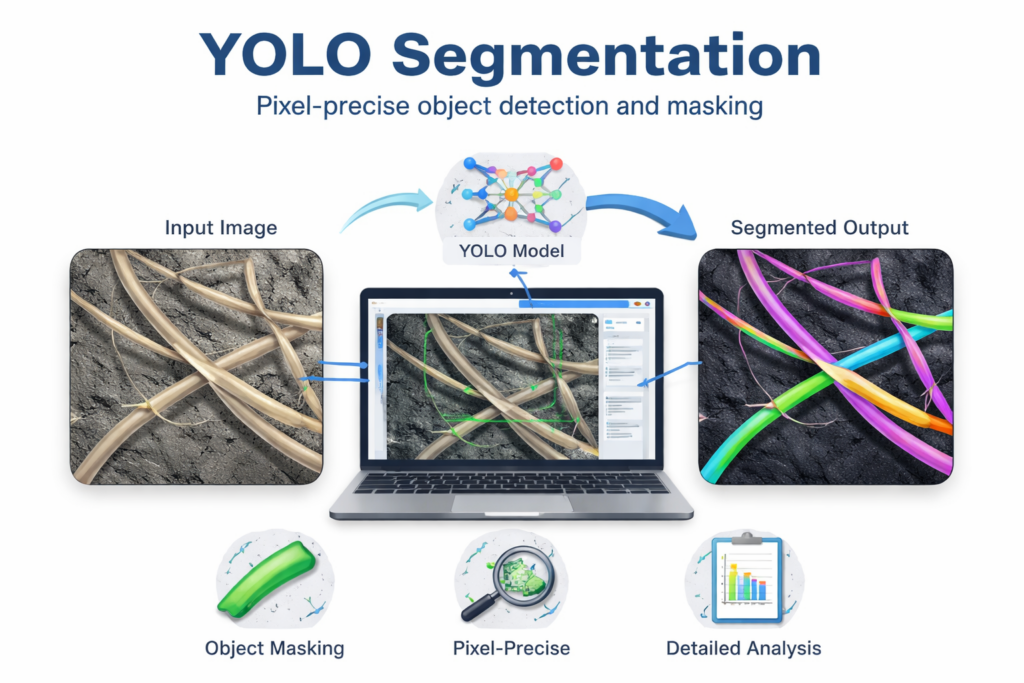
Training a YOLO segmentation model for fiber masks, end to end
This tutorial code is built to take a real segmentation dataset of fibers and turn it into a working YOLO segmentation model that can predict pixel-accurate masks on new images.
The target is practical and very concrete: start from the raw dataset structure (separate folders for images and masks), reshape it into a clean training layout, convert the masks into the label format YOLO expects, train a segmentation checkpoint, and then run inference to generate masks you can inspect and save.
The first part of the pipeline focuses on getting the data into a consistent, model-friendly structure.
Because segmentation projects often come with nested folders, duplicated filenames, and split sets stored in different paths, the code copies everything into unified train, validation, and test directories.
Renaming files as they are copied ensures that every image and mask stays uniquely identifiable, which avoids overwriting and prevents silent mismatches later.
Next, the tutorial converts pixel masks into YOLO segmentation labels.
Instead of treating masks as raw images, the code thresholds each mask into a clean binary map, extracts contours, and writes polygon coordinates normalized by image width and height.
This step is the bridge between “mask images on disk” and “segmentation labels a YOLO model can learn from,” and it’s where many custom datasets fail if contour extraction or normalization is done incorrectly.
Once the dataset is prepared and labels are in place, training becomes a straightforward fine-tuning process.
The code loads a pretrained YOLO segmentation checkpoint, points training to a simple YAML configuration file, and runs training with a fixed image size, batch size, and early stopping patience.
The idea is to reuse learned visual features from a strong pretrained model and adapt them specifically to the appearance of your fiber data, so the network learns to separate thin structures from the background reliably.
Finally, the inference section demonstrates how to use the trained weights to predict segmentation masks on a test image and validate the result visually.
It shows how to extract per-object masks from the model output, resize them back to the original image resolution, and combine them into a single final mask for easier viewing or downstream analysis.
This makes it easy to compare predicted masks against a known “true mask,” and it sets up the exact same workflow you would use when you move from a tutorial notebook into a real production pipeline.
Link to the video tutorial
Code for the tutorial here or here
Best AI Photo Tools (Backgrounds, Objects, Headshots)


My Blog
Link for Medium users here
Want to get started with Computer Vision or take your skills to the next level ?
Great Interactive Course : “Deep Learning for Images with PyTorch” here
If you’re just beginning, I recommend this step-by-step course designed to introduce you to the foundations of Computer Vision – Complete Computer Vision Bootcamp With PyTorch & TensorFlow
If you’re already experienced and looking for more advanced techniques, check out this deep-dive course – Modern Computer Vision GPT, PyTorch, Keras, OpenCV4
How to Train YOLO Segmentation on Custom Datasets – Fiber Segmentation
YOLO segmentation is a fast and practical way to teach a model to predict pixel-accurate masks instead of only bounding boxes.
That matters a lot when your target object is thin, irregular, and overlapping, like fibers.
In this tutorial, the goal is to build a complete workflow that starts from a fiber mask dataset and ends with a trained YOLO segmentation model you can run on new images.
The code is organized as a full pipeline, not a single isolated snippet.
You prepare the dataset into a clean folder structure, convert masks into YOLO polygon labels, train a YOLOv11 segmentation checkpoint, and then run inference to produce predicted masks.
By the end, you have a repeatable template you can reuse for any custom segmentation dataset with binary masks.
A key theme in this workflow is consistency.
The images and masks must align, filenames must stay unique, and label files must match the image dimensions they were generated from.
When those details are correct, training becomes predictable, and debugging becomes much easier.
This post uses fiber segmentation as a concrete example, but the same steps apply to many real projects.
Crack detection, wire segmentation, hair segmentation, medical structures, and microscopic materials all follow the same pattern.
Once you understand the pipeline, swapping the dataset and retraining becomes straightforward.
Setting up the environment for YOLO segmentation training
A clean environment is the fastest way to avoid CUDA and version conflicts during training.
This setup creates a dedicated Conda environment, checks your CUDA compiler version, and installs a matching PyTorch build.
When PyTorch and CUDA match correctly, training and inference become much more stable.
The Ultralytics version is pinned so results are reproducible.
That matters for tutorials, because small version changes can affect training defaults, model names, and output folders.
Keeping everything consistent makes your training runs easier to compare over time.
# ### Create a new Conda environment with Python 3.11. conda create --name YoloV11-311 python=3.11 # ### Activate the environment so all installs stay isolated. conda activate YoloV11-311 # ### Check your CUDA compiler version to confirm GPU compatibility. nvcc --version # ### Install a PyTorch build that matches CUDA 12.4. conda install pytorch==2.5.0 torchvision==0.20.0 torchaudio==2.5.0 pytorch-cuda=12.4 -c pytorch -c nvidia # ### Install Ultralytics (YOLOv11) with a pinned version for reproducibility. pip install ultralytics==8.3.59 # ### Install OpenCV for mask reading, contour extraction, and visualization. pip install opencv-python==4.10.0.84 Summary.
You now have a reproducible YOLO segmentation environment that supports training and inference.
If something breaks later, you can rebuild this environment and get the same behavior again.
Downloading the fiber dataset and matching the expected folder layout
Before touching code, it helps to know what the pipeline expects on disk.
This tutorial uses a fiber segmentation dataset where each image has a matching mask.
The preparation code assumes separate image and mask folders for train, validation, and test.
If you want the exact dataset package I used in this YOLO segmentation tutorial, send me an email and I’ll share the download details.
Email me at feitgemel@gmail.com and mention “Fiber Dataset” in the subject so I can find it quickly.
# ### Dataset source (Kaggle): # ### Dataset name: Fiber Segmentation (PE fibers) by franzwagner. # ### After extracting, you should have a structure similar to this. D:\Data-Sets-Object-Segmentation\Fiber Segmentation\ fibers_geometric_aug\ fibers\ images\ <subfolders...>\image.png masks\ <subfolders...>\mask.png validation\ images\ masks\ test\ images\ masks\ # ### This tutorial will consolidate everything into: D:\Data-Sets-Object-Segmentation\Fiber Segmentation\ALL_DATA\ train\ images\ masks\ labels\ validation\ images\ masks\ labels\ test\ images\ masks\ labels\ Summary.
The target is to end up with a single ALL_DATA folder that contains train, validation, and test splits.
This makes your YOLO segmentation training config simple and avoids scattered dataset paths.
Consolidating fiber images and masks into a clean training dataset
This part of the code takes a nested dataset structure and consolidates it into a single dataset root.
The key goal is to copy images and masks into one place while keeping filenames unique.
That prevents overwriting and makes it easy to verify that every image has a matching mask.
The approach is simple and effective for real datasets.
It loops through each subfolder, copies files to the destination folder, and prefixes the filename with the subfolder name.
That small rename step is often the difference between a smooth pipeline and a dataset full of silent collisions.
# ### Import tqdm for progress bars while copying lots of files. from tqdm import tqdm # ### Import os for path joins, folder checks, and directory listings. import os # ### Import shutil for reliable file copying with metadata. import shutil # ### Define a helper that copies files from nested folders and renames them uniquely. def copy_and_rename_files(src_root, dest_root): # ### Create the destination folder if it does not exist. os.makedirs(dest_root, exist_ok=True) # ### Loop through each subfolder inside the source root. for subfolder in tqdm(os.listdir(src_root)): # ### Build the full path to the subfolder. subfolder_path = os.path.join(src_root, subfolder) # ### Only process items that are actual directories. if os.path.isdir(subfolder_path): # ### Loop through every filename in the current subfolder. for filename in os.listdir(subfolder_path): # ### Build the full source file path. src_file = os.path.join(subfolder_path, filename) # ### Only copy real files, not folders. if os.path.isfile(src_file): # ### Prefix the filename with the subfolder name to keep it unique. new_filename = f"{subfolder}_{filename}" # ### Build the full destination file path. dest_file = os.path.join(dest_root, new_filename) # ### Copy the file to the destination. shutil.copy2(src_file, dest_file) #print(f"Copied: {src_file} -> {dest_file}") # ### Define the base path for the training split. base_path = r"D:\Data-Sets-Object-Segmentation\Fiber Segmentation\fibers_geometric_aug\fibers" # ### Point to the source images folder. images_src = os.path.join(base_path, "images") # ### Point to the source masks folder. masks_src = os.path.join(base_path, "masks") # ### Define a single target root that will contain ALL_DATA. TARGET_PATH = r"D:\Data-Sets-Object-Segmentation\Fiber Segmentation\ALL_DATA" # ### Define the destination training split folder. train_path = os.path.join(TARGET_PATH, "train") # ### Define destination folder for training images. images_dest = os.path.join(train_path, "images") # ### Define destination folder for training masks. masks_dest = os.path.join(train_path, "masks") # ### Copy and rename training images into the unified folder. copy_and_rename_files(images_src, images_dest) # ### Copy and rename training masks into the unified folder. copy_and_rename_files(masks_src, masks_dest) Summary.
You now have a unified train/images and train/masks folder with unique filenames.
This makes later conversion and YOLO segmentation training much easier to manage.
Building matching validation and test splits in the same format
Training is only half the story.
Validation is what keeps you honest during training, and test is what you use for final sanity checks on unseen examples.
This section repeats the same logic for validation and test so all splits share the same structure.
The main target is to keep the folder layout consistent across every split.
When train, validation, and test all look the same, your conversion code can be reused with zero changes.
That consistency also makes it easier to debug missing files and mismatched mask pairs.
# ### Define the base path for the validation split. base_path = r"D:\Data-Sets-Object-Segmentation\Fiber Segmentation\fibers_geometric_aug\fibers\validation" # ### Point to the source validation images folder. images_src = os.path.join(base_path, "images") # ### Point to the source validation masks folder. masks_src = os.path.join(base_path, "masks") # ### Define the same target root that will contain ALL_DATA. TARGET_PATH = r"D:\Data-Sets-Object-Segmentation\Fiber Segmentation\ALL_DATA" # ### Define the destination validation split folder. train_path = os.path.join(TARGET_PATH, "validation") # ### Define destination folder for validation images. images_dest = os.path.join(train_path, "images") # ### Define destination folder for validation masks. masks_dest = os.path.join(train_path, "masks") # ### Copy and rename validation images into the unified folder. copy_and_rename_files(images_src, images_dest) # ### Copy and rename validation masks into the unified folder. copy_and_rename_files(masks_src, masks_dest) # ### Define the base path for the test split. base_path = r"D:\Data-Sets-Object-Segmentation\Fiber Segmentation\fibers_geometric_aug\fibers\test" # ### Point to the source test images folder. images_src = os.path.join(base_path, "images") # ### Point to the source test masks folder. masks_src = os.path.join(base_path, "masks") # ### Define the same target root that will contain ALL_DATA. TARGET_PATH = r"D:\Data-Sets-Object-Segmentation\Fiber Segmentation\ALL_DATA" # ### Define the destination test split folder. train_path = os.path.join(TARGET_PATH, "test") # ### Define destination folder for test images. images_dest = os.path.join(train_path, "images") # ### Define destination folder for test masks. masks_dest = os.path.join(train_path, "masks") # ### Copy and rename test images into the unified folder. copy_and_rename_files(images_src, images_dest) # ### Copy and rename test masks into the unified folder. copy_and_rename_files(masks_src, masks_dest) # ### Print a final confirmation message when all splits are done. print("All files copied and renamed successfully!") Summary.
Your dataset is now consolidated into one root with train, validation, and test splits.
The next step is converting masks into YOLO segmentation polygon labels.
Converting binary masks into YOLO segmentation polygon labels
YOLO segmentation training expects labels that describe object shapes as polygons.
This code reads each mask, thresholds it into a clean binary image, extracts contours, and writes normalized polygon coordinates to a .txt label file.
Each label file corresponds to a single mask file and can include multiple polygons if multiple objects exist.
The target here is reliability.
If thresholding is wrong, contours become noisy.
If normalization is wrong, polygons won’t align with the image during training.
This section makes the conversion explicit so you can confidently reuse it for other datasets.
# ### Import os for directory scanning and file path building. import os # ### Import cv2 for reading masks, thresholding, and contour extraction. import cv2 # ### Import tqdm to show progress while converting many masks. from tqdm import tqdm # ### Define a converter from mask images to YOLO polygon label files. def convert_masks_to_labels(input_dir, output_dir): # ### Create the output label folder if it does not exist. if not os.path.exists(output_dir): os.makedirs(output_dir) # ### Loop through each file in the mask folder. for j in tqdm(os.listdir(input_dir)): # ### Build the full path to the mask image. image_path = os.path.join(input_dir, j) # ### Read the mask as grayscale. mask = cv2.imread(image_path, cv2.IMREAD_GRAYSCALE) # ### Threshold to get a clean binary mask. _, mask = cv2.threshold(mask, 1, 255, cv2.THRESH_BINARY) # ### Read image height and width for normalization. H, W = mask.shape # ### Extract external contours from the binary mask. contours, _ = cv2.findContours(mask, cv2.RETR_EXTERNAL, cv2.CHAIN_APPROX_SIMPLE) # ### Collect all polygons for this mask. polygons = [] # ### Loop through each contour and convert it into a normalized polygon. for cnt in contours: # ### Filter out tiny contours to reduce noise. if cv2.contourArea(cnt) >= 2: # ### Build a flat list of x,y normalized coordinates. polygon = [] # ### Each contour point is a pixel coordinate. for point in cnt: # ### Unpack the point coordinates. x, y = point[0] # ### Normalize x to the range 0..1. polygon.append(x / W) # ### Normalize y to the range 0..1. polygon.append(y / H) # ### Store this polygon in the list. polygons.append(polygon) # ### Create the label filename by replacing .png with .txt. label_path = os.path.join(output_dir, j.replace('.png', '.txt')) # Adjust file extension if needed # ### Write YOLO segmentation labels to disk. with open(label_path, 'w') as f: # ### Write one polygon per line. for polygon in polygons: # ### Write the class id first (0) followed by polygon coords. for p_, p in enumerate(polygon): # ### End the line after the last coordinate. if p_ == len(polygon) - 1: f.write('{}\n'.format(p)) # ### Start a new label line with class id 0. elif p_ == 0: f.write('0 {} '.format(p)) # ### Write intermediate coordinates with spaces. else: f.write('{} '.format(p)) # ### Convert the train split masks into YOLO labels. print("Convert the train data...") # ### Run conversion for training masks. convert_masks_to_labels( input_dir='D:/Data-Sets-Object-Segmentation/Fiber Segmentation/ALL_DATA/train/masks', output_dir='D:/Data-Sets-Object-Segmentation/Fiber Segmentation/ALL_DATA/train/labels' ) # ### Convert the validation split masks into YOLO labels. print("Convert the validation data...") # ### Run conversion for validation masks. convert_masks_to_labels( input_dir='D:/Data-Sets-Object-Segmentation/Fiber Segmentation/ALL_DATA/validation/masks', output_dir='D:/Data-Sets-Object-Segmentation/Fiber Segmentation/ALL_DATA/validation/labels' ) # ### Convert the test split masks into YOLO labels. print("Convert the test data...") # ### Run conversion for test masks. convert_masks_to_labels( input_dir='D:/Data-Sets-Object-Segmentation/Fiber Segmentation/ALL_DATA/test/masks', output_dir='D:/Data-Sets-Object-Segmentation/Fiber Segmentation/ALL_DATA/test/labels' ) Summary.
You now have YOLO segmentation labels in labels/ folders for every split.
That is the key requirement before you start training a YOLO segmentation model on your custom dataset.
Creating the config.yaml that connects your dataset to training
The config.yaml file is how Ultralytics knows where your dataset lives and what classes you are training.
It points YOLO segmentation training to the dataset root, defines which folders contain training and validation images, and lists the class names.
This is also where you control the number of classes with nc.
The structure is intentionally minimal because your dataset layout is already clean.
The path is your dataset root, and train and val are relative to that root.
For fiber segmentation, there is a single class, so nc: 1 and names: ['fiber'].
path: 'D:/Data-Sets-Object-Segmentation/Fiber Segmentation/ALL_DATA' train: 'train/images' val: 'validation/images' nc: 1 names: ['fiber'] Summary.
This YAML is the bridge between your folder structure and the YOLO segmentation training loop.
If training can’t find images or labels, this file is the first thing to verify.
Training YOLO segmentation on the custom fiber dataset
This training script loads a pretrained YOLOv11 segmentation checkpoint and fine-tunes it on your custom fiber dataset.
The target is to learn fiber shapes from your labels so the model produces accurate masks on new images.
You control the output directory, experiment name, batch size, and training settings like epochs and early stopping patience.
The model is trained using the Ultralytics API with a dataset config file.
During training, it runs validation to track performance and uses early stopping to avoid wasting epochs once progress stalls.
This makes the run more efficient and often produces a better final checkpoint for YOLO segmentation tasks.
# ### Import the YOLO class from Ultralytics for training and inference. from ultralytics import YOLO # ### Wrap training logic in a main() function for clean execution. def main(): # ### Load a pretrained YOLOv11 segmentation model checkpoint. model = YOLO('yolo11n-seg.pt') # Load a pretrained YOLOv11 model # ### Set a project folder where training runs will be saved. project = "d:/temp/models/Fiber-Segmentation" # ### Name the experiment so you can compare multiple runs. experiment = "My-Model-n" # ### Choose a batch size that fits your GPU memory. batch_size = 8 # ### Point to the dataset configuration YAML file. data_config_file_path = "Best-Semantic-Segmentation-models/Yolo-V11/Fiber-Segmentation Using YOLOv11 - Custom dataset/config.yaml" # ### Start training with the chosen settings. results = model.train( # ### Tell Ultralytics where your dataset YAML file is. data = data_config_file_path, # Path to the data configuration file # ### Choose the number of epochs for fine-tuning. epochs=100, # Number of training epochs # ### Set training image size. imgsz=640, # Image size for training # ### Use the batch size defined above. batch=batch_size, # Batch size for training # ### Save outputs under the project folder. project=project, # Project directory to save results # ### Save outputs under this experiment name. name=experiment, # Experiment name for saving results # ### Select GPU device 0 for training. device='0', # Specify the device to use (e.g., '0' for GPU 0) # ### Print detailed logs for learning and debugging. verbose=True, # Print detailed training logs # ### Run validation during training. val=True, # ### Stop early if validation does not improve for this many epochs. patience=5) # Validation during training with early stopping patience # ### Run main() only when the script is executed directly. if __name__ == "__main__": main() Summary.
After training finishes, the best checkpoint is typically saved under weights/best.pt.
That file is what you will load next to run YOLO segmentation inference on test images.
Predicting fiber masks and saving the YOLO segmentation output
This inference script loads your trained model and runs YOLO segmentation on a test image.
The target is to extract the predicted masks, resize them to match the original image, and combine them into a single final mask.
It also saves each individual mask, which is helpful when multiple objects are detected in one image.
The code demonstrates a practical post-processing pattern.
You pull the predicted class IDs from the result, iterate over result.masks.data, convert masks to NumPy arrays, and accumulate them into one final mask.
Finally, you save results and display the input image, predicted mask, and true mask side by side for quick validation.
Test image :

# ### Import the YOLO class to load your trained model. from ultralytics import YOLO # ### Import NumPy for mask arrays and combining results. import numpy as np # ### Import OpenCV for reading images, resizing masks, saving outputs, and display. import cv2 # ### Point to the trained weights file produced by training. model_path = "D:/Temp/Models/Fiber-Segmentation/My-Model-n/weights/best.pt" # ### Load the trained YOLOv11 segmentation model. model = YOLO(model_path) # Load the trained YOLOv11 model # ### Define the path to a test image for inference. image_path = "Best-Semantic-Segmentation-models/Yolo-V11/Fiber-Segmentation Using YOLOv11 - Custom dataset/test_image.png" # ### Define the path to the true mask so you can compare visually. image_true_mask_path = "Best-Semantic-Segmentation-models/Yolo-V11/Fiber-Segmentation Using YOLOv11 - Custom dataset/test_mask.png" # ### Read the test image using OpenCV. img = cv2.imread(image_path) # Read the input image # ### Read the true mask image for comparison. img_true_mask = cv2.imread(image_true_mask_path) # ### Get the original image dimensions. H, W, _ = img.shape # Get the dimensions of the image # ### Run YOLO segmentation inference on the image. results = model(img) # ### Extract the first result object from the results list. result = results[0] # Get the first result (the only one in this case) # ### Get the class-name mapping from the model. names = model.names # Get the class names from the model # ### Print the class-name dictionary to confirm mapping. print(f"names: {names}") # ### Create an empty final mask for accumulating all predicted masks. final_mask = np.zeros((H, W), dtype=np.uint8) # ### Extract predicted class IDs for each detected instance. predicted_classes = result.boxes.cls.cpu().numpy() # Get the predicted classes as a numpy array # ### Print predicted class IDs for visibility while debugging. print(f"Predicted classes: {predicted_classes}") # ### Loop through each predicted instance mask. for j , mask in enumerate(result.masks.data): # ### Convert the mask tensor to a NumPy array and scale it to 0..255. mask = mask.cpu().numpy() * 255 # Convert the mask to a numpy array and scale it to 0-255 # ### Get the class id for the current instance. class_id = int(predicted_classes[j]) # Get the class ID of the mask # ### Print a readable label for this detected object. print("Object " +str(j) + " detected as " + str(class_id) + " = " +names[class_id]) # ### Resize the mask back to the original image size. mask = cv2.resize(mask, (W, H)) # Resize the mask to match the input image dimensions # ### Combine the mask into the final mask using max accumulation. final_mask = np.maximum(final_mask, mask) # ### Build a filename for saving the individual mask. file_name = "d:/temp/output" + str(j) +".png" # ### Save the individual instance mask to disk. cv2.imwrite(file_name, mask) # Save the individual mask to a file # ### Save the combined final mask to disk. final_mask_file = "d:/temp/final_mask.png" # ### Write the final mask image file. cv2.imwrite(final_mask_file, final_mask) # ### Display the final predicted mask. cv2.imshow("Final Mask", final_mask) # Display the final mask # ### Display the original input image. cv2.imshow("Input Image", img) # Display the input image # ### Display the true mask for visual comparison. cv2.imshow("True Mask", img_true_mask) # Display the true mask # ### Wait for a key press so the windows stay open. cv2.waitKey(0) # Wait for a key press to close the windows # ### Close all OpenCV windows cleanly. cv2.destroyAllWindows() # Close all OpenCV windows The Result :

Summary.
You now have saved mask outputs on disk and a quick visual comparison between predicted and true masks.
This is a strong baseline for validating YOLO segmentation quality before moving to larger evaluations.
FAQ – YOLO Segmentation on Custom Datasets
What is YOLO segmentation?
YOLO segmentation predicts a pixel mask for each object instance. It outputs shape-accurate regions instead of only bounding boxes.
Why train YOLO segmentation on a custom dataset?
Custom training adapts the model to your real objects and backgrounds. This usually improves mask quality and reduces false detections.
What folder structure does Ultralytics expect?
A common structure is train/images and train/labels plus validation/images and validation/labels. Masks can be kept separately if you convert them into labels first.
How are YOLO segmentation labels represented?
Each object is written as a class id followed by normalized polygon coordinates. The polygons describe the object boundary in a compact format.
Why is thresholding important when converting masks?
Thresholding turns a grayscale mask into a clean binary mask. This makes contour extraction stable and reduces noisy polygons.
What does the config.yaml do during training?
It tells Ultralytics where the dataset root is and which folders contain train and validation images. It also defines the number of classes and their names.
Where is the trained model saved?
Ultralytics usually saves checkpoints under runs or your chosen project folder. The best weights are commonly stored in weights/best.pt.
What is early stopping patience used for?
Patience stops training if validation does not improve for a set number of epochs. It saves time and can reduce overfitting.
How can I quickly sanity-check mask quality?
Run inference on a few test images and visually compare predicted masks to true masks. Saving per-instance masks also helps spot systematic errors.
What should I do if predictions are empty?
First confirm labels exist and match the images in every split. Then verify your config.yaml paths and that the model is loading the correct weights.
Conclusion
Training YOLO segmentation on a custom dataset becomes much easier when you treat it as a pipeline.
You start by making the dataset predictable, with one clear root folder and consistent train, validation, and test splits.
That foundation prevents most training failures before they happen.
The next turning point is label conversion.
Once your binary masks are converted into normalized polygon labels, YOLO segmentation training can learn shape boundaries in the exact format it expects.
If you ever see unstable training or messy masks, this conversion step is the first place to validate.
With the dataset and config.yaml in place, training becomes a controlled fine-tuning task.
You start from a pretrained segmentation checkpoint, pick stable training settings, and let validation guide when to stop.
This produces a model that is not only accurate on training images, but also usable on unseen fiber images.
Finally, inference closes the loop.
Saving per-instance masks, combining them into a final mask, and comparing to a true mask gives you fast confidence in real results.
From here, the next natural upgrade is adding evaluation metrics like IoU or Dice and running them across your full test split.
Connect
☕ Buy me a coffee — https://ko-fi.com/eranfeit
🖥️ Email : feitgemel@gmail.com
🤝 Fiverr : https://www.fiverr.com/s/mB3Pbb
Enjoy,
Eran