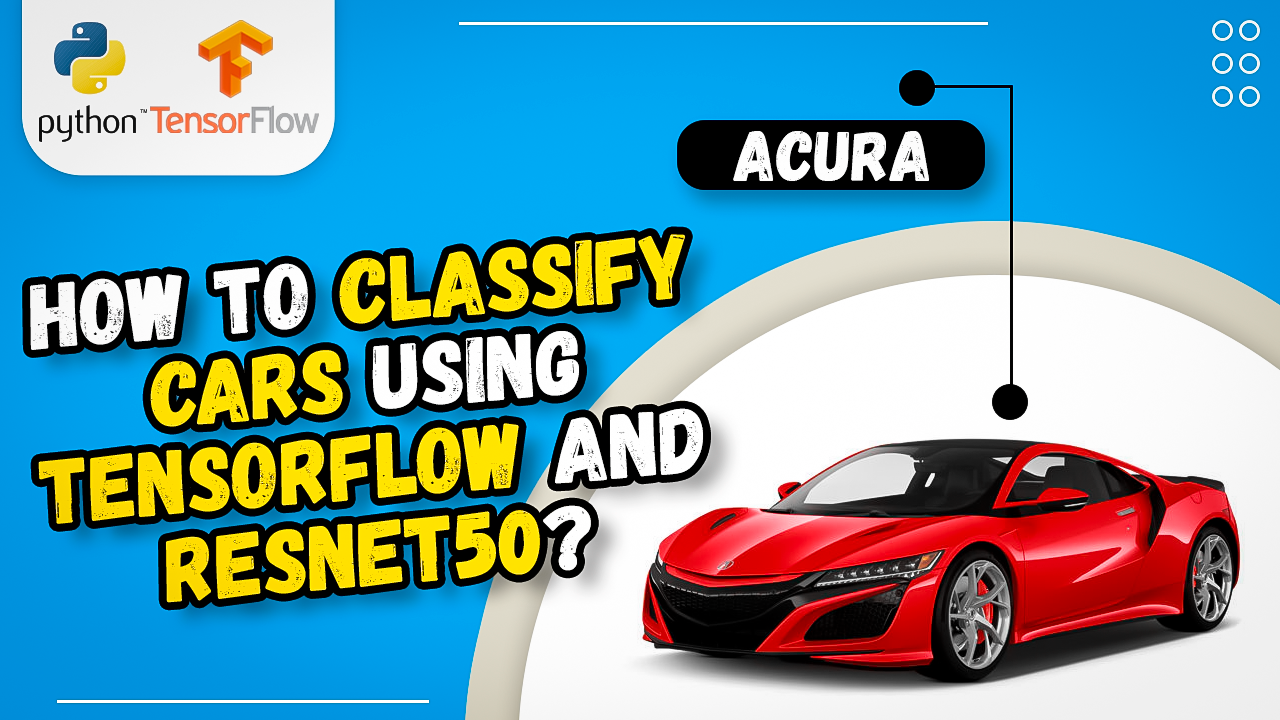
ResNet50 Transfer Learning for Car Image Classification in TensorFlow and Keras. / TensorFlow tutorials Contents hide 1 Master Transfer Learning: ResNet50 Car Classification Tutorial with TensorFlow 1.1 Why Should You Use Transfer Learning Instead of Training a Model from Scratch? 2 Training a Car Image Classifier with ResNet50 (Code 1) 2.1 How to train resnet50 car classification tutorial with tensorflow ? 3 Inference & OpenCV Visualization (Code 2) — Detailed Explanation 4 Frequently Asked Questions (FAQ) 4.1 What makes ResNet50 ideal for a car classification tutorial with TensorFlow? 4.2 How do I optimize the text-to-code ratio in deep learning blog posts? 4.3 Why is input normalization critical when using a pre-trained ResNet50 model? 4.4 Can I unfreeze the ResNet50 layers for fine-tuning? 5 Connect : Last Updated on 01/05/2026 by Eran Feit Master Transfer Learning: ResNet50 Car Classification Tutorial with TensorFlow Are you struggling to train an accurate image classifier on a limited dataset? In this complete resnet50 car classification tutorial with tensorflow, you will solve this problem by leveraging deep learning transfer learning. Instead of spending days training complex convolutional neural networks from scratch, we will repurpose the powerful ImageNet-trained weights of the ResNet50 architecture. By the end of this practical guide, you will have a functional, end-to-end Python script that loads, trains, and evaluates a highly accurate car classification model capable of distinguishing vehicle types or brands with minimal computational resources. To get the most out of this resnet50 car classification tutorial with tensorflow, your training pipeline must begin with robust image preprocessing. Neural networks do not perform well on raw pixel data without proper scaling and uniform sizing. By using TensorFlow’s native data-loading utilities, we can seamlessly stream car images from disk into memory, automatically resize them to the required input dimensions, and batch them for efficient GPU processing. This step ensures that our computational graph operates without bottlenecks. Why Should You Use Transfer Learning Instead of Training a Model from Scratch? Using transfer learning within a resnet50 car classification tutorial with tensorflow dramatically reduces the computational cost and data requirements typically associated with deep learning. Convolutional neural networks contain millions of parameters that require a massive amount of training data and several days of GPU computing to converge effectively. By taking a ResNet50 model that has already learned to detect lower-level visual features—such as lines, curves, and textures—from over 1.4 million images in the ImageNet dataset, you bypass the most intensive part of the training process. You only need to train a few classification layers on top of the frozen base architecture. This enables you to achieve state-of-the-art accuracy on a small dataset in just a few minutes, turning a task that once required enterprise-grade infrastructure into a process that runs seamlessly on a standard consumer-grade machine. This tutorial delivers immense value by bridging the gap between theoretical deep learning concepts and practical, hands-on implementation. Instead of getting bogged down in training massive convolutional neural networks from scratch—which requires enormous computational power and vast labeled datasets—this guide provides a streamlined path using transfer learning. By leveraging the pre-trained weights of the ResNet50 architecture within the TensorFlow ecosystem, you learn how to achieve high-accuracy results in a fraction of the time, effectively solving common data scarcity problems. Beyond just presenting functional Python code, this walkthrough prioritizes the underlying engineering logic and technical mechanics of each step. Gaining a precise understanding of core concepts—such as matching input tensor shapes to $224 \times 224 \times 3$, freezing foundational layers to prevent catastrophic forgetting, and using targeted activation functions like Softmax—provides deep technical mastery. This context empowers you to troubleshoot convergence bottlenecks, fine-tune complex architectures, and confidently adapt the workflow to any custom image classification challenge. Finally, the practical nature of this content provides a modular, production-ready pipeline that can be immediately deployed in real-world scenarios. By transitioning smoothly from data ingestion and model configuration directly into testing, inference, and prediction visualization, the tutorial outlines a reliable blueprint for end-to-end project execution. Mastering this workflow builds your expertise in computer vision, equipping you with the tools needed to design scalable AI applications, evaluate model performance accurately, and deploy robust intelligent systems. The link for the video tutorial is here : https://youtu.be/oh7UO4IoAls&list=UULFTiWJJhaH6BviSWKLJUM9sg Link for the full code : https://eranfeit.lemonsqueezy.com/checkout/buy/ee4fb67b-cb32-4982-b041-7eddcd13ad50 or here : https://ko-fi.com/s/96a8d5119c Subscription FormSend me tutorials TRY IT NOW Master Computer Vision Follow my latest tutorials and AI insights on my Personal Blog. Beginner Complete CV Bootcamp Foundation using PyTorch & TensorFlow. Get Started → Interactive Deep Learning with PyTorch Hands-on practice in an interactive environment. Start Learning → Advanced Modern CV: GPT & OpenCV4 Vision GPT and production-ready models. Go Advanced → resnet50 car classification tutorial with tensorflow Training a Car Image Classifier with ResNet50 (Code 1) How to train resnet50 car classification tutorial with tensorflow ? This section builds a high-quality car brand classifier by reusing a strong, pre-trained backbone (ResNet50) and adding a lightweight classification head.The idea is simple: freeze the convolutional feature extractor (so it keeps its ImageNet knowledge) and train only a small top layer on your car dataset.That gives you fast convergence, solid accuracy with limited data, and a model that’s easy to deploy. To achieve optimal results before feeding vehicle images into the pre-trained architecture, it is essential to resize and normalize your data. The ResNet50 model expects an input tensor shape of (224, 224, 3), matching the spatial dimensions of the ImageNet dataset it was originally trained on. Skipping this explicit input normalization or failing to use TensorFlow’s dedicated preprocess_input function can drastically lower the initial prediction performance and hinder convergence Project structure and class discovery.Your dataset is arranged in a classic directory layout: each subfolder inside Train represents one label (e.g., Audi, Bentley), and the same structure holds for Validate.The line that uses glob('.../Train/*') automatically discovers these folders and computes classesNum, ensuring your final Dense layer always matches the number of car brands.This means you can add or remove brands simply by changing the folders—no code change needed beyond retraining. Transfer learning strategy.You instantiate ResNet50 with include_top=False, which removes the original ImageNet classifier and leaves only the convolutional feature extractor.By setting layer.trainable = False for every layer, you lock those weights, so training focuses on learning how to map “generic visual features” (edges, textures, shapes) into your specific car brand labels.This is efficient and reduces overfitting, especially when you don’t have millions of images. Custom classification head.You flatten the final feature maps and attach a single Dense(classesNum, activation='softmax').The softmax outputs a probability for each brand, and the highest probability is the predicted class.Because you use categorical_crossentropy with metrics=['accuracy'], the training loop gives you clear accuracy and loss feedback per epoch. Data pipelines and augmentation.Two ImageDataGenerators handle input: Training generator applies rescale=1/255 plus shear, zoom, and horizontal flips—this synthetically expands your dataset and helps generalization. Validation generator applies only rescale=1/255, so your validation metrics reflect real performance without extra randomness.Matching input size (224, 224) aligns with ResNet50’s expected resolution and keeps training stable. Training loop and metrics.You call model.fit(...) with steps_per_epoch=len(training_set) and validation_steps=len(test_set), which iterate through each generator epoch.After training, you plot both accuracy and loss for train vs. validation: If training accuracy keeps rising but validation accuracy stalls or drops, you’re likely overfitting. If both curves flatten early, consider longer training or unfreezing a small portion of the backbone for fine-tuning. Saving the model.model.save('.../myCarsModel.h5') persists the entire network (architecture + weights), so you can load it later for inference with a single line.Keeping a consistent save path lets your inference script find the model reliably. ### Import core Keras layers and utilities for building a functional model. from tensorflow.keras.layers import Input , Lambda , Dense, Flatten ### Import the high-level Keras Model API to stitch inputs and outputs together. from tensorflow.keras.models import Model ### Import ResNet50 and its preprocessing util to leverage ImageNet weights for transfer learning. from tensorflow.keras.applications.resnet50 import ResNet50 , preprocess_input ### Import image utilities to handle data loading and preprocessing as needed. from tensorflow.keras.preprocessing import image ### Import ImageDataGenerator for on-the-fly augmentation and load_img helper for file reading. from tensorflow.keras.preprocessing.image import ImageDataGenerator , load_img ### Import Sequential in case you want a sequential architecture, although the functional API is used here. from tensorflow.keras.models import Sequential ### Import NumPy for numeric operations and array handling. import numpy as np ### Import glob to enumerate class folders from the training directory. from glob import glob ### Import matplotlib for plotting accuracy and loss curves. import matplotlib.pyplot as plt ### Define the image size expected by ResNet50 for transfer learning. IMAGE_SIZE = [224,224] ### Set the training data directory path. TrainFolder = "C:/Python-cannot-upload-to-GitHub/Cars/Train" ### Set the validation data directory path. ValidateFolder = "C:/Python-cannot-upload-to-GitHub/Cars/Validate" ### Create a ResNet50 base with ImageNet weights and without the fully connected top to use as a feature extractor. myResnet = ResNet50(input_shape= IMAGE_SIZE+[3] , weights='imagenet', include_top=False ) # include_top=False ==> remove the fully connected layer ### Print a summary of the ResNet50 base to verify layers and output shapes. print ( myResnet.summary() ) ### Freeze all ResNet50 layers so only the new classification head will train. for layer in myResnet.layers: layer.trainable = False # we dont need to train the model . It is already trained ### Discover class subfolders in the training directory to infer number of classes. # classes Classes = glob('C:/Python-cannot-upload-to-GitHub/Cars/Train/*') #dont forget the /* ### Print the list of discovered class folders for a quick sanity check. print(Classes) ### Count how many class folders were found to set the output layer size. classesNum = len(Classes) ### Print the number of classes to confirm the final softmax dimension. print(classesNum) ### Build the custom head by flattening the spatial feature maps from ResNet50. # continue with the next layers of the model : # add Flatten layer PlusFlattenlayer = Flatten()(myResnet.output) ### Add a Dense softmax layer sized to the number of classes for multi-class classification. # add a Dense layer with our classes prediction = Dense(classesNum, activation='softmax')(PlusFlattenlayer) ### Create the end-to-end model connecting ResNet50 inputs to the new prediction head. # create the model amd add tje mew layers model = Model(inputs=myResnet.input , outputs=prediction) ### Print a full model summary including the new head to verify parameter counts. print (model.summary()) ### Compile the model with categorical cross-entropy and Adam optimizer for multi-class classification. # compile the model model.compile( loss = 'categorical_crossentropy', optimizer='adam', metrics=['accuracy']) ### Import ImageDataGenerator from Keras for augmentation in case of version differences with TensorFlow Keras. # images augmentaion from keras.preprocessing.image import ImageDataGenerator ### Configure training augmentation including rescaling, shear, zoom, and horizontal flips to improve generalization. train_datagen = ImageDataGenerator(rescale= 1. /255, shear_range=0.2, zoom_range=0.2, horizontal_flip=True) ### Configure validation generator with rescaling only to measure unbiased performance. test_datagen = ImageDataGenerator(rescale=1. /255) ### Create the training data pipeline from directory with target size, batch size, and categorical labels. training_set = train_datagen.flow_from_directory(TrainFolder, target_size=(224,224),batch_size=32,class_mode='categorical') ### Create the validation data pipeline from directory mirroring the training image size and batch size. test_set = test_datagen.flow_from_directory(ValidateFolder,target_size=(224,224),batch_size=32,class_mode='categorical') ### Fit the model on the generators, tracking validation performance each epoch. # fit the model result = model.fit(training_set , validation_data=test_set, epochs=50, steps_per_epoch=len(training_set), validation_steps=len(test_set)) ### Plot training and validation accuracy to visualize learning progress and potential overfitting. # plot the result # plot the accuracy plt.plot(result.history['accuracy'],label='train_acc') plt.plot(result.history['val_accuracy'],label='val_acc') plt.legend() plt.show() ### Plot training and validation loss curves to diagnose convergence behavior. #plot the loss plt.plot(result.history['loss'],label='train_loss') plt.plot(result.history['val_loss'],label='val_loss') plt.legend() plt.show() ### Persist the trained model to disk in H5 format for later inference and deployment. # save the model model.save('C:/Python-cannot-upload-to-GitHub/Cars/myCarsModel.h5') ### Import core Keras layers and utilities for building a functional model. from tensorflow.keras.layers import Input , Lambda , Dense, Flatten ### Import the high-level Keras Model API to stitch inputs and outputs together. from tensorflow.keras.models import Model ### Import ResNet50 and its preprocessing util to leverage ImageNet weights for transfer learning. from tensorflow.keras.applications.resnet50 import ResNet50 , preprocess_input ### Import image utilities to handle data loading and preprocessing as needed. from tensorflow.keras.preprocessing import image ### Import ImageDataGenerator for on-the-fly augmentation and load_img helper for file reading. from tensorflow.keras.preprocessing.image import ImageDataGenerator , load_img ### Import Sequential in case you want a sequential architecture, although the functional API is used here. from tensorflow.keras.models import Sequential ### Import NumPy for numeric operations and array handling. import numpy as np ### Import glob to enumerate class folders from the training directory. from glob import glob ### Import matplotlib for plotting accuracy and loss curves. import matplotlib.pyplot as plt ### Define the image size expected by ResNet50 for transfer learning. IMAGE_SIZE = [224,224] ### Set the training data directory path. TrainFolder = "C:/Python-cannot-upload-to-GitHub/Cars/Train" ### Set the validation data directory path. ValidateFolder = "C:/Python-cannot-upload-to-GitHub/Cars/Validate" ### Create a ResNet50 base with ImageNet weights and without the fully connected top to use as a feature extractor. myResnet = ResNet50(input_shape= IMAGE_SIZE+[3] , weights='imagenet', include_top=False ) # include_top=False ==> remove the fully connected layer ### Print a summary of the ResNet50 base to verify layers and output shapes. print ( myResnet.summary() ) ### Freeze all ResNet50 layers so only the new classification head will train. for layer in myResnet.layers: layer.trainable = False # we dont need to train the model . It is already trained ### Discover class subfolders in the training directory to infer number of classes. # classes Classes = glob('C:/Python-cannot-upload-to-GitHub/Cars/Train/*') #dont forget the /* ### Print the list of discovered class folders for a quick sanity check. print(Classes) ### Count how many class folders were found to set the output layer size. classesNum = len(Classes) ### Print the number of classes to confirm the final softmax dimension. print(classesNum) ### Build the custom head by flattening the spatial feature maps from ResNet50. # continue with the next layers of the model : # add Flatten layer PlusFlattenlayer = Flatten()(myResnet.output) ### Add a Dense softmax layer sized to the number of classes for multi-class classification. # add a Dense layer with our classes prediction = Dense(classesNum, activation='softmax')(PlusFlattenlayer) ### Create the end-to-end model connecting ResNet50 inputs to the new prediction head. # create the model amd add tje mew layers model = Model(inputs=myResnet.input , outputs=prediction) ### Print a full model summary including the new head to verify parameter counts. print (model.summary()) ### Compile the model with categorical cross-entropy and Adam optimizer for multi-class classification. # compile the model model.compile( loss = 'categorical_crossentropy', optimizer='adam', metrics=['accuracy']) ### Import ImageDataGenerator from Keras for augmentation in case of version differences with TensorFlow Keras. # images augmentaion from keras.preprocessing.image import ImageDataGenerator ### Configure training augmentation including rescaling, shear, zoom, and horizontal flips to improve generalization. train_datagen = ImageDataGenerator(rescale= 1. /255, shear_range=0.2, zoom_range=0.2, horizontal_flip=True) ### Configure validation generator with rescaling only to measure unbiased performance. test_datagen = ImageDataGenerator(rescale=1. /255) ### Create the training data pipeline from directory with target size, batch size, and categorical labels. training_set = train_datagen.flow_from_directory(TrainFolder, target_size=(224,224),batch_size=32,class_mode='categorical') ### Create the validation data pipeline from directory mirroring the training image size and batch size. test_set = test_datagen.flow_from_directory(ValidateFolder,target_size=(224,224),batch_size=32,class_mode='categorical') ### Fit the model on the generators, tracking validation performance each epoch. # fit the model result = model.fit(training_set , validation_data=test_set, epochs=50, steps_per_epoch=len(training_set), validation_steps=len(test_set)) ### Plot training and validation accuracy to visualize learning progress and potential overfitting. # plot the result # plot the accuracy plt.plot(result.history['accuracy'],label='train_acc') plt.plot(result.history['val_accuracy'],label='val_acc') plt.legend() plt.show() ### Plot training and validation loss curves to diagnose convergence behavior. #plot the loss plt.plot(result.history['loss'],label='train_loss') plt.plot(result.history['val_loss'],label='val_loss') plt.legend() plt.show() ### Persist the trained model to disk in H5 format for later inference and deployment. # save the model model.save('C:/Python-cannot-upload-to-GitHub/Cars/myCarsModel.h5') When utilizing transfer learning for image classification, the foundational layers of the ResNet50 backbone must be frozen to preserve generalized features like edges, shapes, and gradients. Freezing prevents catastrophic forgetting, where the model’s pre-trained weights are overwritten during early training epochs. By only allowing the custom top layers (GlobalAveragePooling2D and your specific output dense layer) to remain trainable, training speeds up significantly while preventing overfitting on small-to-medium-sized datasets. Once the dataset is parsed, the images are cast to tensors with dimensions of (224, 224, 3). The number 224 corresponds to the pixel width and height, while 3 represents the RGB color channels. It is critical to scale these pixel values from their original range of [0, 255] to either [0, 1] or [-1, 1] depending on the preprocessing function used. Failure to normalize these inputs properly will lead to exploding gradients or slow convergence during the training loop. Inference & OpenCV Visualization (Code 2) — Detailed Explanation This section loads the saved H5 model, prepares a single test image to match training preprocessing, runs a forward pass, and overlays the predicted brand on the original image using OpenCV.It’s a lightweight, production-style script you can adapt for batch prediction, web apps, or notebooks. To extract clear classification outcomes during evaluation, the output layer maps features using the Softmax activation function to output a probability distribution across all car classes. In your final Python inference script, np.argmax() is applied to extract the index of the highest confidence score. Setting an explicit baseline confidence threshold—such as 65%—ensures that the system can reject low-probability predictions, preventing false positives when deploying the classifier to production. Model loading and category mapping.tf.keras.models.load_model(...) restores the entire network exactly as trained.The categories list is your bridge between numeric predictions and human-readable labels.Order matters: it must match the alphabetical folder order from training (the same order flow_from_directory used).If the number of brands changes, update the list accordingly (and retrain). Preprocessing to match training.preprareImage (typo aside) resizes the input to (224,224), converts it to a NumPy array, expands a batch dimension, and scales by 1/255.0.This mirrors the training pipeline’s rescale=1/255, ensuring your inputs are normalized identically.A mismatch here (e.g., forgetting to scale or using preprocess_input inconsistently) can tank accuracy at inference. Prediction and confidence.model.predict(...) returns class probabilities; np.argmax picks the most likely class.You can also log np.max(resultArray) to display a confidence score next to the brand (e.g., “Audi — 0.93”).For production, consider a confidence threshold to flag “Unknown” when probabilities are low. Rendering with OpenCV.The script reads the original image with cv2.imread, draws the predicted label using cv2.putText, and displays a window with cv2.imshow.cv2.waitKey(0) pauses until a key is pressed—handy for quick demos.In automated pipelines or servers, skip the window and save the annotated image with cv2.imwrite. ### Import TensorFlow to load the trained Keras model for inference. import tensorflow as tf ### Import Keras Model class if you need to inspect or manipulate the network graph. from tensorflow.keras.models import Model ### Import OpenCV to render predicted labels on the image for visualization. import cv2 ### Import Keras image utilities for loading and converting images to arrays. from keras.preprocessing import image from keras.preprocessing.image import load_img , img_to_array ### Import NumPy for numerical operations and argmax. import numpy as np ### Define the category names that correspond to the training class order. categories = ['Acura','Alfa Romeo','Aston Martin','Audi','Bentley'] ### Load the trained model from disk for prediction use. #load the model model = tf.keras.models.load_model('C:/Python-cannot-upload-to-GitHub/Cars/myCarsModel.h5') ### Print a summary to confirm the model architecture and layers are intact. print (model.summary()) ### Define a helper function that loads an image, resizes to 224x224, converts to array, expands batch dimension, and scales to [0,1]. # lets create a function to prepare the image for the prediction def preprareImage(PathForImage): image = load_img(PathForImage, target_size=(224,224)) imgResult = img_to_array(image) imgResult = np.expand_dims(imgResult, axis = 0) imgResult = imgResult / 255. return imgResult ### Choose a test image path to classify, with an alternative example left commented for quick switching. #testImage = "C:/Python-cannot-upload-to-GitHub/Cars/Test/Audi_006.jpg" testImage = "C:/Python-cannot-upload-to-GitHub/Cars/Test/AcuraTest.jpg" ### Preprocess the selected image using the helper function to match model expectations. imgForModel = preprareImage(testImage) ### Run the forward pass to obtain class probabilities for the input image. resultArray = model.predict(imgForModel, verbose=1) ### Convert probabilities to the index of the most likely class. answer = np.argmax(resultArray, axis=1) ### Print the raw predicted index vector for debugging. print(answer) ### Extract the predicted index from the one-element array result. index = answer[0] ### Map the predicted index to its corresponding category label and print it. print("The predicted car is : "+ categories[index]) ### Read the original image with OpenCV to overlay the predicted label. # show the image : img = cv2.imread(testImage) ### Draw the predicted label onto the image using a readable font and line thickness. cv2.putText(img,categories[index] , (10,100), cv2.FONT_HERSHEY_COMPLEX , 1.6 , (255,0,0), 3, cv2.LINE_AA) ### Display the annotated image in a window for visual confirmation. cv2.imshow('image', img) ### Wait for a key press to keep the window open until user input. cv2.waitKey(0) ### Import TensorFlow to load the trained Keras model for inference. import tensorflow as tf ### Import Keras Model class if you need to inspect or manipulate the network graph. from tensorflow.keras.models import Model ### Import OpenCV to render predicted labels on the image for visualization. import cv2 ### Import Keras image utilities for loading and converting images to arrays. from keras.preprocessing import image from keras.preprocessing.image import load_img , img_to_array ### Import NumPy for numerical operations and argmax. import numpy as np ### Define the category names that correspond to the training class order. categories = ['Acura','Alfa Romeo','Aston Martin','Audi','Bentley'] ### Load the trained model from disk for prediction use. #load the model model = tf.keras.models.load_model('C:/Python-cannot-upload-to-GitHub/Cars/myCarsModel.h5') ### Print a summary to confirm the model architecture and layers are intact. print (model.summary()) ### Define a helper function that loads an image, resizes to 224x224, converts to array, expands batch dimension, and scales to [0,1]. # lets create a function to prepare the image for the prediction def preprareImage(PathForImage): image = load_img(PathForImage, target_size=(224,224)) imgResult = img_to_array(image) imgResult = np.expand_dims(imgResult, axis = 0) imgResult = imgResult / 255. return imgResult ### Choose a test image path to classify, with an alternative example left commented for quick switching. #testImage = "C:/Python-cannot-upload-to-GitHub/Cars/Test/Audi_006.jpg" testImage = "C:/Python-cannot-upload-to-GitHub/Cars/Test/AcuraTest.jpg" ### Preprocess the selected image using the helper function to match model expectations. imgForModel = preprareImage(testImage) ### Run the forward pass to obtain class probabilities for the input image. resultArray = model.predict(imgForModel, verbose=1) ### Convert probabilities to the index of the most likely class. answer = np.argmax(resultArray, axis=1) ### Print the raw predicted index vector for debugging. print(answer) ### Extract the predicted index from the one-element array result. index = answer[0] ### Map the predicted index to its corresponding category label and print it. print("The predicted car is : "+ categories[index]) ### Read the original image with OpenCV to overlay the predicted label. # show the image : img = cv2.imread(testImage) ### Draw the predicted label onto the image using a readable font and line thickness. cv2.putText(img,categories[index] , (10,100), cv2.FONT_HERSHEY_COMPLEX , 1.6 , (255,0,0), 3, cv2.LINE_AA) ### Display the annotated image in a window for visual confirmation. cv2.imshow('image', img) ### Wait for a key press to keep the window open until user input. cv2.waitKey(0) Link for the full code : https://ko-fi.com/s/96a8d5119c Frequently Asked Questions (FAQ) What makes ResNet50 ideal for a car classification tutorial with TensorFlow? ResNet50 introduces residual connections, or “skip connections,” which allow the network to train much deeper architectures without suffering from vanishing gradient problems. This makes it highly efficient at extracting complex features—such as specific vehicle grills, headlights, and body curves—which are essential for accurate car classification. How do I optimize the text-to-code ratio in deep learning blog posts? To improve your text-to-code ratio, avoid pasting large blocks of Python code without explanation. Instead, break the code down into logical chunks. Provide deep technical context before the code to explain the “why,” and include an analytical breakdown after the code to explain the “how.” Adding an FAQ section also naturally enriches the post’s semantic depth. Why is input normalization critical when using a pre-trained ResNet50 model? The ResNet50 architecture was originally trained on the ImageNet dataset using specific normalization formulas. If you feed raw [0, 255] pixel values into the network without using TensorFlow’s preprocess_input function, the activations in the initial layers will be excessively large. This disrupts the pre-trained weights and severely degrades prediction accuracy. Can I unfreeze the ResNet50 layers for fine-tuning? Yes. After training the custom top layers for a few epochs, you can unfreeze the higher layers of the ResNet50 base and continue training with a very low learning rate (e.g., $10^{-5}$). This process, known as fine-tuning, adapts the pre-trained features more closely to the specific textures and shapes of your car dataset, further pushing the accuracy boundaries. Connect : ☕ Buy me a coffee — https://ko-fi.com/eranfeit 🖥️ Email : feitgemel@gmail.com 🌐 https://eranfeit.net 🤝 Fiverr : https://www.fiverr.com/s/mB3Pbb Enjoy, Eran







 Skip to content