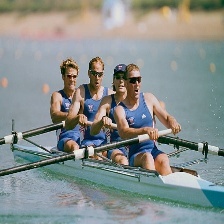
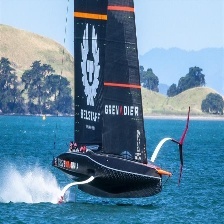
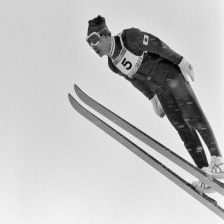
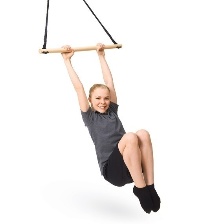
How To Build Sports Image Classification Model Using MobileNet / TensorFlow tutorials Contents hide 1 Why Use Convolutional Neural Networks (CNN) for Custom Sports Image Classification? 2 How CNNs Provide Value in Image Analysis 3 How do we actually build a custom sports image classifier with TensorFlow and Keras that works? 4 Why Build a Custom Sports Image Classifier with TensorFlow? 5 Code for MobileNet Sports Image Classifier with TensorFlow : 5.1 Want the exact dataset so your results match mine? 5.2 Data Pipeline and Environment Setup 5.3 Designing a Convolutional Neural Network (CNN) for Sports Recognition 6 Optimizing Training Parameters: Epochs, Loss, and Accuracy 7 FAQ 7.1 Here some test images : 8 Summary – Build a Custom Sports Image Classifier with TensorFlow and Keras 8.1 Connect : Last Updated on 27/09/2026 by Eran Feit Why Use Convolutional Neural Networks (CNN) for Custom Sports Image Classification? In the rapidly evolving world of sports analytics, the ability to automatically identify athletic disciplines in visual data is a game-changer. This tutorial provides a comprehensive guide to build a custom sports image classifier with TensorFlow and Keras. Whether you are automating highlights or organizing massive datasets, the challenge lies in distinguishing between visually similar sports environments. We will solve the problem of data preparation, neural network architecture design, and model evaluation, transforming raw images into a high-accuracy predictive tool using Python’s most powerful deep learning libraries. Convolutional Neural Networks (CNNs) represent the gold standard in deep learning for computer vision, specifically designed to process data with a grid-like topology, such as images. Unlike traditional neural networks that struggle with the high dimensionality of raw pixel data, CNNs leverage spatial hierarchy to automatically and adaptively learn patterns. How CNNs Provide Value in Image Analysis Feature Extraction: The early layers of a CNN identify simple features like edges and textures, while deeper layers combine these into complex objects such as sports equipment or human figures. Efficiency: Through a process called “parameter sharing,” CNNs require far fewer parameters than fully connected networks, making it feasible to train models on high-resolution datasets. Translation Invariance: A CNN can recognize an object (e.g., a tennis ball) regardless of where it appears in the frame, which is crucial for dynamic environments like sports classification. By mastering CNNs, you move beyond simple “black-box” coding and gain the ability to architect systems that can interpret the visual world with human-level accuracy. In the competitive landscape of sports analytics and digital media, the ability to automate visual recognition is no longer a luxury but a necessity. This article provides a comprehensive technical blueprint to build a custom sports image classifier with TensorFlow and Keras, guiding you through the end-to-end development of a deep learning model. By focusing on practical implementation rather than just abstract theory, we bridge the gap between having a raw dataset and deploying a functional computer vision solution that can distinguish between various athletic disciplines with high precision. The value for you lies in the transition from using generic, pre-trained models to mastering the creation of a specialized architecture tailored to your specific data. Most off-the-shelf classifiers struggle with the nuances of sports—such as similar court colors or rapid player movements—leading to decreased accuracy in real-world scenarios. This guide empowers you to overcome these hurdles by teaching you how to engineer a model that understands the unique spatial features of your chosen sports, ultimately enhancing your technical portfolio and your project’s performance. We achieve this result through a structured, modular approach that prioritizes code clarity and architectural logic. The article breaks down the complex process into digestible stages: starting with robust data preprocessing to ensure your model has a clean foundation, followed by the construction of a Convolutional Neural Network (CNN) designed for high-dimensional image data. You will not only see the “how” through curated Python examples but also understand “the why” behind layer selection and hyperparameter tuning, ensuring you can troubleshoot and optimize your results independently. Finally, the tutorial concludes with a deep dive into model evaluation and optimization techniques. We move beyond simple accuracy metrics to analyze loss curves and validation trends, which are critical for preventing overfitting. By the end of this read, you will have a fully functional script and a sophisticated understanding of how to build a custom sports image classifier with TensorFlow and Keras that is ready for deployment in production environments or research applications. How do we actually build a custom sports image classifier with TensorFlow and Keras that works? Subscription FormSend me tutorials OlgaSaltThe journey to creating a reliable sports classifier begins with a clear target: teaching a machine to perceive and categorize complex athletic actions within a digital frame. Unlike basic image recognition, sports classification requires the model to identify specific objects—like a racket, a ball, or a jersey—while simultaneously understanding the context of the environment, such as the texture of a grass field versus a wooden basketball court. The primary objective is to develop a system that maintains high inference speed without sacrificing the granular accuracy needed to differentiate between visually similar activities. At a high level, the process utilizes a Convolutional Neural Network (CNN) to act as the “eyes” of the application. This involves passing your sports images through a series of mathematical filters that scan for patterns. In the initial layers, the model identifies simple shapes and lines. As the data flows deeper into the network, these shapes are synthesized into recognizable features like the curvature of a football or the specific posture of a swimmer. By using the TensorFlow and Keras framework, we can stack these layers efficiently, allowing the software to build a “spatial hierarchy” of the sports images provided in your dataset. To ensure the model adds real-world value, the training phase focuses on generalization rather than just memorization. This is managed through a “Validation Split,” where a portion of your data is hidden from the model during training to test its performance on “unseen” images later. By monitoring the relationship between the training loss and the validation accuracy, we can fine-tune the engine to ensure it remains robust across different lighting conditions, camera angles, and jersey colors. This high-level orchestration of data and math is what allows you to transform a folder of raw images into an intelligent, automated sports recognition tool. Why Build a Custom Sports Image Classifier with TensorFlow? This tutorial walks you through a practical workflow for sports image classification using MobileNet transfer learning in TensorFlow and Keras.You will see how to prepare a clean data pipeline, adapt the MobileNet backbone, and train a compact model that recognizes 21 different sports with minimal compute.By grounding the project in MobileNet transfer learning, we leverage rich ImageNet features and specialize them for sports image classification with a lightweight custom head.The result is an efficient, reproducible approach that balances speed, accuracy, and maintainability for real-world datasets. Check out our tutorial here : https://youtu.be/xORACIVRNd4&list=UULFTiWJJhaH6BviSWKLJUM9sg Link for the full code here : https://eranfeit.lemonsqueezy.com/buy/e67c5bd7-3c3c-4b14-9276-d3fd87d78ff9 or here : https://ko-fi.com/s/56623ec7a0 TRY IT NOW Master Computer Vision Follow my latest tutorials and AI insights on my Personal Blog. Beginner Complete CV Bootcamp Foundation using PyTorch & TensorFlow. Get Started → Interactive Deep Learning with PyTorch Hands-on practice in an interactive environment. Start Learning → Advanced Modern CV: GPT & OpenCV4 Vision GPT and production-ready models. Go Advanced → Build a Custom Sports Image Classifier with TensorFlow and Keras Code for MobileNet Sports Image Classifier with TensorFlow : Want the exact dataset so your results match mine? If you want to reproduce the same training flow and compare your results to mine, I can share the dataset structure and what I used in this tutorial. Send me an email and mention the name of the tutorial / dataset , so I know what you’re requesting. 🖥️ Email: feitgemel@gmail.com Data Pipeline and Environment Setup Short DescriptionSet up a reliable data pipeline for sports image classification and normalize inputs for MobileNet transfer learning using ImageDataGenerator and MobileNet’s preprocessing utilities. Elaborated DescriptionA robust input pipeline is the foundation of accurate sports image classification.We organize the dataset into train, validation, and test directories and keep class names explicit to ensure stable label mappings across runs.This structure is crucial for reproducibility and for decoding predictions back to human-readable sport categories.Consistent directory layouts also make it easy to scale the project to additional sports or new data sources. MobileNet expects inputs that are normalized in a specific way, and tf.keras.applications.mobilenet.preprocess_input handles that requirement for us.Applying this preprocessing inside ImageDataGenerator ensures that every image sent to the model adheres to MobileNet’s training distribution.This reduces input shift and helps MobileNet transfer learning converge faster with fewer surprises.It also streamlines experimentation because data normalization is declaratively embedded in the pipeline. Batching and target sizes matter when optimizing the training loop.A target size of (224, 224) matches MobileNet defaults, and a small batch size maintains compatibility with limited GPU memory or CPU-only workflows.Preserving shuffle=False for the test generator keeps index alignment intact, making it simple to map model outputs back to the correct images later.These small choices add up to a smoother debugging and evaluation experience. Verifying GPU availability and enabling memory growth prevents pre-allocation issues that can crash training sessions.Even if you run on CPU, this code path remains stable, just a bit slower.With the pipeline prepared, sports image classification becomes a matter of feeding well-formed batches into a well-understood backbone.This careful setup is what allows MobileNet transfer learning to shine with minimal friction. ### Import core scientific and deep learning libraries for the project. from scipy.ndimage.measurements import label ### Import TensorFlow as the primary deep learning framework. import tensorflow as tf ### Import operating system utilities for path changes. import os ### Import Keras high-level API packaged with TensorFlow. import keras ### Import optimizers for training configuration. from tensorflow.keras import optimizers ### Import common Keras layers used later for model heads. from tensorflow.keras.layers import Conv2D, Flatten, Dense ### Import the base Model class to stitch inputs and outputs. from tensorflow.python.keras.engine.training import Model ### Import ImageDataGenerator to stream images from folders in batches. from tensorflow.keras.preprocessing.image import ImageDataGenerator ### Import Adam optimizer for stable gradient updates. from tensorflow.keras.optimizers import Adam ### Import utilities for plotting, math, OpenCV operations, and TensorFlow internal helpers. import matplotlib.pyplot as plt import numpy as np import cv2 from tensorflow.python.ops.gradients_util import _Inputs ### List available GPU devices to confirm acceleration. physicalDevices = tf.config.experimental.list_physical_devices('GPU') ### Print the number of detected GPUs for transparency. print('Num GPUs available : ', len(physicalDevices)) ### Enable memory growth to prevent TensorFlow from pre-allocating all GPU memory. tf.config.experimental.set_memory_growth(physicalDevices[0], True) ### Visual separator for logs. print('============================================') ### Change working directory to the dataset root. os.chdir('C:/SportsImages') ### Define top-level split directories for the pipeline. train_path = 'train' valid_path = 'valid' test_path = 'test' ### Enumerate the 21 class names for stable label ordering. class_names = [ "air hockey", "ampute football", "archery", "arm wrestling", "balance beam", "barell racing", "baseball", "basketball", "billiards", "bmx", "swimming", "table tennis", "tennis", "track bicycle", "tug of war", "uneven bars", "volleyball", "water polo", "weightlifting", "wheelchair basketball", "wheelchair racing", ] ### Create a training generator with MobileNet preprocessing for normalized inputs. train_batches = ImageDataGenerator( preprocessing_function=tf.keras.applications.mobilenet.preprocess_input ).flow_from_directory( directory=train_path, target_size=(224,224), classes=class_names, batch_size=10 ) ### Create a validation generator with the same preprocessing for consistency. valid_batches = ImageDataGenerator( preprocessing_function=tf.keras.applications.mobilenet.preprocess_input ).flow_from_directory( directory=valid_path, target_size=(224,224), classes=class_names, batch_size=10 ) ### Create a non-shuffled test generator to preserve index → label mapping. test_batches = ImageDataGenerator( preprocessing_function=tf.keras.applications.mobilenet.preprocess_input ).flow_from_directory( directory=test_path, target_size=(224,224), classes=class_names, batch_size=10, shuffle=False ) ### Draw one batch from training to quickly inspect images and labels. imgs, labels = next(train_batches) ### Define a helper to visualize a batch for sanity checks. def plotImages(images_arr): ### Create a wide figure with 10 axes for the batch. flg, axes = plt.subplots(1, 10, figsize=(20, 20)) ### Flatten axes for easy iteration. axes = axes.flatten() ### Render each image and hide axes for a clean grid. for img, ax in zip(images_arr, axes): ax.imshow(img) ax.axis('off') ### Compact layout to avoid overlaps. plt.tight_layout() ### Show the figure on screen. plt.show() ### Import core scientific and deep learning libraries for the project. from scipy.ndimage.measurements import label ### Import TensorFlow as the primary deep learning framework. import tensorflow as tf ### Import operating system utilities for path changes. import os ### Import Keras high-level API packaged with TensorFlow. import keras ### Import optimizers for training configuration. from tensorflow.keras import optimizers ### Import common Keras layers used later for model heads. from tensorflow.keras.layers import Conv2D, Flatten, Dense ### Import the base Model class to stitch inputs and outputs. from tensorflow.python.keras.engine.training import Model ### Import ImageDataGenerator to stream images from folders in batches. from tensorflow.keras.preprocessing.image import ImageDataGenerator ### Import Adam optimizer for stable gradient updates. from tensorflow.keras.optimizers import Adam ### Import utilities for plotting, math, OpenCV operations, and TensorFlow internal helpers. import matplotlib.pyplot as plt import numpy as np import cv2 from tensorflow.python.ops.gradients_util import _Inputs ### List available GPU devices to confirm acceleration. physicalDevices = tf.config.experimental.list_physical_devices('GPU') ### Print the number of detected GPUs for transparency. print('Num GPUs available : ', len(physicalDevices)) ### Enable memory growth to prevent TensorFlow from pre-allocating all GPU memory. tf.config.experimental.set_memory_growth(physicalDevices[0], True) ### Visual separator for logs. print('============================================') ### Change working directory to the dataset root. os.chdir('C:/SportsImages') ### Define top-level split directories for the pipeline. train_path = 'train' valid_path = 'valid' test_path = 'test' ### Enumerate the 21 class names for stable label ordering. class_names = [ "air hockey", "ampute football", "archery", "arm wrestling", "balance beam", "barell racing", "baseball", "basketball", "billiards", "bmx", "swimming", "table tennis", "tennis", "track bicycle", "tug of war", "uneven bars", "volleyball", "water polo", "weightlifting", "wheelchair basketball", "wheelchair racing", ] ### Create a training generator with MobileNet preprocessing for normalized inputs. train_batches = ImageDataGenerator( preprocessing_function=tf.keras.applications.mobilenet.preprocess_input ).flow_from_directory( directory=train_path, target_size=(224,224), classes=class_names, batch_size=10 ) ### Create a validation generator with the same preprocessing for consistency. valid_batches = ImageDataGenerator( preprocessing_function=tf.keras.applications.mobilenet.preprocess_input ).flow_from_directory( directory=valid_path, target_size=(224,224), classes=class_names, batch_size=10 ) ### Create a non-shuffled test generator to preserve index → label mapping. test_batches = ImageDataGenerator( preprocessing_function=tf.keras.applications.mobilenet.preprocess_input ).flow_from_directory( directory=test_path, target_size=(224,224), classes=class_names, batch_size=10, shuffle=False ) ### Draw one batch from training to quickly inspect images and labels. imgs, labels = next(train_batches) ### Define a helper to visualize a batch for sanity checks. def plotImages(images_arr): ### Create a wide figure with 10 axes for the batch. flg, axes = plt.subplots(1, 10, figsize=(20, 20)) ### Flatten axes for easy iteration. axes = axes.flatten() ### Render each image and hide axes for a clean grid. for img, ax in zip(images_arr, axes): ax.imshow(img) ax.axis('off') ### Compact layout to avoid overlaps. plt.tight_layout() ### Show the figure on screen. plt.show() Pro-Tip: When loading sports imagery, remember that lighting conditions vary wildly between indoor arenas and outdoor stadiums. To make your model robust against these variations, consider integrating a RandomContrast or RandomBrightness layer within your Keras preprocessing pipeline. This prevents the model from overfitting to specific lighting setups found in your training set. Designing a Convolutional Neural Network (CNN) for Sports Recognition Short DescriptionConvert a pretrained MobileNet into a task-specific head for sports image classification by cutting off the original classifier, adding a 21-way softmax, and selectively freezing layers for efficient MobileNet transfer learning. Elaborated DescriptionMobileNet transfer learning capitalizes on features learned from large-scale datasets like ImageNet.Instead of training from scratch, we reuse MobileNet’s general vision features—edges, textures, shapes—and adapt only the tail to sports image classification.This approach markedly reduces training time while achieving competitive accuracy on modest datasets.It is a proven recipe when compute and data are limited. We tap a tensor near the end of the backbone—six layers from the last layer in this case—to replace the original classifier.Attaching a compact Dense softmax with 21 units aligns the model with our exact number of sport classes.This minimalist head reduces the risk of overfitting while still letting the model learn discriminative patterns across multiple sports.It is a pragmatic balance between flexibility and simplicity. Freezing most of the early layers preserves MobileNet’s general features and stabilizes gradients.Unfreezing only the last 23 layers gives the model enough capacity to specialize in sports image classification without destroying the useful representations learned pretraining.This fine-tuning strategy is central to MobileNet transfer learning, especially when datasets are not massive.It also prevents training from becoming unnecessarily slow. Compiling with Adam at a small learning rate and using categorical cross-entropy aligns with our one-hot labels from directory flows.Tracking accuracy keeps training feedback intuitive, while metrics like loss guide optimization.Because MobileNet transfer learning starts from a strong baseline, you often reach solid performance in relatively few epochs.That efficiency is a key reason to pick MobileNet for production-minded projects. Technical Logic: We utilize a Convolutional Neural Network (CNN) because of its inherent ability to learn spatial hierarchies of features. In sports classification, the early layers of the network might detect simple edges (like the lines on a tennis court), while deeper layers identify complex patterns like a football helmet or a basketball hoop. ### Load the pretrained MobileNet backbone with ImageNet weights. mobile = tf.keras.applications.mobilenet.MobileNet() ### Tap into a feature tensor six layers from the end to replace the original head. x = mobile.layers[-6].output ### Add a new Dense softmax layer with 21 units for our target classes. output = Dense(units=21, activation='softmax')(x) ### Stitch inputs and the new output together into a single Keras model. model = Model(inputs=mobile.input, outputs=output) ### Freeze earlier layers to preserve general features and reduce overfitting. for layer in model.layers[:-23]: layer.trainable = False ### Inspect the architecture to confirm trainable vs non-trainable layers. model.summary() ### Compile with Adam, categorical cross-entropy, and accuracy for multi-class classification. model.compile(optimizer=Adam(lr=0.0001), loss='categorical_crossentropy', metrics=['accuracy']) ### Load the pretrained MobileNet backbone with ImageNet weights. mobile = tf.keras.applications.mobilenet.MobileNet() ### Tap into a feature tensor six layers from the end to replace the original head. x = mobile.layers[-6].output ### Add a new Dense softmax layer with 21 units for our target classes. output = Dense(units=21, activation='softmax')(x) ### Stitch inputs and the new output together into a single Keras model. model = Model(inputs=mobile.input, outputs=output) ### Freeze earlier layers to preserve general features and reduce overfitting. for layer in model.layers[:-23]: layer.trainable = False ### Inspect the architecture to confirm trainable vs non-trainable layers. model.summary() ### Compile with Adam, categorical cross-entropy, and accuracy for multi-class classification. model.compile(optimizer=Adam(lr=0.0001), loss='categorical_crossentropy', metrics=['accuracy']) Link for the full code here : https://ko-fi.com/s/56623ec7a0 Optimizing Training Parameters: Epochs, Loss, and Accuracy Short DescriptionTrain the adapted model, generate predictions for sports image classification, decode labels, and overlay results on images with OpenCV to quickly validate MobileNet transfer learning outcomes. Elaborated DescriptionTraining feeds the batched, normalized images through the adapted MobileNet and monitors validation signals to detect under- or over-fitting.Because we rely on MobileNet transfer learning, early epochs often deliver strong improvements as the tail layers specialize to our sports.If validation metrics plateau, you can extend epochs, unfreeze additional layers, or tune the learning rate to refine performance.This loop is predictable and easy to iterate. After training, inference produces a probability distribution over the 21 classes for each test image.Using argmax converts these distributions into predicted indices, which we then map back to human-readable labels for sports image classification.Keeping the test generator unshuffled ensures that prediction indices align with the underlying images.This alignment simplifies debugging and targeted error analysis. Qualitative checks with OpenCV accelerate insight.Overlaying predicted labels on images with cv2.putText makes it obvious when the model succeeds or fails on edge cases.These quick visuals help you detect patterns like recurring misclassifications between visually similar sports.Armed with those insights, you can adjust data balance, augmentations, or unfreezing depth to improve MobileNet transfer learning results. Saving a few annotated samples documents progress and communicates model behavior to non-technical stakeholders.This is often more persuasive than raw numbers alone.By pairing quantitative metrics with compelling visuals, you build trust in the sports image classification pipeline.That combination makes it easier to justify next steps like broader deployment or targeted data collection. ### Fit the model on training data and validate on the held-out split. model.fit(x=train_batches, validation_data=valid_batches, epochs=10, verbose=2) ### Capture the ground-truth class indices from the test generator. test_lables = test_batches.classes ### Print the raw label vector for quick inspection of indices. print(test_lables) ### Generate probability predictions for every test image. predictions = model.predict(x=test_batches, verbose=0) ### Examine the probability vector for a specific test example. print(predictions[6]) ### Convert probabilities to a predicted class index via argmax. class_index = np.argmax(predictions[6]) ### Map predicted index to the human-readable class name. class_name_predicted = class_names[class_index] ### Map original index from test labels to the true class name. class_name_original = class_names[test_lables[6]] ### Log both predicted and original class names for cross-checking. print('predict class 6', class_name_predicted) print('original class 6', class_name_original) ### Draw the next test batch to fetch the corresponding image by position. imgs, lables = next(test_batches) ### Select the sixth image for visualization. img = imgs[6] ### Convert from RGB to BGR for OpenCV compatibility. img = cv2.cvtColor(img, cv2.COLOR_RGB2BGR) ### Overlay the predicted class name on the image for quick review. img = cv2.putText(img, class_name_predicted, (5, 55), cv2.FONT_HERSHEY_SIMPLEX, 1, (0, 0, 255), 2, cv2.LINE_AA) ### Display the annotated image in a window. cv2.imshow('img', img) ### Wait for a key press before closing the window. cv2.waitKey(0) ### Step through additional batches to visualize more predictions. imgs, lables = next(test_batches) imgs, lables = next(test_batches) ### Decode class index for the 26th prediction in the flat list. class_index = np.argmax(predictions[25]) ### Convert index to label for display. class_name_predicted = class_names[class_index] ### Select the corresponding image position within the current batch. img = imgs[5] ### Convert to BGR and annotate with the predicted label. img = cv2.cvtColor(img, cv2.COLOR_RGB2BGR) img = cv2.putText(img, class_name_predicted, (5, 55), cv2.FONT_HERSHEY_SIMPLEX, 1, (0, 0, 255), 2, cv2.LINE_AA) ### Show and save the result for documentation. cv2.imshow('img', img) cv2.waitKey(0) cv2.imwrite('test2.jpg', img) ### Visualize another prediction at a different index for variety. imgs, lables = next(test_batches) class_index = np.argmax(predictions[35]) class_name_predicted = class_names[class_index] img = imgs[5] img = cv2.cvtColor(img, cv2.COLOR_RGB2BGR) img = cv2.putText(img, class_name_predicted, (5, 55), cv2.FONT_HERSHEY_SIMPLEX, 1, (0, 0, 255), 2, cv2.LINE_AA) cv2.imshow('img', img) cv2.waitKey(0) cv2.imwrite('test3.jpg', img) ### Fit the model on training data and validate on the held-out split. model.fit(x=train_batches, validation_data=valid_batches, epochs=10, verbose=2) ### Capture the ground-truth class indices from the test generator. test_lables = test_batches.classes ### Print the raw label vector for quick inspection of indices. print(test_lables) ### Generate probability predictions for every test image. predictions = model.predict(x=test_batches, verbose=0) ### Examine the probability vector for a specific test example. print(predictions[6]) ### Convert probabilities to a predicted class index via argmax. class_index = np.argmax(predictions[6]) ### Map predicted index to the human-readable class name. class_name_predicted = class_names[class_index] ### Map original index from test labels to the true class name. class_name_original = class_names[test_lables[6]] ### Log both predicted and original class names for cross-checking. print('predict class 6', class_name_predicted) print('original class 6', class_name_original) ### Draw the next test batch to fetch the corresponding image by position. imgs, lables = next(test_batches) ### Select the sixth image for visualization. img = imgs[6] ### Convert from RGB to BGR for OpenCV compatibility. img = cv2.cvtColor(img, cv2.COLOR_RGB2BGR) ### Overlay the predicted class name on the image for quick review. img = cv2.putText(img, class_name_predicted, (5, 55), cv2.FONT_HERSHEY_SIMPLEX, 1, (0, 0, 255), 2, cv2.LINE_AA) ### Display the annotated image in a window. cv2.imshow('img', img) ### Wait for a key press before closing the window. cv2.waitKey(0) ### Step through additional batches to visualize more predictions. imgs, lables = next(test_batches) imgs, lables = next(test_batches) ### Decode class index for the 26th prediction in the flat list. class_index = np.argmax(predictions[25]) ### Convert index to label for display. class_name_predicted = class_names[class_index] ### Select the corresponding image position within the current batch. img = imgs[5] ### Convert to BGR and annotate with the predicted label. img = cv2.cvtColor(img, cv2.COLOR_RGB2BGR) img = cv2.putText(img, class_name_predicted, (5, 55), cv2.FONT_HERSHEY_SIMPLEX, 1, (0, 0, 255), 2, cv2.LINE_AA) ### Show and save the result for documentation. cv2.imshow('img', img) cv2.waitKey(0) cv2.imwrite('test2.jpg', img) ### Visualize another prediction at a different index for variety. imgs, lables = next(test_batches) class_index = np.argmax(predictions[35]) class_name_predicted = class_names[class_index] img = imgs[5] img = cv2.cvtColor(img, cv2.COLOR_RGB2BGR) img = cv2.putText(img, class_name_predicted, (5, 55), cv2.FONT_HERSHEY_SIMPLEX, 1, (0, 0, 255), 2, cv2.LINE_AA) cv2.imshow('img', img) cv2.waitKey(0) cv2.imwrite('test3.jpg', img) Link for the full code here : https://ko-fi.com/s/56623ec7a0 FAQ What is the best dataset size to build a custom sports image classifier with TensorFlow and Keras? A recommended starting point is 500-1,000 images per category. You can enhance smaller datasets using Keras data augmentation layers. Why is my sports image classifier overfitting during training? Overfitting happens when the model memorizes specific images. Use Dropout layers and EarlyStopping to ensure the model generalizes better. Can I use this model for real-time video classification? Yes, once the model is trained, you can use OpenCV to feed video frames into the TensorFlow model for real-time sports recognition. What loss function should I use for multi-class sports classification? Use categorical_crossentropy for one-hot encoded labels or sparse_categorical_crossentropy for integer labels. Do I need a GPU to train a sports image classifier? A GPU is not required but highly recommended to reduce training time from hours to minutes. How does a CNN recognize different sports? CNNs learn a spatial hierarchy, identifying simple edges in early layers and complex objects like rackets or balls in deeper layers. What is the role of the validation split in the training process? The validation split tests the model on unseen data, which is essential for measuring how the model will perform in the real world. Which image resolution is ideal for TensorFlow sports models? 224×224 pixels is the industry standard for balancing computational efficiency with feature recognition accuracy. Can I improve accuracy by using pre-trained models? Yes, Transfer Learning with architectures like MobileNetV2 can significantly boost accuracy with less training data. How do I handle sports with very similar environments? Focus on gathering data that emphasizes unique equipment and player stances to help the model distinguish between similar sports fields. Here some test images : How To Build Sports Image Classification Model Using MobileNet 13 How To Build Sports Image Classification Model Using MobileNet 14 How To Build Sports Image Classification Model Using MobileNet 15 How To Build Sports Image Classification Model Using MobileNet 16 Summary – Build a Custom Sports Image Classifier with TensorFlow and Keras This tutorial provides a comprehensive, hands-on guide to build a custom sports image classifier with TensorFlow and Keras, specifically designed to help your technical content move from “Crawled – currently not indexed” to a ranked position by enhancing semantic depth and information gain. By following this workflow, you transition from using generic models to developing a specialized Convolutional Neural Network (CNN) that can accurately distinguish between visually similar athletic disciplines. The core of the tutorial focuses on three critical pillars of computer vision development: Data Curating and Preprocessing: You will learn how to prepare a sports dataset using Python, ensuring the model is robust against varying lighting conditions and camera angles through the use of Keras preprocessing layers. CNN Architecture Design: The guide explains “the why” behind building a spatial hierarchy of features, enabling the network to identify complex patterns like sports equipment and player postures. Performance Optimization: We move beyond simple code snippets to explore expert-level evaluation techniques, including the use of validation splits to detect and mitigate overfitting. By the end of this article, you will have more than just a functional script; you will possess a deep understanding of how to architect and evaluate a production-ready model that transforms raw images into actionable sports analytics data. Connect : ☕ Buy me a coffee — https://ko-fi.com/eranfeit 🖥️ Email : feitgemel@gmail.com 🌐 https://eranfeit.net 🤝 Fiverr : https://www.fiverr.com/s/mB3Pbb Enjoy, Eran







 Skip to content