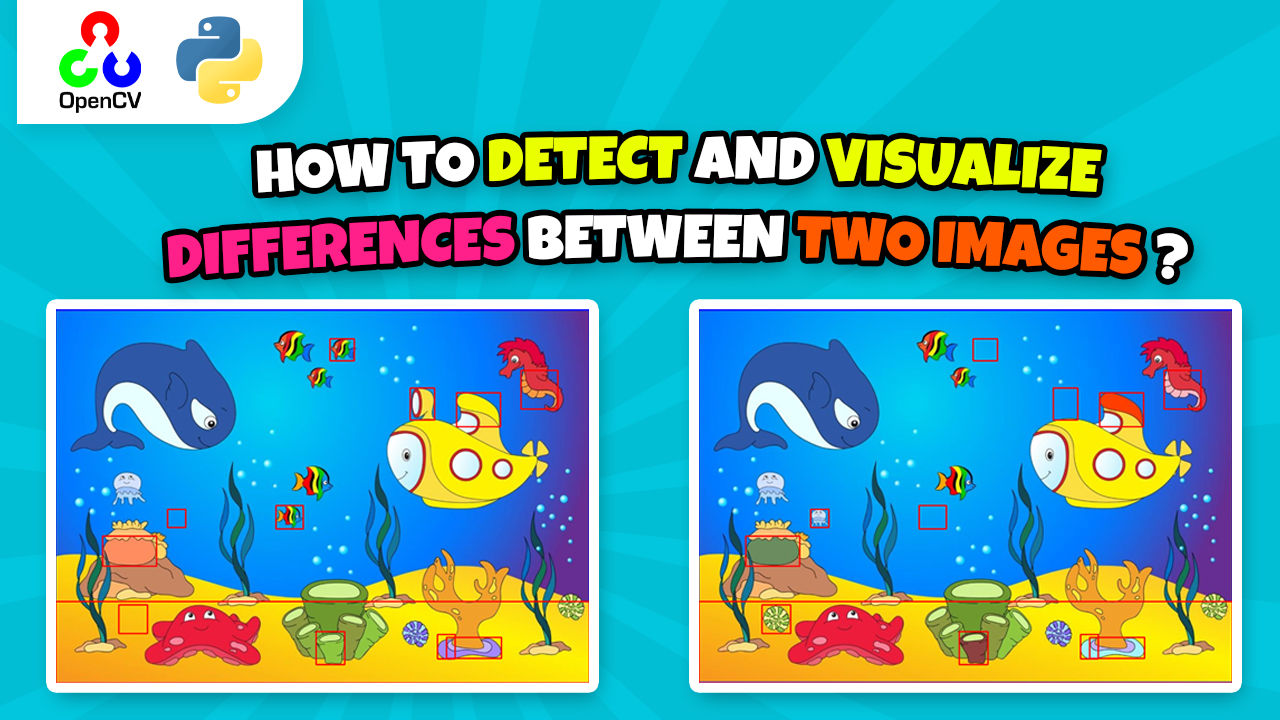
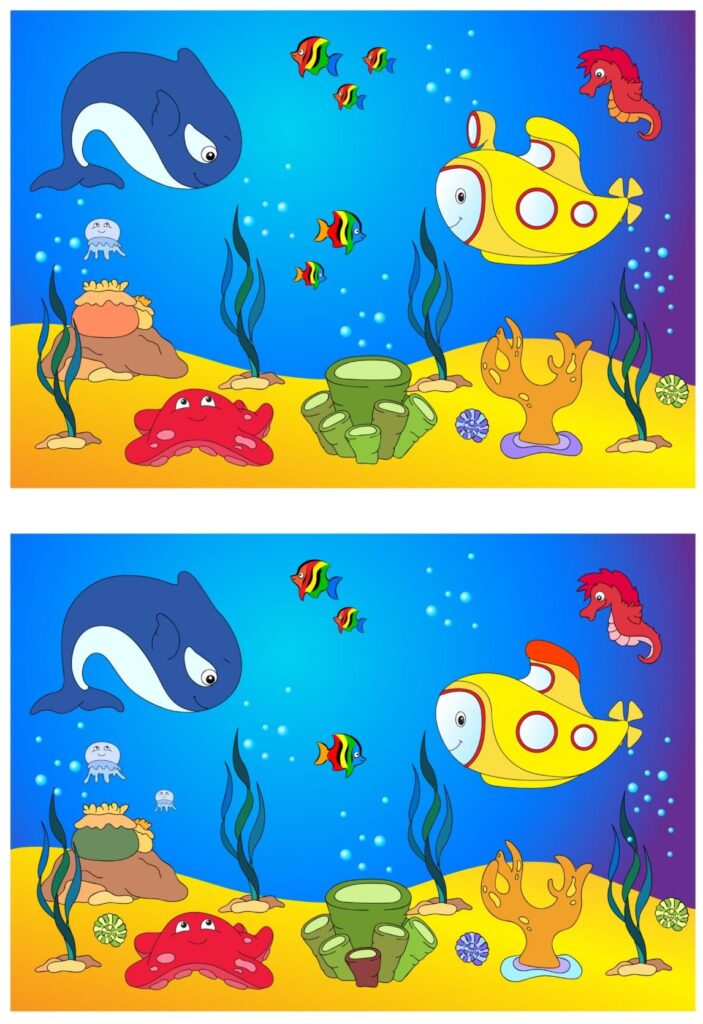
We load the collage image, locate and crop the two panels, align their sizes, compute absolute differences, suppress noise with Gaussian blur, and detect contours over the changed regions.
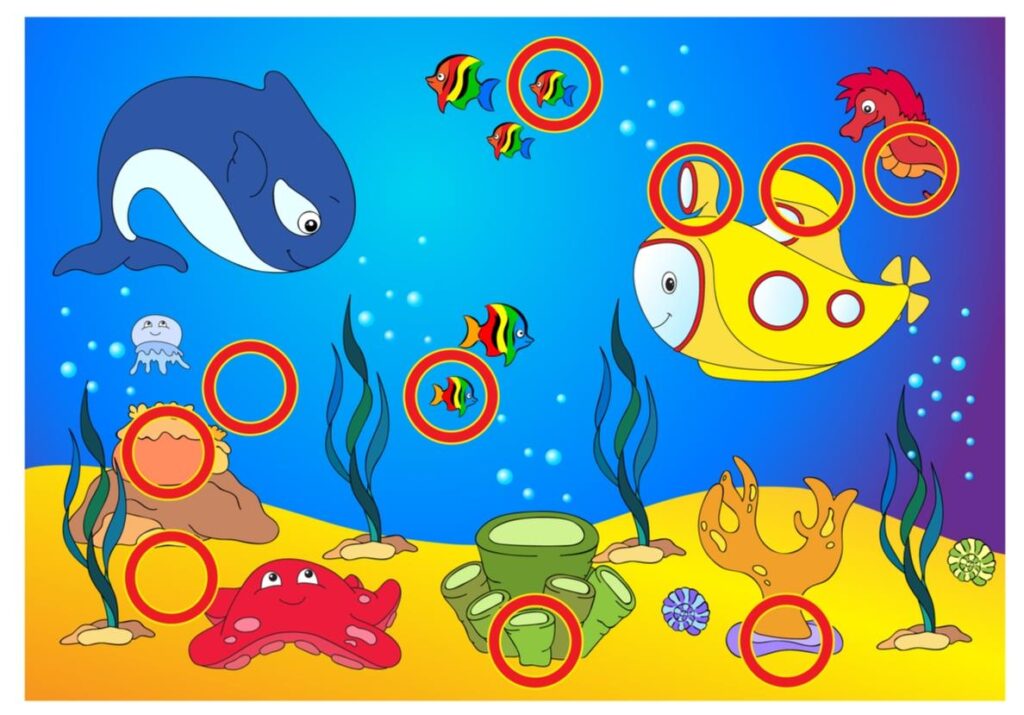
We then draw bounding boxes on both images and a result canvas to clearly visualize all detected differences.
### Import OpenCV for image processing and computer vision operations. import cv2 ### Import NumPy for numerical array operations and mask handling. import numpy as np ### Read the collage that contains two side-by-side images into a NumPy array. img = cv2.imread("Open-CV/Find-10-Differences/two-images.jpg") ### Convert the image to grayscale to simplify thresholding and edge detection. gray = cv2.cvtColor(img, cv2.COLOR_RGB2GRAY) ### Apply a binary inverse threshold to separate the two image panels from the background. _ , thresh = cv2.threshold(gray , 230, 255 , cv2.THRESH_BINARY_INV) ### Run Canny edge detection to get crisp borders around the two panels. canny = cv2.Canny(thresh , 254 , 255) ### Find external contours to capture the two largest rectangular regions that contain the images. contours , hierarchy = cv2.findContours(canny.copy() , cv2.RETR_EXTERNAL, cv2.CHAIN_APPROX_SIMPLE) ### Optionally draw contours for debugging to verify panel detection accuracy. #cv2.drawContours(img, contours, -1 , (0,255,0) ,2 ) ### Sort contours by area so we can retrieve the two biggest panels reliably. sortedCon = sorted(contours, key = cv2.contourArea) ### Compute a bounding rectangle around the largest panel. x,y,w,h = cv2.boundingRect(sortedCon[0]) ### Draw a rectangle on the collage to visualize the first panel boundaries. cv2.rectangle(img, (x,y), (x+w , y+h), (255,0,0), 3) ### Crop the first region of interest (ROI) that represents the first image. roi = img.copy()[y:y+h , x:x+w] ### Compute a bounding rectangle around the second panel. x1,y1,w1,h1 = cv2.boundingRect(sortedCon[1]) ### Draw a rectangle to visualize the second panel boundaries. cv2.rectangle(img, (x1,y1), (x1+w1 , y1+h1), (255,0,0), 3) ### Crop the second region of interest (ROI) that represents the second image. roi2 = img.copy()[y1:y1+h1 , x1:x1+w1] ### Print the shapes so we can confirm both ROIs and plan alignment if needed. print(roi.shape) ### Print the second ROI shape for comparison against the first ROI. print(roi2.shape) ### Retrieve the height of the second ROI to trim one row if necessary for shape alignment. roi2H = roi2.shape[0] ### Print the current height for transparency during debugging. print(roi2H) ### Align heights by removing a bottom row if the sizes are off by one pixel. roi2 = roi2[0:roi2H-1, :] ### Confirm the new shape after alignment. print(roi2.shape) ### Retrieve the width of the first ROI to trim one column if necessary for shape alignment. roi1W = roi.shape[1] ### Print the current width for transparency during debugging. print(roi1W) ### Align widths by removing the last column if the sizes are off by one pixel. roi = roi[: , 0:roi1W-1] ### Confirm the new shape after alignment. print(roi.shape) ### Compute pixel-wise absolute difference and invert to emphasize similar background while keeping differences bright. diff = 255 - cv2.absdiff(roi,roi2) ### Define the lower HSV threshold for masking potential difference regions. lower = np.array([0,0,0]) ### Define the upper HSV threshold to include the full range of values. upper = np.array([180,255,255]) ### Convert the difference image from BGR to HSV for robust value-based masking. imgHSV = cv2.cvtColor(diff, cv2.COLOR_BGR2HSV) ### Create a binary mask selecting all HSV values in the defined range. mask = cv2.inRange(imgHSV, lower, upper) ### Keep only the masked regions from the difference image for cleaner downstream processing. result = cv2.bitwise_and(diff, diff , mask=mask) ### Apply Gaussian blur to reduce salt-and-pepper noise before edge detection. blur = cv2.GaussianBlur(result, (11,11), 0) ### Run Canny a second time on the denoised image to outline difference boundaries sharply. canny = cv2.Canny(blur, 50 , 150) ### Dilate the edges to close small gaps and make contours easier to detect. edges = cv2.dilate(canny, None) ### Extract contours corresponding to distinct difference regions between the two images. contours , hierarchy = cv2.findContours(edges, cv2.RETR_EXTERNAL, cv2.CHAIN_APPROX_SIMPLE) ### Iterate over each contour to compute bounding boxes around detected differences. for cnt in contours: ### Get the top-left coordinate and size of the bounding rectangle for the current difference region. x, y, width, height = cv2.boundingRect(cnt) ### Draw the bounding box on the result canvas to visualize detected differences. cv2.rectangle(result, (x,y), (x+width, y+height), (0,0,255), 2) ### Draw the same bounding box on the first ROI for side-by-side visualization. cv2.rectangle(roi, (x,y), (x+width, y+height), (0,0,255), 2) ### Draw the same bounding box on the second ROI for side-by-side visualization. cv2.rectangle(roi2, (x,y), (x+width, y+height), (0,0,255), 2) ### Display the composite result with highlighted differences. cv2.imshow("result", result) ### Display the first cropped image with bounding boxes. cv2.imshow("roi",roi) ### Display the second cropped image with bounding boxes. cv2.imshow("roi2",roi2) ### Display the Canny output used to detect edges of the difference regions. cv2.imshow("canny", canny) ### Display the dilated edges that feed the contour extraction. cv2.imshow("edges", edges) ### Wait for a key press to keep windows open until the user is ready to close them. cv2.waitKey(0) ### Close all OpenCV windows to release resources gracefully. cv2.destroyAllWindows()




 Skip to content