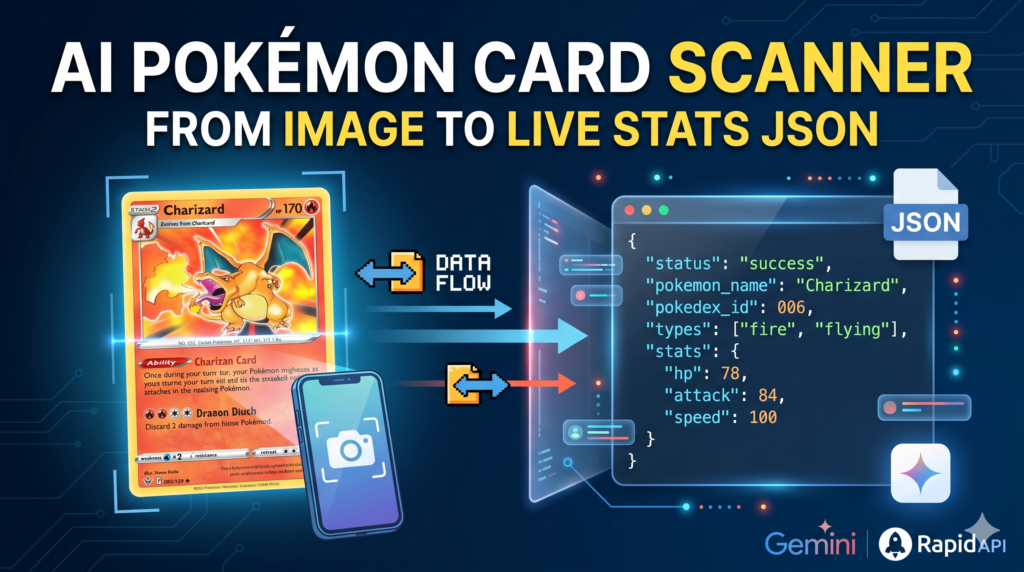
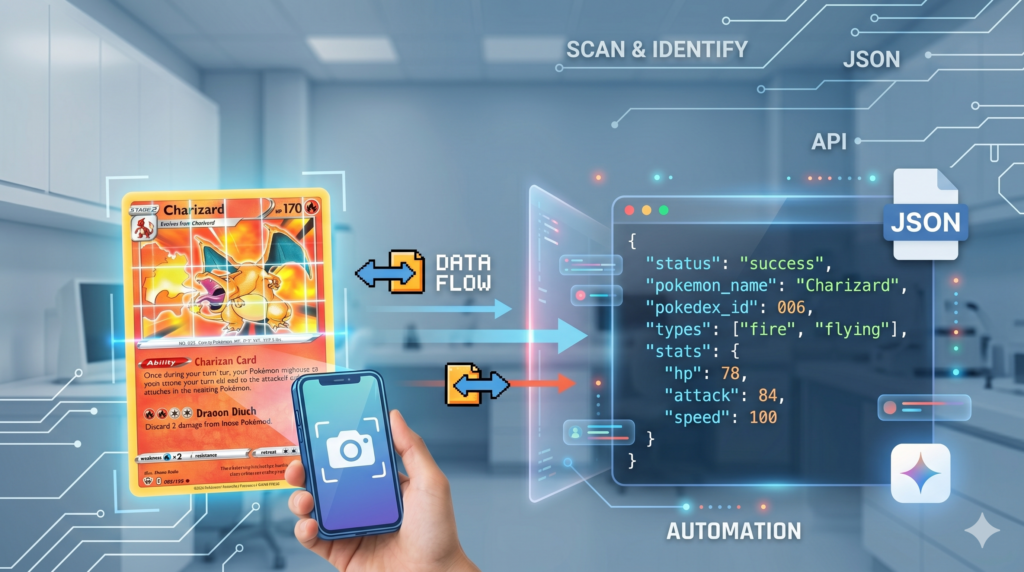
At the technical core of this service’s utility is its robust output format. The scanner seamlessly translates complex, varied card visual information directly into neatly organized JSON data structures. This structured output is vital for integration, allowing developers to immediately utilize critical data fields—such as Pokémon name, Pokédex ID, elemental types, physical metrics, and live gameplay stats—within their own software environments. Beyond mere identification, the API automatically enriches this data, cross-referencing against official registries to provide verified, in-depth information, ensuring that the JSON payload is contextually complete and production-ready for immediate application use.
The ultimate value of this specialized API is realized through significant operational efficiency and scalable business solutions. For TCG marketplaces and brick-and-mortar stores, utilizing this automated system for inventory management transforms a multi-day logging task into a rapid, background process, drastically accelerating listing throughput and reducing labor overhead. App developers can leverage the instant identification and enriched data to build frictionless user experiences in collection trackers, real-time pricing tools, and interactive gaming utilities. By automating the critical identification and data capture phases, the Pokémon Card AI Scanner & Recognition API empowers businesses to streamline their workflows, scale their operations, and focus on high-value services rather than manual data entry.
Pokémon Card Recognition API Demo 🔌 Link for the Medium post https://medium.com/image-classification-tutorials/accelerating-pokemon-tcg-automation-building-a-multi-modal-ai-card-recognition-api-6cb0c462c150
🔌 Get the API : https://rapidapi.com/feitgemel/api/pokemon-card-analyzer-detector
✨ Click here to select a Pokémon card image or drag it here Supports PNG, JPG, JPEG, and WebP formats Analyze Card with AI
🔮 The AI scanner is analyzing your card and retrieving live registry data, please wait…
Next-Gen Pokémon Card AI Analyzer & Identification API The trading card market has experienced explosive growth, transforming physical collections into high-value digital assets. However, cataloging thousands of cards, identifying rare variants, and tracking gameplay data remains a major operational bottleneck. Whether you are running an e-commerce storefront, building a collection tracking app, or managing a high-volume marketplace, manual data entry eats up valuable hours and introduces human error. The Pokémon Card AI Scanner & Recognition API completely solves this problem by turning any raw photo into a structured, production-ready dataset in milliseconds.
What makes this service uniquely powerful is its hybrid intelligence architecture. While standard Optical Character Recognition (OCR) tools easily fail when text is stylized, obstructed, or captured under poor lighting conditions, this API utilizes advanced multi-modal vision models. It interprets the intricate artistic details, symbols, set symbols, and structural layout of physical Pokémon cards just like an expert human eye would. It doesn’t just read raw text from pixels—it dynamically comprehends the card’s true identity.
The Pokémon Card AI Scanner acts as an intelligent visual processing engine that redefines how applications interact with physical collectibles. By integrating this specialized software layer, systems no longer just capture an image; they immediately digest it. The Pokémon Card AI Scanner analyzes shading, structural borders, and alignment markers to differentiate between original prints, holo variations, and different promotional editions, ensuring absolute accuracy from the very first scan.
The real magic happens immediately after visual identification. The API goes far beyond simple recognition by executing real-time data enrichment pipelines. The moment a card is identified, the system cross-references it with verified global gaming registries to pull an exhaustive metadata payload. Instead of just returning a character name, your application instantly receives a rich dataset including Pokédex numbers, elemental types, official height and weight metrics, and complex base combat stats (such as HP, Attack, Defense, and Speed). This removes the need for developers to maintain massive static databases or make secondary backend API calls, providing an all-in-one data layer out of the box.
Deploying a dedicated Pokémon Card AI Scanner inside your software environment effectively eliminates the technical overhead of building machine learning models from scratch. Instead of spending months training custom neural networks to recognize text and card shapes, developers can plug into this pre-trained, production-grade infrastructure instantly. This reliable cloud-based framework ensures that your application can handle complex recognition tasks seamlessly, leaving your team free to focus on perfecting the user experience.
To make high-end automation accessible to everyone, this service is highly scalable and developer-friendly. You can seamlessly integrate this intelligence into your application for free, with a generous tier providing up to 1,500 operations per month at zero cost . This allows independent developers, hobbyists, and startups to fully build, test, and launch their products in production before ever needing to worry about infrastructure costs.
Technical Architecture: Input and Output Specification Integrating this API into your existing software stack is remarkably straightforward, designed around standard web protocols. The service operates over a secure HTTPS environment, utilizing a high-performance framework optimized to handle concurrent binary file uploads without latency spikes. Because the core processing is offloaded to remote visual inference clusters, your local client application remains incredibly lightweight.
The input layer requires a standard POST request sent to the /pokemon-detect endpoint. The request body must be encoded using multipart/form-data. Within this payload, the API expects a single parameter named file containing the raw binary data of the image. The system is highly resilient and natively supports modern image formats including JPEG, PNG, and WebP, making it perfectly compatible with direct image uploads from smartphones, webcams, or desktop file drag-and-drop interfaces.
The output layer responds with a clean, predictive, and normalized application/json payload with a 200 OK status code. The structure is strictly typed, making it easy to deserialize across any programming language. The payload is divided into logical objects: a root status check, identification fields (pokemon_name, pokedex_id), nested physical dimensions (height_meters, weight_kg), and specialized sub-objects detailing explicit gameplay elements and base stats.
Pokemon card identification API Code Integration Examples To get your application up and running instantly, here are three distinct implementation patterns using the most popular programming environments in modern software development.
Example 1: Python Integration (FastAPI / Server-Side) Python is the gold standard for data processing and backend automation. This script leverages the popular requests library to read a local image file from your disk and stream it securely to the remote API. It demonstrates how easily you can inject visual intelligence into your backend scripts or automated inventory pipelines.
import requests # Define the target endpoint and API routing url = " http://178.105.220.17:8001/pokemon-detect " image_path = " path/to/your/card_image.jpg " # Open the image file in binary read mode and prepare the form payload with open ( image_path , " rb " ) as image_file : files = { " file " : ( image_path , image_file , " image/jpeg " )} try : print ( " Uploading image to AI Scanner... " ) response = requests . post ( url , files = files ) # Check if the request was successful if response . status_code == 200 : data = response . json () print ( " Successfully Analyzed! " ) print ( f "Pokémon Detected: { data . get ( ' pokemon_name ' ) } (# { data . get ( ' pokedex_id ' ) } )" ) print ( f "Base Speed Stat: { data . get ( ' base_stats ' , {}). get ( ' speed ' ) } " ) else : print ( f "Server returned an error status: { response . status_code } " ) except requests . exceptions . RequestException as e : print ( f "Network error encountered: { e } " ) This Python script offers a clean, synchronous approach to handling file streams over HTTP networks. By nesting the file handling within a with block, it guarantees that system resources are safely closed immediately after the upload completes, preventing memory leaks during bulk scanning operations.
Example 2: JavaScript Integration (Modern Fetch API) For front-end interfaces, interactive web apps, or WordPress Custom HTML blocks, the native JavaScript Fetch API is the perfect choice. This snippet hooks directly into the browser’s DOM, building a dynamic FormData object programmatically to mirror a native form submission seamlessly.
// Function to handle the asynchronous API upload async function scanPokemonCard ( fileObject ) { const url = " http://178.105.220.17:8001/pokemon-detect " ; // Create the multipart form data payload const formData = new FormData () ; formData . append ( " file " , fileObject ) ; try { console . log ( " Sending card payload to server... " ) ; const response = await fetch ( url , { method : " POST " , body : formData }) ; if ( ! response . ok ) { throw new Error ( `HTTP network error! Status : $ { response . status } ` ) ; } const result = await response . json () ; if ( result . status == = " success " ) { console . log ( " Analysis Payload Received: " , result ) ; // Example : Update UI elements dynamically // document . getElementById ( " name " ). innerText = result . pokemon_name; } else { console . warn ( " AI was unable to verify a card in this image. " ) ; } } catch ( error ) { console . error ( " Failed to execute API request: " , error ) ; } } This client-side snippet provides an asynchronous foundation for modern user interfaces. By utilizing async/await and robust try/catch syntax, it prevents UI freezing during network transmissions and gives front-end engineers an easy blueprint for rendering loaders, handling timeouts, and displaying dynamic errors directly to users.
Example 3: Node.js Integration (Backend Automation) For building scalable server-side tools, Discord bots, or high-performance background worker applications, Node.js is an exceptional choice. This script uses the modern undici native fetch engine combined with the standard filesystem modules to parse and upload asset buffers efficiently.
const fs = require ( ' fs ' ) ; const path = require ( ' path ' ) ; async function uploadCardAsset () { const url = " http://178.105.220.17:8001/pokemon-detect " ; const filePath = path . join ( __dirname , ' pokemon_card.png ' ) ; try { // Read the file buffer directly from system storage const fileBuffer = fs . readFileSync ( filePath ) ; // Construct web - compliant File and FormData structures const blob = new Blob ([ fileBuffer ], { type : ' image/png ' }) ; const formData = new FormData () ; formData . append ( ' file ' , blob , ' pokemon_card.png ' ) ; console . log ( " Executing backend asset stream... " ) ; const response = await fetch ( url , { method : ' POST ' , body : formData }) ; const jsonResponse = await response . json () ; console . log ( " API Response Matrix: " , JSON . stringify ( jsonResponse , null , 2 )) ; } catch ( error ) { console . error ( " Backend process failure: " , error ) ; } } uploadCardAsset () ; This Node.js pattern bridges raw server storage environments with standard browser-like web specs. Using native buffers ensures high data throughput, making this layout perfect for creating background cron jobs that index massive internal folders of unprocessed card images automatically.
FAQ What is the primary technology behind the Pokémon Card AI Scanner? The scanner utilizes multi-modal vision models, specifically Google Gemini Vision, to analyze raw images. Unlike traditional OCR that only reads plain text, these models interpret complex card layouts, artwork, symbols, and set variations simultaneously.
Why does the API return data in JSON format instead of a rendered webpage? Returning data as a structured JSON payload makes the service universal, language-agnostic, and production-ready for developers. It allows you to seamlessly map card names, Pokédex IDs, types, and stats directly into your own app’s database or custom UI components.
How does the API handle the real-time enrichment of card data? The moment the visual inference layer confirms the card’s identity, the backend automatically triggers server-side hooks to official gaming registries like PokéAPI. It aggregates live gameplay parameters, elemental types, base combat stats, and verified high-resolution sprite URLs into a single response.
What should I do if the API returns a 401 Unauthorized status code? A 401 error indicates that your request failed the security middleware validation checks. This happens if the X-RapidAPI-Proxy-Secret header is missing, incorrectly named, or contains an outdated token. Verify your keys in the RapidAPI Dashboard under Gateway Settings.
How can I fix an “Address already in use” error when starting the API service? This error means another process is already listening on your targeted port. You can find and terminate the blocking process using a terminal command like kill -9 $(ss -lptn ‘sport = :8000’ | grep -oP ‘pid=\K\d+’). Once cleared, restart your Uvicorn server.
Is there a file size limit or optimal image format for card uploads? The underlying architecture is optimized for raw mobile camera uploads and supports standard formats like JPEG, PNG, and WebP up to 50 MB. For the fastest response times, compress images to under 5 MB and ensure the card is flat and well-lit.
How do I keep the API running continuously after disconnecting from my SSH terminal? To run the API continuously in the background, detach the process from your active session by prepending your execution command with nohup and appending an ampersand, like: nohup uvicorn main:app –host 0.0.0.0 –port 8001 > uvicorn.log 2>&1 &
How does the dynamic color-theming in the HTML interface work? The companion JavaScript code registers a frontend dictionary matching elemental types to specific hex color codes. Upon receiving the JSON payload from the API, the code isolates the primary type value and dynamically updates the DOM element styles for borders and backgrounds.
What are the benefits of running the API within a Python virtual environment (venv)? Utilizing a virtual environment isolates project-specific dependencies from your operating system’s global Python packages. This prevents version conflicts between different microservices running on the same server, ensuring environment stability.
Can this scanner differentiate between real and counterfeit Pokémon cards? The current vision layer is tuned for identification, metadata retrieval, and layout analysis rather than authenticating physical print materials. For complete security, integrate the API output alongside manual verification checks for holographic textures.
Conclusion Automating inventory pipelines and user cataloging workflows is no longer a luxury reserved for massive enterprise systems. By deploying the Pokémon Card AI Scanner & Recognition API, businesses and independent developers alike can bypass the complex, resource-heavy phases of training custom machine learning models. The system’s ability to seamlessly translate raw pixels into rich, contextually enriched JSON metadata provides a reliable framework for building scalable TCG applications, interactive price trackers, and modern storefront modules.
With the security layers safely handled by RapidAPI proxies and a robust infrastructure running on high-performance server clusters, this tool is ready to support production environments from day one. Take advantage of the generous 1,500 monthly free requests tier to embed these automation features directly into your software stack. By relying on smart visual intelligence to handle manual processing overhead, you can free up valuable development cycles to focus entirely on maximizing user engagement and scaling your technical ecosystem.
Connect ☕ Buy me a coffee — https://ko-fi.com/eranfeit
🖥️ Email : feitgemel@gmail.com
🌐 https://eranfeit.net
🤝 Fiverr : https://www.fiverr.com/s/mB3Pbb
Enjoy,
Eran
 Skip to content