 Skip to content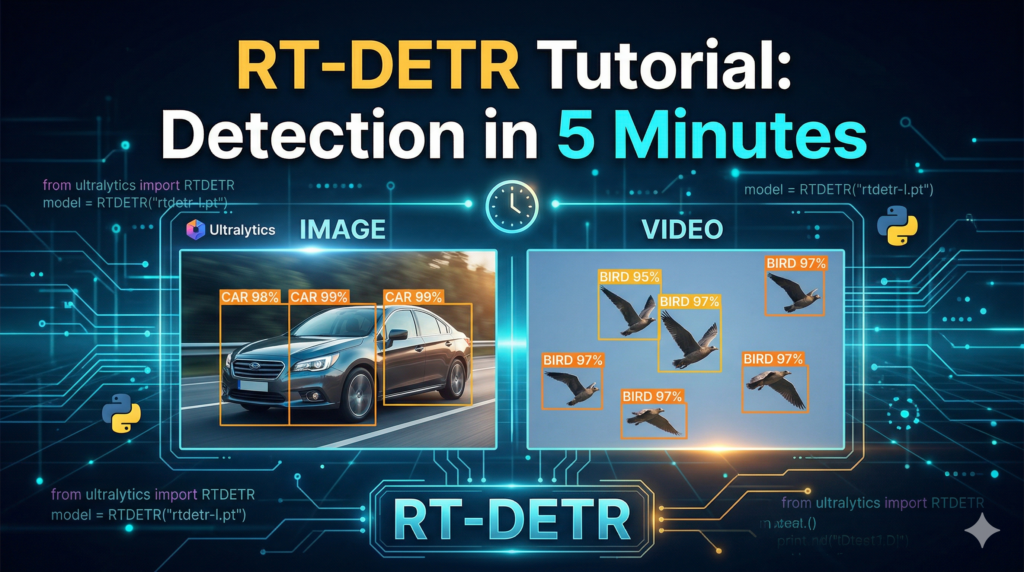
Last Updated on 28/03/2026 by Eran Feit
This RT-DETR tutorial is your complete guide to mastering the first real-time end-to-end object detector built on the revolutionary Transformer architecture. This article is about transitioning from standard convolutional models to a more efficient, attention-driven system that delivers state-of-the-art results. By focusing on the practical application of the Real-Time Detection Transformer, we provide a clear path for developers to integrate sophisticated AI into their existing workflows without the usual steep learning curve.
You will find immense value in learning how to eliminate the traditional bottlenecks of object detection, such as Non-Maximum Suppression (NMS). This guide explains how the transformer-based encoder-decoder structure views detection as a direct set prediction problem, which simplifies your post-processing and increases overall system reliability. Moving to this architecture ensures that your models are not only faster but more accurate in complex, real-world environments where traditional detectors often fail to distinguish between overlapping objects.
We accomplish this by breaking the technical implementation into manageable, sequential steps that anyone with basic Python knowledge can follow. We start by configuring a high-performance environment using Conda and CUDA 12.8, ensuring that your hardware is optimized for transformer-level computations. From there, we demonstrate how to load pre-trained weights and run inference on both static images and video files using the streamlined Ultralytics framework, turning complex research into a few lines of clean code.
Following this RT-DETR tutorial allows you to stay at the forefront of the computer vision industry as it evolves toward more intelligent, attention-based architectures. Understanding these concepts is essential for building the next generation of autonomous systems, security monitors, and diagnostic tools. This article provides the exact blueprint needed to move from a curious observer to a proficient practitioner of real-time transformer detection, future-proofing your skills for the years ahead.
Why this RT-DETR tutorial is essential for modern vision systems
The primary goal of this architecture is to provide a high-performance alternative for developers who have traditionally relied on the YOLO family of models. While YOLO has been the industry standard for years, its reliance on manually designed anchors and complex post-processing can limit its flexibility in diverse environments. RT-DETR represents a paradigm shift by utilizing a hybrid encoder and a global cross-attention mechanism. This allows the model to “see” the entire image at once, understanding the relationship between distant pixels far more effectively than traditional local convolutional filters.
For researchers and engineers working in high-stakes fields like robotics or automated surveillance, the removal of the NMS (Non-Maximum Suppression) bottleneck is the most significant advantage. In traditional models, NMS is a CPU-bound process that can slow down inference significantly as the number of detected objects increases. Because RT-DETR is NMS-free by design, the inference time remains remarkably stable regardless of how many objects are in the frame. This predictability is vital for real-time systems where every millisecond of latency can impact the safety and reliability of the final application.
Ultimately, this transition to Transformers in the vision space is about achieving a better balance between computational cost and prediction accuracy. By leveraging multi-scale feature fusion, the model can detect both very small and very large objects with equal proficiency. This guide simplifies these high-level architectural concepts into a practical implementation that you can deploy today. By the end of this journey, you will have a working object detection system that rivals the speed of the fastest CNNs while offering the superior accuracy of a modern Transformer.
Let’s Get Practical: Building Your First RT-DETR Implementation
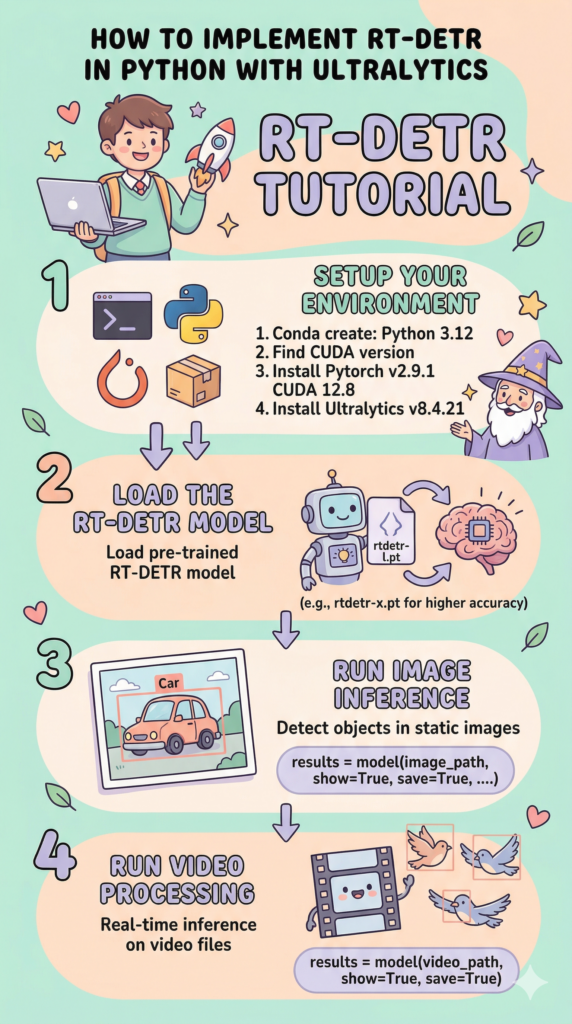
The primary goal of this script is to provide a clean, “plug-and-play” implementation of the Real-Time DEtection TRansformer (RT-DETR) using the Ultralytics framework. By the end of these few lines of code, you will have a system capable of identifying dozens of object classes in both static photography and high-speed video streams with incredible precision. The target of this code is to simplify what used to be a very complex architectural setup, moving away from traditional anchor-based models and into the era of Transformers.
Historically, working with Transformers in computer vision required massive amounts of boilerplate code and complex data loaders that often intimidated developers. This tutorial changes that by leveraging the RTDETR class to condense the entire pipeline—from loading pre-trained weights to rendering bounding boxes on the screen—into a sequence that is easy to follow. It bridges the gap between theoretical research papers and practical, real-world application, making high-end AI accessible to everyone.
At a high level, the logic follows a standard computer vision workflow: environment preparation, model initialization, and inference execution. We begin by setting up a specific Python 3.12 environment to ensure all CUDA dependencies for your GPU are correctly mapped. Once the “brain” of the system is loaded, the code directs that intelligence toward two different data sources. First, it analyzes a single frame to show how the model handles spatial details, and then it transitions into video processing to demonstrate how the model maintains consistency across a series of frames.
The real magic happening behind the scenes is the shift toward an “End-to-End” philosophy. Unlike older models that require a separate, computationally expensive step to filter out duplicate boxes, this code utilizes a model that has learned to produce a final, clean result directly. This makes the execution more efficient and the code much easier to maintain over time. Whether you are building a monitoring system or just exploring the latest in AI, this implementation serves as the foundational engine for your next big project.
Link to the video tutorial here .
Download the code for the tutorial here or here
Best AI Photo Tools (Backgrounds, Objects, Headshots)


My Blog
Link for Medium users here .
Want to get started with Computer Vision or take your skills to the next level ?
Great Interactive Course : “Deep Learning for Images with PyTorch” here
If you’re just beginning, I recommend this step-by-step course designed to introduce you to the foundations of Computer Vision – Complete Computer Vision Bootcamp With PyTorch & TensorFlow
If you’re already experienced and looking for more advanced techniques, check out this deep-dive course – Modern Computer Vision GPT, PyTorch, Keras, OpenCV4
Let’s Get Practical: Building Your First RT-DETR Implementation
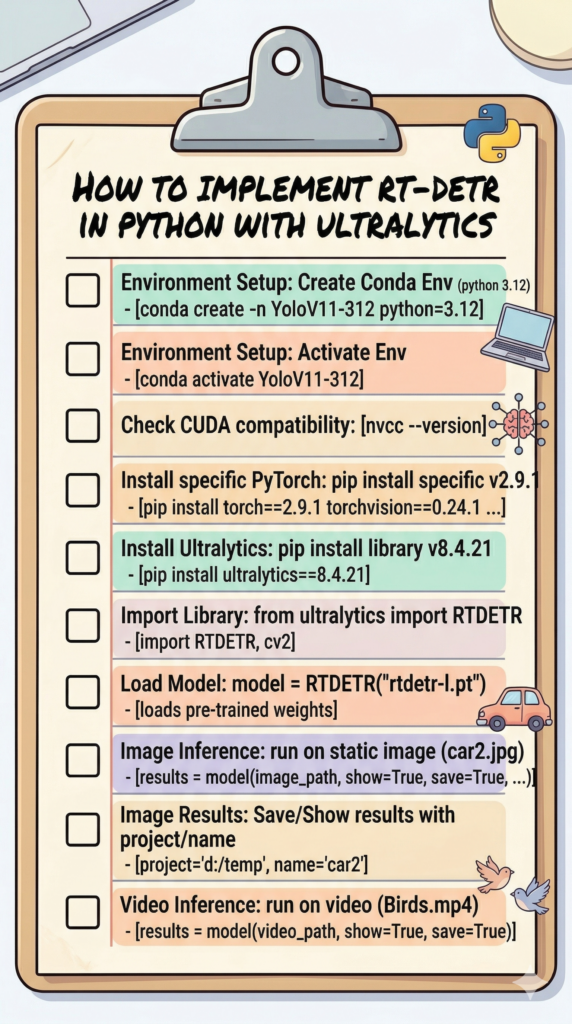
The primary goal of this script is to provide a clean, “plug-and-play” implementation of the Real-Time DEtection TRansformer (RT-DETR) using the Ultralytics framework. By the end of these few lines of code, you will have a system capable of identifying dozens of object classes in both static photography and high-speed video streams with incredible precision. The target of this code is to simplify what used to be a very complex architectural setup, moving away from traditional anchor-based models and into the era of Transformers. This is exactly what we will cover in this RT-DETR tutorial.
Historically, working with Transformers in computer vision required massive amounts of boilerplate code and complex data loaders that often intimidated developers. This tutorial changes that by leveraging the RTDETR class to condense the entire pipeline—from loading pre-trained weights to rendering bounding boxes on the screen—into a sequence that is easy to follow. It bridges the gap between theoretical research papers and practical, real-world application, making high-end AI accessible to everyone.
At a high level, the logic follows a standard computer vision workflow: environment preparation, model initialization, and inference execution. We begin by setting up a specific Python 3.12 environment to ensure all CUDA dependencies for your GPU are correctly mapped. Once the “brain” of the system is loaded, the code directs that intelligence toward two different data sources. First, it analyzes a single frame to show how the model handles spatial details, and then it transitions into video processing to demonstrate how the model maintains consistency across a series of frames.
The real magic happening behind the scenes is the shift toward an “End-to-End” philosophy. Unlike older models that require a separate, computationally expensive step to filter out duplicate boxes, this code utilizes a model that has learned to produce a final, clean result directly. This makes the execution more efficient and the code much easier to maintain over time. Whether you are building a monitoring system or just exploring the latest in AI, this implementation serves as the foundational engine for your next big project.
Prepare Your AI Environment for Transformer Power
Setting up a clean and isolated environment is the first critical step in any RT-DETR tutorial. By creating a dedicated Conda environment, you ensure that specific library versions like Python 3.12 and PyTorch 2.9.1 don’t conflict with other projects on your machine. This isolation is what allows for a smooth, error-free execution of advanced computer vision models without the headache of “dependency hell.”
Once the environment is active, the focus shifts to hardware acceleration, which is where the real speed comes from. Verifying your CUDA version ensures that the installation of PyTorch matches your NVIDIA driver, allowing the RT-DETR tutorial to run on your GPU instead of the much slower CPU. This connection between software and hardware is the secret to achieving the “real-time” performance that makes this model so famous in the developer community.
Finally, we pull in the heavy lifters: the Ultralytics framework and the specific versions of PyTorch needed for 2026 compatibility. These libraries provide the high-level API needed to interact with the Transformer architecture using just a few lines of code. With this foundation in place, your workstation is transformed into a powerful engine ready to process complex visual data at lightning speeds.
Want the exact media files to follow along?
If you want to use the same images and videos shown in this tutorial to verify your results, I can share them with you. Send me an email and mention “RT-DETR Media Files” so I know what you’re requesting.
🖥️ Email: feitgemel@gmail.com
### 1. Create a Conda environment specifically for Python 3.12 conda create -n YoloV11-312 python=3.12 ### 2. Activate the newly created environment to start working conda activate YoloV11-312 ### 3. Check the installed CUDA version on your system nvcc --version ### 4. Install the required version of PyTorch compatible with CUDA 12.8 pip install torch==2.9.1 torchvision==0.24.1 torchaudio==2.9.1 --index-url https://download.pytorch.org/whl/cu128 ### 5. Install the Ultralytics framework for model management pip install ultralytics==8.4.21Seeing the World Through the Eyes of RT-DETR
Now that the environment is ready, we dive into the core logic of this RT-DETR tutorial by loading the pre-trained model weights. The choice of the “large” model file strikes a perfect balance between deep accuracy and fast execution, allowing the Transformer to scan for objects like cars with professional-grade precision. Unlike older models, this architecture uses a global context approach, meaning it looks at the whole image at once to understand the relationship between objects.
The actual inference process is incredibly streamlined, requiring only a single path to your image file. By setting the project and name parameters, the code automatically organizes your detection results into folders, making it easy to review the “car2” detection later. This level of automation is why this RT-DETR tutorial is so valuable—it handles the complex file management and rendering behind the scenes so you can focus on the results.
Visualizing the output is the final piece of the puzzle, where we use OpenCV to pop open a window and see the original data. This step is vital for debugging and ensuring that the model is “seeing” what you expect it to see in the “car2.jpg” file. It provides an immediate feedback loop, proving that the Transformer-based detection is working correctly on your local machine.
Here is the test image :

### Import the RTDETR class from the Ultralytics library from ultralytics import RTDETR ### Import the OpenCV library for image display and handling import cv2 ### Load the pre-trained RT-DETR large model for high-accuracy detection model = RTDETR("rtdetr-l.pt") ### Set the file path for the image you want to analyze image_path = "Best-Object-Detection-models/Ultralytics - Transformer (RT-DETR)/Simple-Object-Detection/car2.jpg" ### Run the object detection inference and save the results to a specific directory results = model(image_path, show=True, save=True, project="d:/temp", name="car2") ### Use OpenCV to show the original image in a separate window cv2.imshow("Original Image", cv2.imread(image_path)) ### Wait for a key press before closing the display windows cv2.waitKey(0) ### Close all active OpenCV windows to free up system memory cv2.destroyAllWindows()Here is the result :

Unleashing Real-Time Tracking on Moving Video
The final and most exciting part of this RT-DETR tutorial is applying the Transformer intelligence to a live video stream. Processing a video file like “Birds.mp4” requires the model to work consistently across thirty or sixty frames every single second. Because RT-DETR is “NMS-free,” it doesn’t waste time recalculating overlapping boxes, making it uniquely suited for high-speed tracking tasks.
In this portion of the code, we define the source video and let the model run with the “show” flag enabled. This allows you to see the real-time bounding boxes flickering across the screen as the birds move, demonstrating the model’s temporal stability. It is a powerful demonstration of how far object detection has come, moving from static analysis to fluid, dynamic understanding of the environment.
Running video inference with Ultralytics is essentially a one-liner that handles the frame extraction and model execution automatically. This code segment is the foundation for building advanced systems like traffic monitors, wildlife trackers, or even autonomous drone navigators. By completing this RT-DETR tutorial, you have successfully moved into the elite tier of real-time computer vision development.
Want the exact media files to follow along?
If you want to use the same videos shown in this tutorial to verify your results, I can share them with you. Send me an email and mention “RT-DETR Media Files” so I know what you’re requesting.
🖥️ Email: feitgemel@gmail.com
### Specify the path to the video file containing moving objects video_path = "Best-Object-Detection-models/Ultralytics - Transformer (RT-DETR)/Simple-Object-Detection/Birds.mp4" ### Execute real-time inference on the video and display the live detection results results = model(video_path, show=True, save=True)Tutorial Summary
In this guide, we successfully configured a cutting-edge RT-DETR environment, implemented high-accuracy image detection, and deployed real-time video inference. By moving to a Transformer-based architecture, you have eliminated the need for NMS bottlenecks and paved the way for more efficient AI applications.
FAQ
What makes RT-DETR different from YOLO?
RT-DETR uses a Transformer architecture that eliminates the need for Non-Maximum Suppression (NMS), leading to a cleaner end-to-end detection process.
Is a GPU required for this tutorial?
While it can run on CPU, a CUDA-compatible NVIDIA GPU is necessary to achieve true real-time performance on video streams.
Which Python version is best for RT-DETR?
Python 3.12 is recommended as it provides the most stable environment for the latest 2026 PyTorch and Ultralytics libraries.
What does ‘NMS-free’ mean?
It means the model produces a final, clean detection box directly without needing a separate mathematical step to remove overlapping boxes.
Can I use this for real-time security cams?
Yes, RT-DETR is highly optimized for live video processing, making it ideal for monitoring and security applications.
How do I choose between rtdetr-l and rtdetr-x?
Use ‘l’ (Large) for a balance of speed and accuracy, and ‘x’ (Extra-Large) if you prioritize maximum precision over processing time.
How do I save the detection results?
Set ‘save=True’ in the model call to automatically store the annotated media in the runs/predict directory.
Is RT-DETR compatible with PyTorch 2.9?
Yes, the latest versions of Ultralytics fully support PyTorch 2.9 and CUDA 12.8 for enhanced performance.
Why are my detections flickering in video?
Flickering can occur due to lighting changes; adding a tracker like Norfair or Botsort can help smooth out detections over time.
Can I use RT-DETR on a Raspberry Pi?
It is quite heavy for a Pi; for edge devices, it is better to use an NVIDIA Jetson Nano or convert the model to ONNX/OpenVINO.
Conclusion: Entering the Era of Real-Time Transformers
Mastering this RT-DETR tutorial is more than just learning a new library; it’s about staying ahead of the curve as computer vision transitions from traditional CNNs to more sophisticated Transformer architectures. The shift toward NMS-free detection represents a massive leap in efficiency, allowing developers to create applications that are faster and less computationally expensive than ever before. By following this guide, you have not only set up a modern environment but also proven that state-of-the-art AI can be implemented with minimal friction.
As you move forward, consider the possibilities of this “End-to-End” philosophy in your own projects. Whether you are refining your detection for industrial automation, wildlife conservation, or just personal experimentation, the tools you’ve explored here provide a scalable foundation for future growth. I encourage you to experiment with different model sizes and datasets to see how the global context of the Transformer can solve your specific challenges. The world of computer vision is evolving quickly, and with RT-DETR in your toolkit, you are perfectly positioned to lead the charge.
Connect :
☕ Buy me a coffee — https://ko-fi.com/eranfeit
🖥️ Email : feitgemel@gmail.com
🤝 Fiverr : https://www.fiverr.com/s/mB3Pbb
Enjoy,
Eran