Last Updated on 25/04/2026 by Eran Feit
Generating human-like descriptions for images no longer requires massive, custom-trained datasets. With the release of Salesforce’s BLIP-2 (Bootstrapping Language-Image Pre-training) , developers can leverage frozen image encoders and large language models (LLMs) to achieve state-of-the-art results. In this tutorial, you will solve the challenge of extracting semantic meaning from visuals by learning how to run BLIP-2 for zero-shot image captioning and VQA in Python . Whether you are building an automated accessibility tool or an AI-driven search engine, this guide provides the expert context and technical logic needed to deploy BLIP-2 efficiently using the Hugging Face Transformers library.
Why BLIP-2 is a Breakthrough for Vision-Language Tasks BLIP-2 image analysis Python is becoming one of the most practical ways to connect visual data with natural language understanding.
With BLIP-2 image analysis Python, developers can load an image, understand its content, and interact with it using plain English.
The power of BLIP-2 lies in its ability to combine a frozen vision encoder with a large language model.
For Python developers working with computer vision, BLIP-2 image analysis Python opens the door to use cases like visual question answering, image captioning, and AI-driven image exploration using a single unified workflow.
How to Run BLIP-2 for Zero-Shot Image Captioning and VQA in Python BLIP-2 image analysis Python focuses on teaching machines how to interpret images through language.
At a high level, BLIP-2 processes an image through a vision encoder and then connects that visual information to a language model.
The target use case for BLIP-2 image analysis Python is interaction rather than classification.
This makes BLIP-2 especially useful for applications such as AI assistants, image-based chat systems, content moderation, accessibility tools, and visual search.
BLIP-2 image analysis Python Understanding the BLIP-2 image analysis Python tutorial This tutorial is designed to walk through BLIP-2 image analysis Python in a clear, hands-on way, focusing on how the code actually works and what each stage is meant to achieve.
The main target of the code is to demonstrate how a single multimodal model can both analyze an image and answer questions about it.
At a high level, the tutorial guides you through three core steps: preparing the environment, loading the BLIP-2 model and processor, and running inference on an image.
The final outcome of the code is a working example of interactive image understanding.
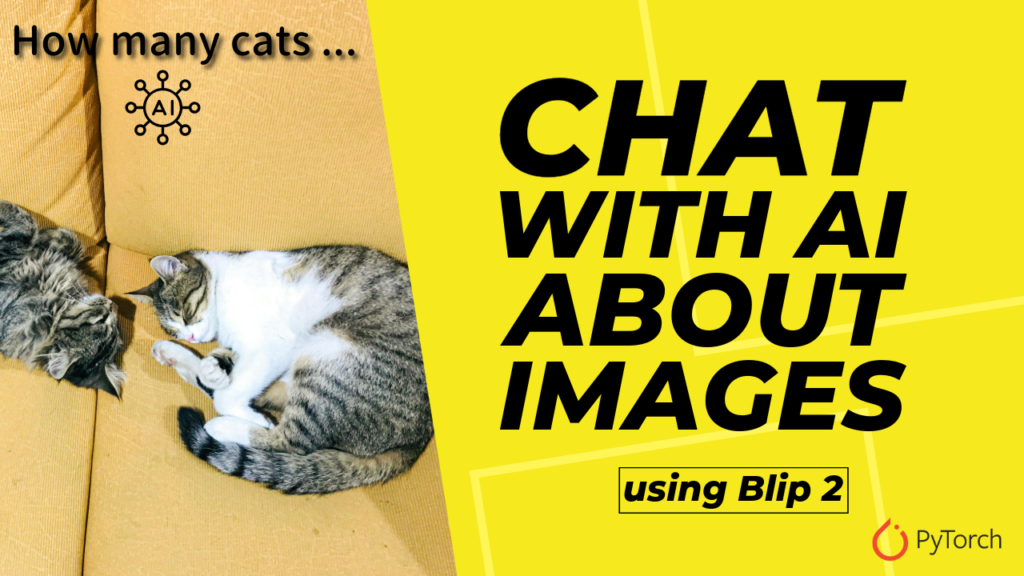
BLIP-2 image analysis Python Link to the video tutorial : https://youtu.be/_kuGdmEFiVs
Code for the tutorial here : https://eranfeit.lemonsqueezy.com/buy/12ff7424-471c-40d2-beeb-b3bf3b86f2d4 or here : https://ko-fi.com/s/1c80391bbe
Link to the post for Medium users : https://medium.com/@feitgemel/how-to-run-blip-2-image-analysis-with-python-7ff731707956
Master Computer Vision
Follow my latest tutorials and AI insights on my
Personal Blog .
Beginner Complete CV Bootcamp
Foundation using PyTorch & TensorFlow.
Get Started → Interactive Deep Learning with PyTorch
Hands-on practice in an interactive environment.
Start Learning → Advanced Modern CV: GPT & OpenCV4
Vision GPT and production-ready models.
Go Advanced →
BLIP-2 image analysis Python tutorial BLIP-2 image analysis Python allows you to combine computer vision and natural language understanding in a single workflow.
This tutorial focuses on practical usage rather than theory.
The goal is to help you understand how multimodal vision-language models work in real Python code.
Environment Setup: Installing Transformers and Dependencies for BLIP-2 This part prepares a clean Python environment that can run BLIP-2 efficiently on GPU or CPU.
The focus here is matching Python, CUDA, PyTorch, and Transformers versions correctly.
### Create a new Conda environment with Python 3.11. conda create - n BLIP - 2 python = 3.11 ### Activate the newly created environment. conda activate BLIP - 2 ### Check the installed CUDA version to ensure GPU compatibility. nvcc -- version ### Install PyTorch with CUDA support for accelerated inference. conda install pytorch == 2.5 . 0 torchvision == 0.20 . 0 torchaudio == 2.5 . 0 pytorch - cuda = 12.4 - c pytorch - c nvidia ### Install SymPy which is required by PyTorch internals. pip install sympy == 1.13 . 1 ### Install Hugging Face Transformers for BLIP-2 support. pip install transformers == 4.46 . 2 ### Upgrade Transformers directly from source if token length errors appear. pip install -- upgrade git + https: // github.com / huggingface / transformers.git This setup ensures your system is ready to run BLIP-2 image analysis Python code smoothly.
While standard installations satisfy the dependencies, performance optimization is critical when running BLIP-2 locally. Because BLIP-2 uses a frozen image encoder (like ViT) and a frozen LLM (like Flan-T5), the memory footprint can be significant. Pro-tip: Use load_in_8bit=True within your model configuration if you are running on a consumer GPU with less than 16GB of VRAM to maintain high performance without crashing the kernel.
Implementing BLIP-2 for Zero-Shot Image Captioning in Python This section loads the pretrained BLIP-2 model and its processor.
The model itself combines a frozen vision encoder with a language model.
### Import the BLIP-2 model and processor from Transformers. from transformers import Blip2ForConditionalGeneration , Blip2Processor ### Import PyTorch for tensor operations and device handling. import torch ### Import image handling utilities. from PIL import Image import requests ### Select GPU if available, otherwise fall back to CPU. device = ' cuda ' if torch . cuda . is_available () else ' cpu ' ### Load the BLIP-2 processor from the pretrained checkpoint. processor = Blip2Processor . from_pretrained ( " Salesforce/blip2-opt-2.7b " ) ### Load the BLIP-2 model from the same pretrained checkpoint. model = Blip2ForConditionalGeneration . from_pretrained ( " Salesforce/blip2-opt-2.7b " ) ### Move the model to the selected device. model . to ( device ) At this stage, the BLIP-2 model is fully loaded and ready for inference.
Harnessing the Q-Former: Advanced Image-to-Text Logic Here the code feeds an image into BLIP-2 without a question.
This step is useful for understanding the baseline perception of the image.
The secret to BLIP-2’s efficiency is the Q-Former (Querying Transformer) . Unlike its predecessor, BLIP-2 doesn’t try to retrain the entire model; instead, the Q-Former acts as a bridge that ‘queries’ the image encoder for the most relevant visual features required by the LLM. This architectural choice allows for incredible zero-shot capabilities, meaning the model can describe images it has never seen before with surprising nuance.
Test image :
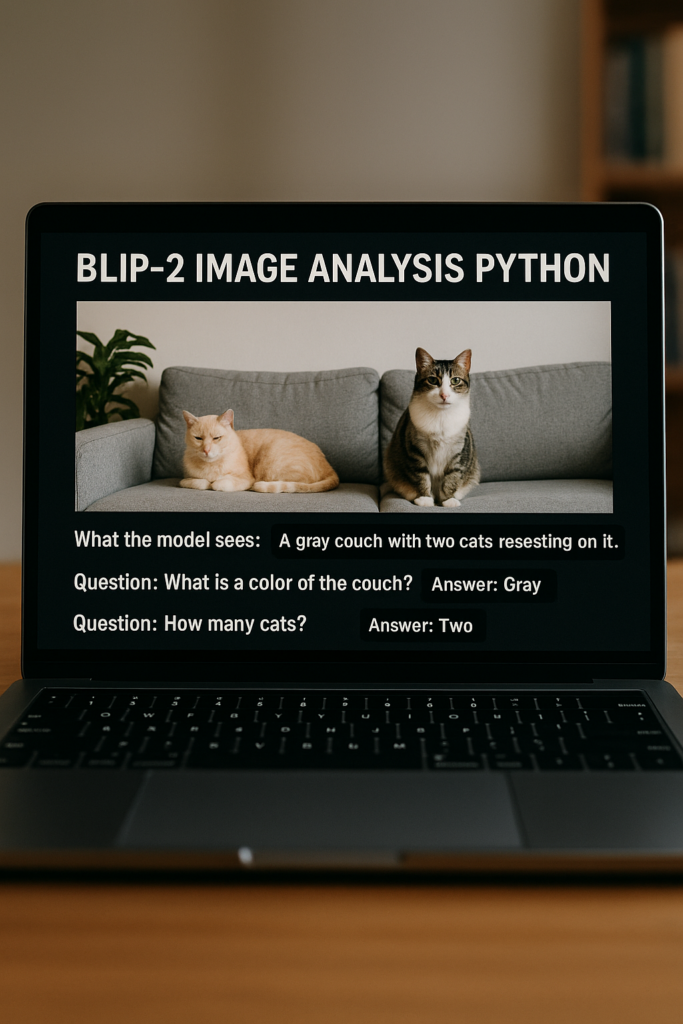
How to Run BLIP-2 Image Analysis with Python 10 ### Define the image URL to analyze. url = " https://images.pexels.com/photos/12426042/pexels-photo-12426042.jpeg " ### Load the image from the URL. image = Image . open ( requests . get ( url , stream =True ). raw ) ### Prepare inputs for the model without a text prompt. inputs = processor ( images = image , return_tensors = ' pt ' , text = "" ) ### Move inputs to the same device as the model. inputs . to ( device ) ### Generate text output from the image. generate_ids = model . generate ( ** inputs , max_new_tokens = 50 ) ### Decode the generated token IDs into readable text. generated_text = processor . batch_decode ( generate_ids , skip_special_tokens =True )[ 0 ]. strip () ### Print the model’s description of the image. print ( " ********************************************** " ) print ( " What the model sees: " + generated_text ) print ( " ********************************************** " ) This output gives a clear overview of the image content from the model’s perspective.
Interactive Visual Question Answering (VQA) with BLIP-2 This final part demonstrates visual question answering.
This shows the real strength of BLIP-2 image analysis Python.
### Ask a question about the image using a natural language prompt. prompt = " Question: What is the color of the couch? Answer: " ### Prepare inputs with both image and question. inputs = processor ( images = image , return_tensors = ' pt ' , text = prompt ) ### Move inputs to the model device. inputs . to ( device ) ### Generate an answer from the model. generate_ids = model . generate ( ** inputs , max_new_tokens = 50 ) ### Decode the answer into readable text. generated_text = processor . batch_decode ( generate_ids , skip_special_tokens =True )[ 0 ]. strip () ### Print the answer. print ( " ********************************************** " ) print ( " What is the color of the couch?: " + generated_text ) print ( " ********************************************** " ) ### Ask another question about object count. prompt = " Question: How many cats? Answer: " ### Prepare new inputs with the updated question. inputs = processor ( images = image , return_tensors = ' pt ' , text = prompt ) ### Move inputs to the model device. inputs . to ( device ) ### Generate the response. generate_ids = model . generate ( ** inputs , max_new_tokens = 50 ) ### Decode and print the result. generated_text = processor . batch_decode ( generate_ids , skip_special_tokens =True )[ 0 ]. strip () print ( " ********************************************** " ) print ( " How many cats?: " + generated_text ) print ( " ********************************************** " ) ### Display the image locally. image . show () When performing Visual Question Answering, the ‘prompt’ is just as important as the image. BLIP-2 is sensitive to how you frame your question; for instance, asking ‘What is the color of the car?’ may yield a different level of detail than ‘Describe the vehicle and its surroundings.’ Technical Logic: The model processes the text prompt and visual tokens simultaneously in the LLM’s latent space, allowing it to reason about spatial relationships and object attributes in real-time.
This approach enables interactive and flexible image understanding using Python.
FAQ What is BLIP-2 image analysis Python? It is a Python-based approach for understanding images using natural language prompts.
Can BLIP-2 answer questions about images? Yes. BLIP-2 supports visual question answering using text prompts.
Does BLIP-2 work on CPU? Yes, but GPU is recommended for faster inference.
Best Practices for Deploying BLIP-2 in Production AI Apps BLIP-2 image analysis Python demonstrates how modern AI models can understand images through language rather than fixed labels.
This tutorial showed how to set up the environment, load the model, analyze an image, and interact with it using natural language.
As vision-language models continue to evolve, BLIP-2 provides a practical and approachable way to explore multimodal AI using Python.
Connect ☕ Buy me a coffee — https://ko-fi.com/eranfeit
🖥️ Email : feitgemel@gmail.com
🌐 https://eranfeit.net
🤝 Fiverr : https://www.fiverr.com/s/mB3Pbb
Enjoy,
Eran
 Skip to content