 Skip to content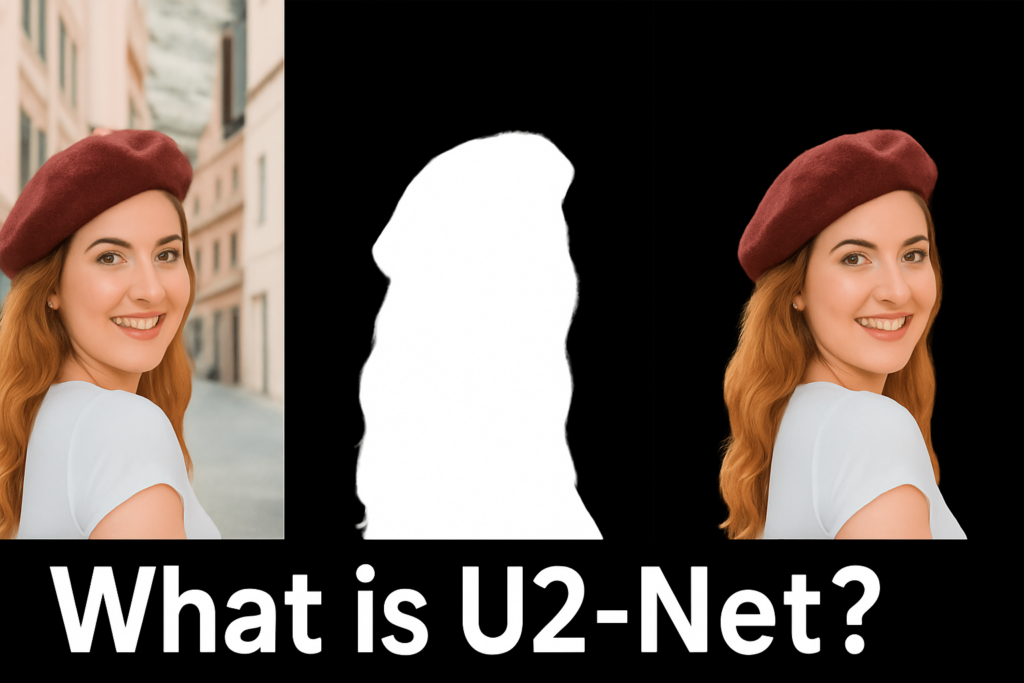
Last Updated on 03/03/2026 by Eran Feit
In this Image Matting U2-Net TensorFlow Tutorial, you will learn how to achieve professional-grade background removal by leveraging deep learning. Unlike standard segmentation that produces jagged edges, image matting focuses on complex details like hair and transparency. Using the U2-Net architecture within the TensorFlow framework, this guide provides a complete Python implementation to transform raw images into clean foreground cutouts. Whether you are building an AI photo editor or a computer vision pipeline, mastering U2-Net matting is essential for high-quality resultsIntroduction
In this Image Matting U2-Net TensorFlow Tutorial, you will learn how to achieve professional-grade background removal by leveraging deep learning. Unlike standard segmentation that produces jagged edges, image matting focuses on complex details like hair and transparency. Using the U2-Net architecture within the TensorFlow framework, this guide provides a complete Python implementation to transform raw images into clean foreground cutouts. Whether you are building an AI photo editor or a computer vision pipeline, mastering U2-Net matting is essential for high-quality results
What makes U2-Net special is how well it preserves detail while still being efficient enough to run on common GPUs and even faster “lite” setups.
It learns multi-scale features so it can understand the full person silhouette while also paying attention to tiny edge regions.
When trained properly, the output feels much more like an “alpha matte” style result than a hard cut mask.
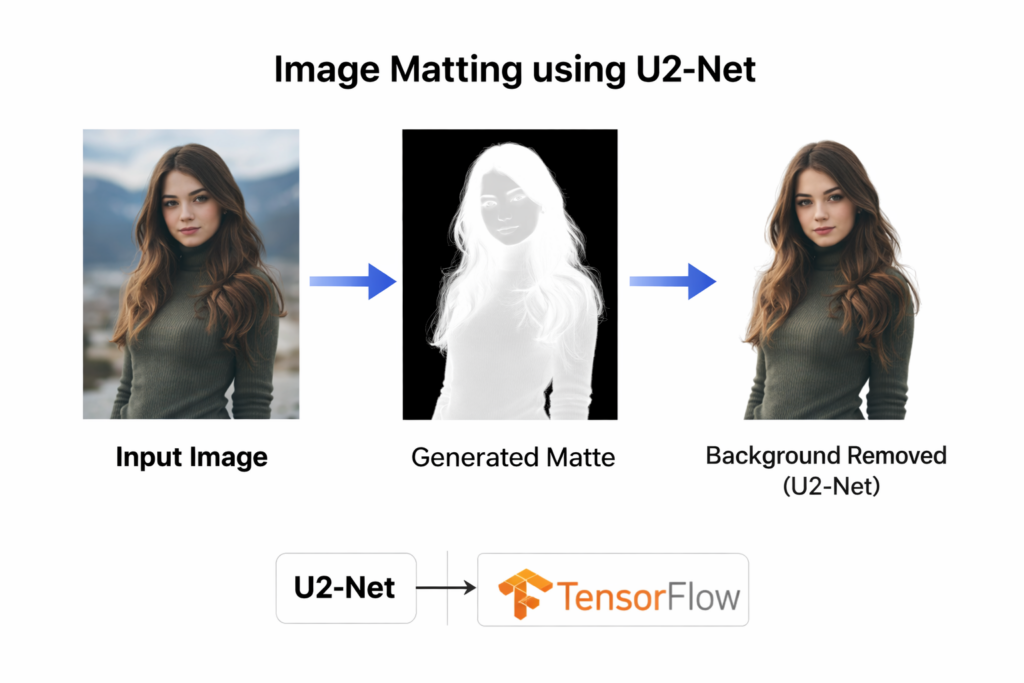
Image matting using U2‑Net is a powerful way to extract a clean foreground from an image while keeping the tricky edge details that usually get destroyed by basic segmentation. Instead of producing a hard “cut” mask, it learns a soft alpha-style matte that handles hair, blurred boundaries, and semi-transparent regions much more naturally. That makes it ideal for background removal workflows where you want the subject to look realistic, not pasted on.
In real projects, image matting using U2-Net is a huge win for background removal workflows.
You can drop a person onto a new background, generate thumbnails, create profile images, and build product-like “studio” portraits from casual photos.
The result looks natural because the edges blend smoothly, and you avoid the jagged outlines that often scream “AI cutout.”
Once you combine a solid dataset, consistent preprocessing, and a clean inference pipeline, the whole workflow becomes repeatable and scalable.
You can train once, export the model, and then run background removal on any new image in seconds.
That turns matting into a real tool you can automate, not just a one-off demo.
The Core Concepts of Image Matting with U2-Net Architecture
Image matting using U2-Net is best understood as a complete pipeline: prepare data, train a model that produces multiple side outputs, and then convert those predictions into a usable matte for editing or compositing.
Unlike a typical segmentation network that outputs a single mask, U2-Net produces a set of intermediate outputs at different stages, and then combines them into a final refined prediction.
This multi-output design helps the model learn both coarse structure and fine edges at the same time.
The main target is simple: produce a clean foreground separation that keeps tricky regions intact.
Hair, fingers, blurred boundaries, semi-transparent clothing edges, and motion blur are all common failure points for basic masks.
Matting aims to keep those regions smooth and believable, so the extracted subject doesn’t look “cut and pasted.”
At a high level, U2-Net achieves this by using nested U-shaped blocks that capture local detail while still maintaining global context.
The network repeatedly compresses and expands feature maps, building strong representations at multiple scales.
That’s why it can understand the entire subject while still carving out thin boundaries accurately.
In practice, the workflow becomes very approachable when you keep the inputs consistent.
Resize images and masks to a fixed shape, normalize pixel values, and feed them through a tf.data pipeline so training stays fast and stable.
After training, inference is just preprocessing a single image, getting the predicted matte, resizing it back to the original resolution, and blending it with the original image to remove the background cleanly.

U²-Net Architecture
U²-Net looks like a classic U-Net at first glance — an encoder–decoder that shrinks the feature maps down to capture context, then upsamples back up to recover spatial detail. The key difference is that each stage (En_1…En_6 and De_1…De_5) isn’t just a couple of convolutions. Instead, every stage is built from a special module called an RSU block (Residual U-block). So you get a “U-Net made of mini U-Nets,” which is where the “U²” idea comes from.
On the encoder side (En_1 → En_6), the network progressively downsamples (the diagram shows the downsample operations) so deeper layers see a wider view of the image. That’s important for matting because the model needs global understanding (the whole person silhouette, body shape, pose) to avoid confusing background textures with the subject. At the same time, the early encoder stages keep high-resolution details that matter for boundaries like hair and fingers.
Inside each RSU block, you can see a smaller encoder–decoder pattern with skip connections, plus a residual connection (“Addition”) that adds the block’s input features back to its output. That residual path helps training stay stable and lets the block refine features instead of constantly re-learning them from scratch. In many RSU variants, the “bottom” of the mini-U uses dilated convolutions (the legend shows dilation=2/4/8), which is a smart trick: it increases receptive field without needing extra pooling, so you get more context while preserving resolution — perfect for fine matting edges.
On the decoder side (De_5 → De_1), the network upsamples step by step and merges features from the matching encoder stages using concatenation (the long skip connections). These skip connections are the reason U-Net-style models recover crisp boundaries: the decoder gets both (1) high-level semantic understanding from deep layers and (2) sharp spatial detail from earlier layers. For matting, this combination is what helps produce a smooth alpha-like transition instead of a jagged cutout.
A big visual feature in the diagram is the set of side outputs labeled Sup1…Sup6. That’s called deep supervision. Rather than only supervising the final output, U²-Net produces intermediate predictions at multiple scales and applies loss signals to them during training. This encourages every stage to learn something useful — shallow stages learn edge and texture cues, deeper stages learn shape and context — and it often speeds up convergence and improves boundary quality.
Finally, those side outputs are combined into a fused output (Sup0 / S_fuse). In practice, your implementation mirrors this idea: the model returns multiple masks (y0…y6), where y0 is the fused / final prediction, and the others are auxiliary predictions. During inference you typically use the fused output, resize it back to the original image resolution, and treat it as the matte/mask that separates foreground from background.
If you want, I can write a clean “architecture explanation” section for your blog that directly matches your model.py code (RSU blocks, encoder/decoder, multi-output heads, and why the fused output is the one you visualize).
Preparing the P3M-10k Dataset for TensorFlow Training
This tutorial code is built to take you through the full practical pipeline of training and using U2-Net for person matting, not just running a pretrained model.
You start with a real matting dataset, build a U2-Net Lite network in TensorFlow, and then train it end-to-end so it learns how to generate a clean matte that preserves edges instead of producing a rough mask.
The first goal of the code is to create a reliable training setup that is repeatable.
It loads the P3M-10k dataset structure, pairs each image with its matching mask, resizes everything to a consistent resolution, normalizes pixel values, and builds a tf.data pipeline that feeds batches efficiently into the network.
This part matters because matting models are extremely sensitive to preprocessing consistency.
The second goal is to train the model the “U2-Net way,” where the network produces multiple outputs and the training loss supervises them all.
In the code, the dataset parser returns the input image plus multiple copies of the same mask, so every output head learns the same ground truth signal.
Then you compile the model with multiple binary cross-entropy losses and assign higher weight to the fused final output, which encourages the network to optimize the prediction you actually use at inference time.
The final goal is to make inference feel simple and visual.
The test script loads the saved model, preprocesses a single image the same way as training, runs prediction, and visualizes the side outputs so you can see how the matte improves across the stages.
Then it resizes the final matte back to the original image size and applies it to the original image to create the classic “background removed” result, which is exactly what you want for real-world image matting workflows.
Link to the video tutorial here .
You can download the code here or here
Best AI Photo Tools (Backgrounds, Objects, Headshots)


My Blog
Link for blog post in Medium here .
Want to get started with Computer Vision or take your skills to the next level ?
Great Interactive Course : “Deep Learning for Images with PyTorch” here
If you’re just beginning, I recommend this step-by-step course designed to introduce you to the foundations of Computer Vision – Complete Computer Vision Bootcamp With PyTorch & TensorFlow
If you’re already experienced and looking for more advanced techniques, check out this deep-dive course – Modern Computer Vision GPT, PyTorch, Keras, OpenCV4

Implementing the U2-Net Model in TensorFlow for Background Removal
Image matting using U2-Net is one of the most practical ways to get clean foreground cutouts with real edges.
Instead of a rough segmentation mask, matting focuses on the boundary pixels that usually look messy in classic background removal.
That is exactly why U2-Net is so popular for people cutouts, hair details, and tricky outlines.
In this tutorial, you will train U2-Net Lite in TensorFlow and then run inference on your own images to remove the background.
You will see the full workflow end to end.
First you set up a clean environment for TensorFlow with or without GPU support.
Then you load a real matting dataset, build a tf.data pipeline, and train the model with deep supervision outputs.
Finally you run inference on a single image, visualize the side predictions, and generate a final background removed result.
Configuring Your Python Environment for Deep Learning Matting
A stable environment is the difference between a smooth training run and hours of debugging.
This setup keeps the tutorial reproducible by isolating everything inside a dedicated Conda environment.
You can run on GPU in WSL2 for speed, or on CPU in Windows if you just want to validate the pipeline.
The goal here is to make sure TensorFlow and CUDA match cleanly.
Once the environment is ready, the rest of the code becomes straightforward because the same training script works the same way every time.
### Create a dedicated Conda environment for this U2-Net project. conda create -n U2-Net python=3.11 ### Activate the environment so all installs happen in the correct place. conda activate U2-Net ### Check your CUDA compiler version so you know your GPU setup is visible. nvcc --version ### Follow the official TensorFlow + CUDA instructions for WSL2 when using GPU. ### https://www.tensorflow.org/install/pip#windows-wsl2_1 ### Install TensorFlow with CUDA support for faster training on WSL2 with a GPU. pip install tensorflow[and-cuda]==2.17.1 ### Install TensorFlow CPU-only if you are running directly on Windows without CUDA. pip install tensorflow==2.17.1 ### Install OpenCV for image IO and resizing. pip install opencv-python==4.10.0.84 ### Install scikit-learn for common ML utilities if you expand the workflow later. pip install scikit-learn==1.6.0 ### Install pandas for logging and analysis workflows. pip install pandas==1.4.4 ### Install tqdm for progress bars in longer loops. pip install tqdm==4.67.1 ### Open VSCode in WSL2 and run the code from the WSL environment. ### Run code . Short summary.
You now have a dedicated environment with TensorFlow and the supporting libraries installed.
This reduces dependency conflicts and keeps your training workflow consistent.
Download and organize the P3M-10k matting dataset
Want the exact dataset so your results match mine?
If you want to reproduce the same training flow and compare your results to mine, I can share the dataset structure and what I used in this tutorial. Send me an email and mention the name of the tutorial / dataset , so I know what you’re requesting.
🖥️ Email: feitgemel@gmail.com
The training script reads JPG images and PNG masks from specific subfolders.
If your extracted dataset path differs, you only need to update the dataset_path variable.
Everything else in the pipeline will stay identical.
After downloading, extract it so the training script can find the train and validation folders using the glob patterns.
If your folder name differs, update only the dataset_path variable and keep the rest of the code unchanged.
Link to the dataset : https://www.kaggle.com/datasets/rahulbhalley/p3m-10k ### Import TensorFlow so the rest of the pipeline can build tf.data datasets. import tensorflow as tf ### Point to the dataset root folder so load_dataset can find train and validation folders. dataset_path = "/mnt/d/Data-Sets-Object-Segmentation/P3M-10k" Short summary.
The dataset link is provided and the expected dataset root path is defined.
Once the files match the expected folders, the loader code will work without changes.
Load the image and mask paths in a reproducible way
The first part of the training script focuses on finding files and preparing utilities.
This includes importing dependencies, defining image size, creating output directories, and globbing dataset paths.
Keeping this logic clean makes the rest of the training code easier to read and debug.
To begin our implementation, we use OpenCV (cv2) for high-performance image processing and glob to efficiently manage the file paths of the P3M-10k dataset. We also integrate Keras Callbacks like EarlyStopping and ReduceLROnPlateau to automate the optimization process, ensuring the model converges without manual intervention or overfitting. Setting a consistent height (H) and width (W) at this stage is crucial for maintaining a stable tensor shape throughout the deep learning pipeline.
The important idea is that you always build pairs of image and mask file paths.
If the sorting order is consistent, every image aligns with the correct ground-truth mask during training.
### Import os so we can work with paths and folders. import os ### Import NumPy for numeric operations and dtype conversions. import numpy as np ### Import OpenCV for image and mask loading. import cv2 ### Import glob for collecting file paths using wildcards. from glob import glob ### Import Keras callbacks for saving, early stopping, and logging. from tensorflow.keras.callbacks import ModelCheckpoint, EarlyStopping, CSVLogger, ReduceLROnPlateau ### Import Adam optimizer for stable training. from tensorflow.keras.optimizers import Adam ### Import the U2-Net builders from the local model file. from model import build_u2net, build_u2net_lite ### Set the training image height. H = 256 ### Set the training image width. W = 256 ### Create a directory if it does not exist yet. def create_dir(path): if not os.path.exists(path): os.makedirs(path) ### Collect train and validation image paths and their matching mask paths. def load_dataset(path): train_x = sorted(glob(os.path.join(path, "train", "blurred_image", "*.jpg"))) train_y = sorted(glob(os.path.join(path, "train", "mask", "*.png"))) valid_x = sorted(glob(os.path.join(path, "validation", "P3M-500-NP","original_image", "*.jpg"))) valid_y = sorted(glob(os.path.join(path, "validation", "P3M-500-NP","mask", "*.png"))) return (train_x, train_y), (valid_x, valid_y) Short summary.
You imported the core dependencies and defined consistent image sizing.
You also built a loader that returns sorted lists of image paths and mask paths for training and validation.
Build the tf.data pipeline that feeds U2-Net multiple outputs
U2-Net training is a little different from a single-output segmentation model.
The network produces multiple masks at different depths, plus a fused output.
To train it cleanly, the dataset parser returns the input image and a dictionary of multiple mask targets.
We utilize the tf.data API to build a high-performance input pipeline that prevents CPU bottlenecks during GPU training. This pipeline performs real-time image normalization (scaling pixels to a 0-1 range) and handles the “Deep Supervision” requirements by duplicating the ground-truth masks for each of the model’s six side-outputs. By using tf.data.Dataset.from_tensor_slices, we ensure that the large dataset is streamed efficiently into memory, allowing for faster training cycles and better resource management.
This approach is called deep supervision.
It helps the model learn boundary and shape information at multiple scales, which is especially useful for image matting using U2-Net.
### Read an image from disk, resize, normalize, and return float32. def read_image(path): path = path.decode() x = cv2.imread(path, cv2.IMREAD_COLOR) x = cv2.resize(x, (W, H)) x = x / 255.0 x = x.astype(np.float32) return x ### Read a mask from disk, resize, normalize, and return float32 with a channel dimension. def read_mask(path): path = path.decode() x = cv2.imread(path, cv2.IMREAD_GRAYSCALE) x = cv2.resize(x, (W, H)) x = x / 255.0 x = x.astype(np.float32) x = np.expand_dims(x, axis=-1) return x ### Parse a single (image, mask) pair and return image plus a dictionary of 7 targets. def tf_parse(x,y): def _parse(x, y): x = read_image(x) mask = read_mask(y) return( x, mask , mask , mask , mask , mask , mask , mask) output_types = (tf.float32, tf.float32, tf.float32, tf.float32, tf.float32, tf.float32, tf.float32, tf.float32) outputs = tf.numpy_function(_parse, [x, y], output_types) outputs[0].set_shape((H, W, 3)) for i in range(1, 8): outputs[i].set_shape((H, W, 1)) return outputs[0], {f"y{i}": outputs[i+1] for i in range(7)} ### Build a tf.data dataset with batching and prefetching for speed. def tf_dataset (X, Y , batch=2): ds = tf.data.Dataset.from_tensor_slices((X, Y)) ds = ds.map(tf_parse).batch(batch).prefetch(10) return ds ### Import TensorFlow after the helper functions so tf is available in the pipeline. import tensorflow as tf Short summary.
You created reusable image and mask readers that normalize data consistently.
You also built a tf.data pipeline that outputs a multi-head target dictionary to match U2-Net’s deep supervision design.
Train U2-Net Lite with deep supervision and smart callbacks
This section is where the training run becomes real.
You set seeds for reproducibility, define where to save weights and logs, load the dataset, and build the U2-Net Lite network.
Then you compile with multiple losses so every output head learns, while still prioritizing the fused output mask.
The callbacks are there to make training practical.
ModelCheckpoint saves the best model, EarlyStopping prevents wasted epochs, ReduceLROnPlateau helps the optimizer escape plateaus, and CSVLogger keeps a clean training history.
### Run the training code only when this file is executed directly. if __name__ == "__main__": ### Fix NumPy randomness so runs are reproducible. np.random.seed(42) ### Fix TensorFlow randomness so training behavior is more stable across runs. tf.random.set_seed(42) ### Define where model weights and logs will be saved. path_for_model_weights = "/mnt/d/temp/Models/U2Net-weights" ### Create that directory if it does not exist. create_dir(path_for_model_weights) ### Choose batch size based on your GPU memory and speed. batch_size = 4 ### Choose a conservative learning rate for stable matting training. lr = 1e-4 ### Set a high epoch ceiling and rely on EarlyStopping to stop at the best time. num_epochs = 500 ### Build the final model file path. model_path = os.path.join(path_for_model_weights, "u2net-model.keras") ### Build the CSV log path for tracking training. csv_path = os.path.join(path_for_model_weights, "u2net-training-log.csv") ### Point to your extracted P3M-10k dataset root folder. dataset_path = "/mnt/d/Data-Sets-Object-Segmentation/P3M-10k" ### Load training and validation file paths. (train_x, train_y), (valid_x, valid_y) = load_dataset(dataset_path) ### Print how many training pairs were found. print(f"Train: {len(train_x)} - {len(train_y)}") ### Print how many validation pairs were found. print(f"Valid: {len(valid_x)} - {len(valid_y)}") ### Build the training dataset pipeline. train_dataset = tf_dataset(train_x, train_y, batch=batch_size) ### Build the validation dataset pipeline. valid_dataset = tf_dataset(valid_x, valid_y, batch=batch_size) ### Build the U2-Net Lite model for faster inference. model = build_u2net_lite((H, W, 3)) ### Define losses for every output head. losses = { "y0": "binary_crossentropy", "y1": "binary_crossentropy", "y2": "binary_crossentropy", "y3": "binary_crossentropy", "y4": "binary_crossentropy", "y5": "binary_crossentropy", "y6": "binary_crossentropy" } ### Give the fused output higher weight because it is the one you use at inference time. loss_weights = { "y0": 1.0, "y1": 0.4, "y2": 0.4, "y3": 0.4, "y4": 0.4, "y5": 0.4, "y6": 0.4 } ### Compile the model with Adam and multi-head losses. model.compile(optimizer=Adam(learning_rate=lr), loss=losses, loss_weights=loss_weights) ### Define callbacks that save the best model and keep training efficient. callbacks = [ ModelCheckpoint(model_path, save_best_only=True), EarlyStopping(patience=10, monitor="val_y0_loss", restore_best_weights=False, mode="min"), ReduceLROnPlateau(monitor="val_y0_loss", factor=0.1, patience=5, min_lr=1e-7 , verbose=1), CSVLogger(csv_path)] ### Start training with validation tracking and the callbacks enabled. model.fit( train_dataset, epochs = num_epochs, validation_data = valid_dataset, callbacks = callbacks, ) Short summary.
You trained U2-Net Lite with deep supervision by providing multiple mask targets and weighted losses.
You also saved the best model automatically and logged training progress for later analysis.
Define the U2-Net and U2-Net Lite architecture in TensorFlow
This is the model definition used by the training script.
The main building idea is the RSU block, which behaves like a “mini U-Net” inside each stage.
This helps the network capture context while still preserving fine details that matter for matting edges.
The heart of this tutorial lies in the U2-Net Architecture, which we implement using TensorFlow’s functional API. We define both the full U2-Net for maximum precision and a U2-Net Lite version, which is optimized for mobile and edge devices by reducing the number of filters while keeping the nested U-structure intact. This modular approach allows you to choose between high-fidelity matting and real-time performance depending on your hardware constraints and specific use case.
The model returns multiple outputs.
Those outputs are the side predictions plus the fused prediction.
That design is why your training code compiles multiple losses and your dataset pipeline returns a dictionary of targets.
Save the following code as “model.py”
### Import os and silence verbose TensorFlow logs for a cleaner console. import os os.environ["TF_CPP_MIN_LOG_LEVEL"] = "2" ### Import TensorFlow and Keras layers used to build the network. import tensorflow as tf from tensorflow.keras.layers import Input, Conv2D, BatchNormalization, Activation, MaxPool2D, UpSampling2D, Concatenate, Add ### Define a reusable Conv + BatchNorm + ReLU block. def conv_block(inputs, out_ch, rate=1): x = Conv2D(out_ch, 3, padding="same", dilation_rate=1)(inputs) x = BatchNormalization()(x) x = Activation("relu")(x) return x ### Define the RSU_L block which builds a U-shaped block with residual addition. def RSU_L(inputs, out_ch, int_ch, num_layers, rate=2): """ Initial Conv """ x = conv_block(inputs, out_ch) init_feats = x """ Encoder """ skip = [] x = conv_block(x, int_ch) skip.append(x) for i in range(num_layers-2): x = MaxPool2D((2, 2))(x) x = conv_block(x, int_ch) skip.append(x) """ Bridge """ x = conv_block(x, int_ch, rate=rate) """ Decoder """ skip.reverse() x = Concatenate()([x, skip[0]]) x = conv_block(x, int_ch) for i in range(num_layers-3): x = UpSampling2D(size=(2, 2), interpolation="bilinear")(x) x = Concatenate()([x, skip[i+1]]) x = conv_block(x, int_ch) x = UpSampling2D(size=(2, 2), interpolation="bilinear")(x) x = Concatenate()([x, skip[-1]]) x = conv_block(x, out_ch) """ Add """ x = Add()([x, init_feats]) return x ### Define the RSU_4F block which uses dilated convolutions without pooling. def RSU_4F(inputs, out_ch, int_ch): """ Initial Conv """ x0 = conv_block(inputs, out_ch, rate=1) """ Encoder """ x1 = conv_block(x0, int_ch, rate=1) x2 = conv_block(x1, int_ch, rate=2) x3 = conv_block(x2, int_ch, rate=4) """ Bridge """ x4 = conv_block(x3, int_ch, rate=8) """ Decoder """ x = Concatenate()([x4, x3]) x = conv_block(x, int_ch, rate=4) x = Concatenate()([x, x2]) x = conv_block(x, int_ch, rate=2) x = Concatenate()([x, x1]) x = conv_block(x, out_ch, rate=1) """ Addition """ x = Add()([x, x0]) return x ### Build the full U2-Net graph with encoder, decoder, and side outputs. def u2net(input_shape, out_ch, int_ch, num_classes=1): """ Input Layer """ inputs = Input(input_shape) s0 = inputs """ Encoder """ s1 = RSU_L(s0, out_ch[0], int_ch[0], 7) p1 = MaxPool2D((2, 2))(s1) s2 = RSU_L(p1, out_ch[1], int_ch[1], 6) p2 = MaxPool2D((2, 2))(s2) s3 = RSU_L(p2, out_ch[2], int_ch[2], 5) p3 = MaxPool2D((2, 2))(s3) s4 = RSU_L(p3, out_ch[3], int_ch[3], 4) p4 = MaxPool2D((2, 2))(s4) s5 = RSU_4F(p4, out_ch[4], int_ch[4]) p5 = MaxPool2D((2, 2))(s5) """ Bridge """ b1 = RSU_4F(p5, out_ch[5], int_ch[5]) b2 = UpSampling2D(size=(2, 2), interpolation="bilinear")(b1) """ Decoder """ d1 = Concatenate()([b2, s5]) d1 = RSU_4F(d1, out_ch[6], int_ch[6]) u1 = UpSampling2D(size=(2, 2), interpolation="bilinear")(d1) d2 = Concatenate()([u1, s4]) d2 = RSU_L(d2, out_ch[7], int_ch[7], 4) u2 = UpSampling2D(size=(2, 2), interpolation="bilinear")(d2) d3 = Concatenate()([u2, s3]) d3 = RSU_L(d3, out_ch[8], int_ch[8], 5) u3 = UpSampling2D(size=(2, 2), interpolation="bilinear")(d3) d4 = Concatenate()([u3, s2]) d4 = RSU_L(d4, out_ch[9], int_ch[9], 6) u4 = UpSampling2D(size=(2, 2), interpolation="bilinear")(d4) d5 = Concatenate()([u4, s1]) d5 = RSU_L(d5, out_ch[10], int_ch[10], 7) """ Side Outputs """ y1 = Conv2D(num_classes, 3, padding="same")(d5) y2 = Conv2D(num_classes, 3, padding="same")(d4) y2 = UpSampling2D(size=(2, 2), interpolation="bilinear")(y2) y3 = Conv2D(num_classes, 3, padding="same")(d3) y3 = UpSampling2D(size=(4, 4), interpolation="bilinear")(y3) y4 = Conv2D(num_classes, 3, padding="same")(d2) y4 = UpSampling2D(size=(8, 8), interpolation="bilinear")(y4) y5 = Conv2D(num_classes, 3, padding="same")(d1) y5 = UpSampling2D(size=(16, 16), interpolation="bilinear")(y5) y6 = Conv2D(num_classes, 3, padding="same")(b1) y6 = UpSampling2D(size=(32, 32), interpolation="bilinear")(y6) y0 = Concatenate()([y1, y2, y3, y4, y5, y6]) y0 = Conv2D(num_classes, 3, padding="same")(y0) y0 = Activation("sigmoid", name="y0")(y0) y1 = Activation("sigmoid", name="y1")(y1) y2 = Activation("sigmoid", name="y2")(y2) y3 = Activation("sigmoid", name="y3")(y3) y4 = Activation("sigmoid", name="y4")(y4) y5 = Activation("sigmoid", name="y5")(y5) y6 = Activation("sigmoid", name="y6")(y6) model = tf.keras.models.Model(inputs, outputs=[y0, y1, y2, y3, y4, y5, y6]) return model ### Build the full U2-Net with the original channel configuration. def build_u2net(input_shape, num_classes=1): out_ch = [64, 128, 256, 512, 512, 512, 512, 256, 128, 64, 64] int_ch = [32, 32, 64, 128, 256, 256, 256, 128, 64, 32, 16] model = u2net(input_shape, out_ch, int_ch, num_classes=num_classes) return model ### Build U2-Net Lite for faster training and inference with fewer parameters. def build_u2net_lite(input_shape, num_classes=1): out_ch = [64, 64, 64, 64, 64, 64, 64, 64, 64, 64, 64] int_ch = [16, 16, 16, 16, 16, 16, 16, 16, 16, 16, 16] model = u2net(input_shape, out_ch, int_ch, num_classes=num_classes) return model ### Print a model summary when running this file directly. if __name__ == "__main__": model = build_u2net_lite((512, 512, 3)) model.summary() Short summary.
You defined U2-Net and U2-Net Lite using RSU blocks and a U-shaped encoder–decoder.
You also created multi-scale side outputs plus a fused sigmoid output that matches the training losses and inference workflow.
Performing Inference: Generating High-Quality Alpha Mattes
After training, the most satisfying step is seeing real results on your own image.
This script loads the saved .keras model, preprocesses a single test image, and runs prediction.
It also visualizes all side outputs so you can see how different heads behave.
For the inference phase, we load the trained weights and process a single test image through the network to generate a predicted alpha matte. We focus on the fused output (y0), which represents the most refined prediction after combining information from all internal layers of the network. Finally, we use NumPy to blend this predicted matte back onto the original high-resolution image, demonstrating how the model successfully separates complex foregrounds from their backgrounds.
The final output uses the fused prediction y0.
That mask is resized back to the original image resolution and applied as a soft cutout.
The result is saved to disk so you can reuse it anywhere.
Here is the test image :

### Import os for working with file paths. import os ### Import NumPy for array operations and reshaping. import numpy as np ### Import OpenCV for image IO and resizing. import cv2 ### Import TensorFlow for loading the saved model. import tensorflow as tf ### Import Matplotlib for plotting predictions and saving figures. import matplotlib.pyplot as plt ### Set the inference input height. H = 256 ### Set the inference input width. W = 256 ### Define the path to the test image you want to process. test_img = "Best-Semantic-Segmentation-models/U-Net/U2Net-Background Removal-TensorFlow Image Matting Tutorial/test1.jpg" ### Build the model path and load the trained U2-Net model. model_path = os.path.join("/mnt/d/temp/Models/U2Net-weights","u2net-model.keras") model = tf.keras.models.load_model(model_path) ### Read the original image from disk. image = cv2.imread(test_img, cv2.IMREAD_COLOR) ### Resize the image to the model input size. x = cv2.resize(image, (W, H)) ### Normalize pixel values to [0, 1]. x = x / 255.0 ### Add a batch dimension so the shape becomes (1, H, W, 3). x = np.expand_dims(x, axis=0) ### Run inference and collect the list of predicted masks. pred = model.predict(x, verbose=0) ### Convert the predictions to displayable 3-channel grayscale images. pred_list = [] for item in pred: p = item[0]* 255 p = np.concatenate((p, p, p), axis=-1) pred_list.append(p) ### Display all 7 predictions side by side for quick inspection. fig , ax = plt.subplots(1, len(pred_list), figsize=(20, 5)) for i , img in enumerate(pred_list): ax[i].imshow(img.astype(np.uint8)) ax[i].axis('off') plt.tight_layout() plt.show() ### Resize the fused output back to the original image size. image_h , image_w , _ = image.shape y0 = pred[0][0] y0 = cv2.resize(y0, (image_w, image_h)) y0 = np.expand_dims(y0, axis=-1) y0 = np.concatenate((y0, y0, y0), axis=-1) ### Build three outputs: original image, mask, and masked image. final_images = [image , y0 * 255, image * y0] fig, ax = plt.subplots(1, 3, figsize=(15, 5)) titles = ['Original Image', 'Mask', 'Image * Mask'] for i , img in enumerate(final_images): ax[i].imshow(cv2.cvtColor(img.astype(np.uint8), cv2.COLOR_BGR2RGB)) ax[i].set_title(titles[i]) ax[i].axis('off') plt.tight_layout() plt.savefig("/mnt/d/temp/final_output.png") plt.show() Short summary.
You loaded the trained model, generated a fused matte mask, and applied it to create a background removed image.
You also visualized the side outputs to better understand how deep supervision contributes to the final result.
Result :

FAQ
What is image matting using U2-Net?
It is a deep learning approach that predicts a clean foreground mask with real edges. It is designed to handle fine details like hair and thin boundaries.
Why does U2-Net output multiple masks?
U2-Net uses deep supervision with side outputs at multiple stages. This improves learning at different scales and usually sharpens the final fused output.
Which output should I use for the final cutout?
Use the fused output y0 for the final mask. It combines information from multiple side predictions and is the most stable result.
Why are masks duplicated in the tf.data pipeline?
Each output head needs a target label during training. Duplicating the same mask lets every head learn the same matting objective.
Do I need a GPU for training U2-Net?
A GPU is recommended for speed, especially with larger batch sizes and higher resolutions. CPU can work for small tests but will be much slower.
What causes all-black or all-white predictions?
Most often it is a preprocessing mismatch or incorrect mask values. Make sure images and masks align and that masks are normalized to 0–1.
Why train at 256×256 instead of full size?
Lower resolution reduces memory usage and speeds up training. You can later train or fine-tune at a higher resolution for sharper edges.
How do I apply the mask to the original image?
Resize the fused mask back to the original width and height, then multiply it with the original image. This creates a clean foreground cutout.
What do EarlyStopping and ReduceLROnPlateau help with?
ReduceLROnPlateau lowers the learning rate when validation stops improving. EarlyStopping prevents wasting time once the model has converged.
How do I run inference on any image size?
Resize the input image to the model size for prediction, then resize y0 back to the original size. This preserves the original resolution in the final output.
Conclusion (Image matting using U2‑Net)
Image matting using U2-Net becomes much easier when you treat it like a full pipeline instead of a single model call.
Once the environment is stable and the dataset paths match the expected structure, the training script is surprisingly clean and repeatable.
The tf.data pipeline ensures the model always sees normalized images and correctly aligned masks, which is the foundation for good matting edges.
The deep supervision setup is the main reason U2-Net feels strong for cutouts.
By training multiple output heads and prioritizing the fused output, you push the network to learn both global shape and local boundary detail.
That combination is exactly what you want when your goal is background removal that looks natural instead of “cut out.”
After training, the inference script gives you a practical way to validate quality.
Visualizing the side outputs helps you understand how the network refines the matte across stages.
Then the final fused mask is resized back to the original resolution and applied directly, producing a reusable foreground cutout for editing workflows.
Connect :
☕ Buy me a coffee — https://ko-fi.com/eranfeit
🖥️ Email : feitgemel@gmail.com
🌐 https://eranfeit.net
🤝 Fiverr : https://www.fiverr.com/s/mB3Pbb
Enjoy,
Eran