Last Updated on 25/04/2026 by Eran Feit
Transforming a static portrait into a breathing, speaking avatar used to require a Hollywood-sized VFX budget. Today, you can achieve AI face animation from image using Python with just a few lines of code and the right pre-trained models. Whether you are building an interactive AI assistant or creating dynamic social media content, the challenge lies in making the movement look natural rather than robotic. In this guide, you will solve the “uncanny valley” problem by implementing a robust pipeline that synchronizes audio with facial expressions to create truly lifelike digital human animations.
At the heart of this technology are motion‑capture data and deep neural networks that transfer movement from one face to another. Researchers have shown that a deep learning system can transfer a person’s full 3D head position, facial expression and eye gaze from one video to another. This means a source actor’s head pose and expressions can control a target portrait, enabling the portrait to mimic another person’s movements rather than inventing new facial features
AI face animation serves many creative and practical purposes. On social media, it turns profile photos into dynamic animations or GIFs. Families can animate cherished photographs for lively digital albums, while educators animate historical figures to create interactive lessons. Gamers and artists use AI face animation to build expressive avatars or generate AI art, exploring new ways to express personality and creativity in digital media.
Beyond personal use, AI face animation powers avatars and virtual beings in professional contexts. Real‑time avatar facial animation replicates a person’s expressions and emotions using 3D models, allowing lifelike interactions in virtual reality, video conferencing, gaming and customer service. Machine learning models track over 200 facial landmarks and capture millions of data points across a facei , enabling digital avatars to mirror the subtleties of a real person’s smile, frown or gaze with remarkable fidelity.
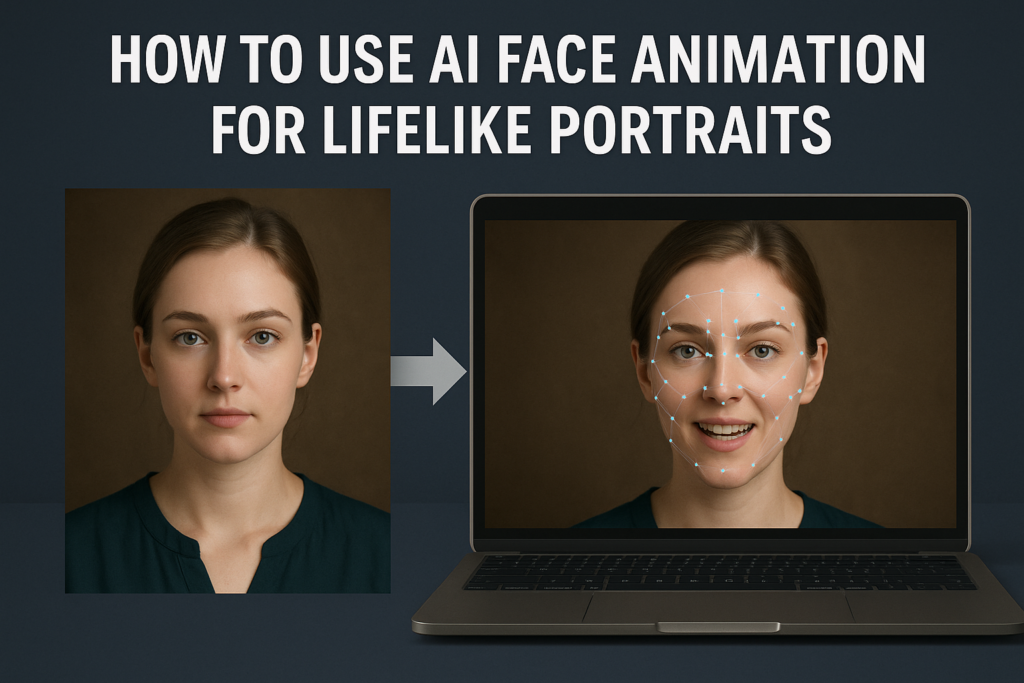
How AI Face Animation Works to Mimic Real Faces To animate a portrait, you start with two pieces of media: a still image (the source) and a driving video that contains the movements you want to transfer. AI face animation analyses both pieces, detecting facial landmarks and extracting the head pose and expressions from the video. It then synthesizes new frames where the portrait’s face mimics those movements, producing a video in which the portrait appears to come alive.
The generative network behind this process uses deep learning to transfer 3D head pose, facial expressions and eye gaze from the driving video to the source image. After mapping the face, it employs pre‑trained models to generate realistic frames while maintaining the identity of the original subject. This approach differs from face generation; it re‑enacts the face with someone else’s motion rather than creating new features.
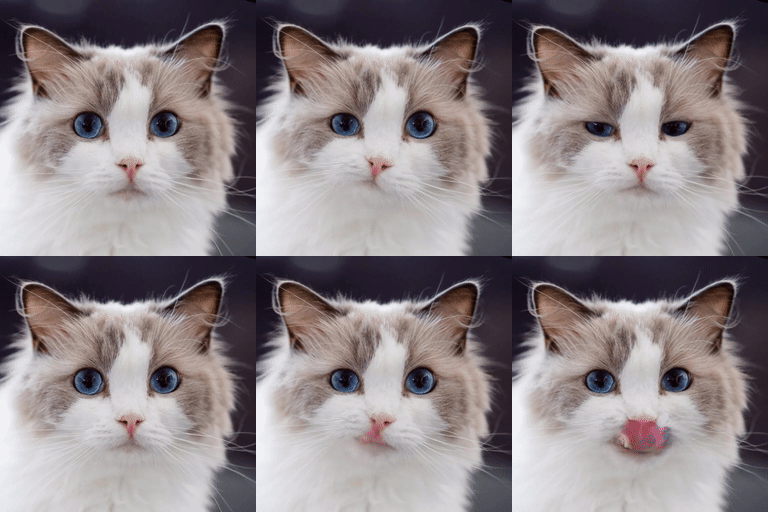
Users can fine‑tune the animation’s intensity and framing by adjusting parameters such as a “driving multiplier” or enabling automatic cropping. Advanced implementations even support animals—by building the necessary dependencies and models, the same workflow can make a pet’s portrait mimic motions from another clip. Developers can also input pre‑recorded motion trajectories (for example, in .pkl format) as the driving source.
AI face animation is accessible to a broad audience. Content creators and social media enthusiasts can produce lifelike animations for storytelling or entertainment, while educators and game developers can incorporate animated avatars into immersive experiences. For researchers and developers, open‑source tools allow experimentation with different models, weights and configurations to refine the realism of facial reenactment. As with any powerful technology, ethical considerations are paramount—responsible use ensures that this creative tool enhances communication and art without misrepresentation or misuse.
AI face animation The Evolution of Generative AI in Face Animation The journey toward realistic facial synthesis began decades ago with simple geometric markers, but the true paradigm shift occurred in 2014 with the introduction of Generative Adversarial Networks (GANs) .
In the late 2010s, the focus shifted from general image generation to specialized Talking Head Generation (THG) . Models like Wav2Lip and SadTalker revolutionized the field by decoupling identity from motion. By using Python-based frameworks like PyTorch and TensorFlow, developers could finally feed a single “source” image into a pre-trained encoder while a “driving” audio signal dictated the lip-syncing and head tilts. This “one-shot” learning capability is the core of modern AI face animation from image using Python , allowing for high-fidelity results without needing a massive dataset for every new character you wish to animate.
Today, we are witnessing a move away from GANs toward Diffusion Models , which offer even greater stability and fewer visual artifacts. While GANs are fast, Diffusion models are better at capturing “high-frequency” details—the tiny micro-expressions and eye movements that make a portrait feel truly alive. For a Computer Vision engineer, the current challenge isn’t just about making a mouth move; it’s about latent space manipulation . By navigating the mathematical “map” of a face, we can now use Python to programmatically adjust the “pose style” or “expression intensity,” giving creators unprecedented control over the emotional resonance of their AI avatars.
Understanding the Code Behind AI Face Animation in Practice This tutorial focuses on a practical, hands-on implementation of AI face animation , showing how code can be used to animate a single portrait by transferring facial motion from another video. Instead of generating a new face, the code is designed to preserve the identity of the original portrait while realistically mimicking expressions, head movement, and mouth motion from a driving source. This approach is especially useful for creating lifelike results that feel natural and consistent.
At a high level, the target of the code is to solve a common challenge in portrait animation: how to make a static image move convincingly without rebuilding the face from scratch. The workflow takes two inputs—a source image and a driving video—and uses pretrained deep learning models to extract facial dynamics from the video. These dynamics are then applied to the source image, frame by frame, producing an animated portrait that follows the motion of the driving face.
The code is structured to guide users step by step through environment setup, model installation, weight downloading, and inference execution. Each stage reflects a real-world production pipeline: preparing the runtime environment, loading neural network weights, and running inference with configurable parameters. By adjusting options such as cropping, motion intensity, or animation mode, users can control how strongly the portrait reacts to the driving video and adapt the output to different use cases.
From a learning perspective, this tutorial is not just about running commands—it demonstrates how modern AI face animation systems are assembled and used in practice. It exposes the logic behind motion transfer, shows how pretrained models are integrated into an end-to-end workflow, and highlights how facial mimicry can be achieved programmatically. The result is a clear, code-focused path for anyone who wants to understand and experiment with AI-driven portrait animation in a reproducible and realistic way.
portrait animation Link for the video tutorial : https://youtu.be/Pw4ZY0aMN0I
You can find the instructions and the demo files here : https://eranfeit.lemonsqueezy.com/buy/e9d37747-6ad0-46a6-b2b4-923c9eed936f or here : https://ko-fi.com/s/f790416f3b
Link to the post for Medium users : https://medium.com/cool-python-pojects/how-to-use-ai-face-animation-for-lifelike-portraits-2ed2e6d28a69
Master Computer Vision
Follow my latest tutorials and AI insights on my
Personal Blog .
Beginner Complete CV Bootcamp
Foundation using PyTorch & TensorFlow.
Get Started → Interactive Deep Learning with PyTorch
Hands-on practice in an interactive environment.
Start Learning → Advanced Modern CV: GPT & OpenCV4
Vision GPT and production-ready models.
Go Advanced →
How to Use AI Face Animation for Lifelike Portraits AI face animation makes it possible to bring a static portrait to life by transferring facial motion from a real video.
In this tutorial, we walk through a complete, code-driven workflow based on a production-ready open-source implementation.
The focus here is practical usage.
Environment Setup: Preparing Python for Neural Rendering Before diving into the script, it is crucial to understand that AI face animation relies on ‘Driving Signals.’ Unlike traditional keyframe animation, we use a source image (the appearance) and a driving video or audio file (the motion). By utilizing libraries like FFmpeg in conjunction with deep learning frameworks, Python acts as the glue that maps facial landmarks from the source to the target motion, ensuring that eye blinks and lip movements remain anatomically correct.
Before animating a portrait, the environment must be configured correctly.
Using a dedicated conda environment avoids version conflicts and ensures reproducibility.
Below is the setup phase that prepares the system for running AI face animation.
### Clone the repository to your local machine. git clone https: // github.com / KwaiVGI / LivePortrait.git cd LivePortrait ### Create a dedicated conda environment with a compatible Python version. conda create - n LivePortrait python = 3.10 conda activate LivePortrait ### Check the installed CUDA version to match PyTorch correctly. nvcc -- version Installing PyTorch and Required Dependencies The core of AI face animation relies on PyTorch and GPU acceleration.
After installing PyTorch, the remaining Python dependencies are installed from the provided requirements file.
### Install PyTorch for CUDA 11.8 systems. pip install torch == 2.3 . 0 torchvision == 0.18 . 0 torchaudio == 2.3 . 0 -- index - url https: // download.pytorch.org / whl / cu118 ### Install all additional Python dependencies required by the project. pip install - r requirements.txt Downloading Pretrained Weights for Face Animation AI face animation models rely on pretrained weights to understand facial structure and motion.
The repository provides an official way to download the weights using the Hugging Face CLI.
### Install the Hugging Face command-line interface. pip install - U " huggingface_hub[cli] " ### Download pretrained weights into the expected directory structure. huggingface - cli download KwaiVGI / LivePortrait \ -- local - dir pretrained_weights \ -- exclude " *.git* " " README.md " " docs "
Understanding the Logic: How AI Animates Static Pixels Once everything is installed, you can animate portraits by providing a source image and a driving video.
This step is where AI face animation becomes visible.
All the test images can be found here : https://eranfeit.lemonsqueezy.com/buy/e9d37747-6ad0-46a6-b2b4-923c9eed936f or here : https://ko-fi.com/s/f790416f3b
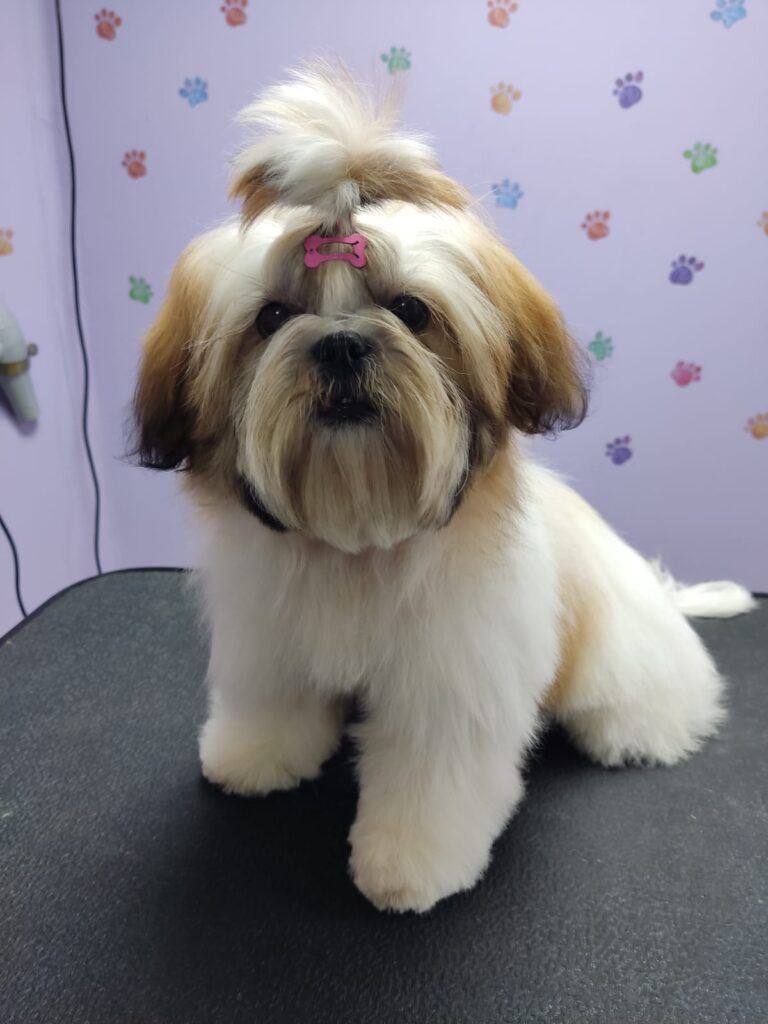
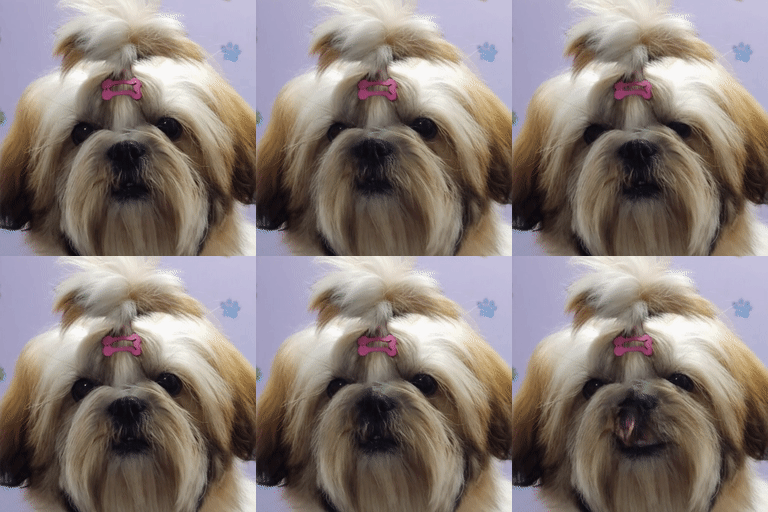
Here one of the test images :
Test image The ‘lifelike’ quality of the portrait depends heavily on the ‘Pose Style’ parameter. In the code above, we have set a moderate motion coefficient; however, for more expressive results, you can adjust the head-bobbing intensity. Be careful—over-extending these values can lead to ‘warping’ artifacts where the background appears to melt. Finding the balance between subtle micro-expressions and significant head movement is the key to bypassing the ‘uncanny valley’ effect.
### Run a basic face animation demo using example assets. python inference.py \ - s assets / examples / source / s9.jpg \ - d assets / examples / driving / d0.mp4 ### Animate your own portrait using a custom image. python inference.py \ - s my - Examples / eran.jpg \ - d assets / examples / driving / d12.mp4 ### Enable automatic cropping to improve facial alignment. python inference.py \ - s assets / examples / source / s9.jpg \ - d assets / examples / driving / d13.mp4 \ -- flag_crop_driving_video Pro-Tip: If your generated video appears blurry, check the input image resolution. Most current AI models (like SadTalker or Wav2Lip) perform best when the face is centered and occupies at least 50% of the frame. To improve the output, consider pre-processing your portrait with a face-alignment script to ensure the neural network can accurately identify the jawline and ocular regions before the synthesis begins.
Here is some of the AI Face Animation results : AI Face Animation result AI Face Animation result FAQ What is AI face animation? AI face animation transfers facial motion from a video to a still portrait while preserving identity.
Is this the same as face generation? No. The system focuses on motion mimicry rather than creating new facial identities.
Do I need a GPU? A GPU is recommended for faster inference and higher-quality animations.
Can I animate animals? Yes. The project includes animal animation support with extra setup steps.
Is training required? No training is required because pretrained models are used.
Optimizing for Realism: Best Practices for Lifelike Portraits Achieving high-fidelity AI face animation from image using Python requires more than just a successful script execution; it requires a deep understanding of how neural networks interpret human anatomy. To bypass the “uncanny valley”—where animations look almost human but feel unsettlingly robotic—you must focus on the synergy between the source portrait and the driving motion data.
1. The Critical Role of Source Image Alignment The foundation of any realistic animation is the initial facial landmark detection. When you provide a source image, the model maps a 2D coordinate system onto the facial features (eyes, mouth, jawline).
For the best results, ensure your input image is high-resolution and features “flat” lighting. Harsh shadows can be misinterpreted by the model as depth or structural contours, leading to “glitching” or texture warping during the animation phase. Ideally, use a portrait where the subject is facing the camera directly; this provides the most symmetrical data for the neural network to calculate head rotations and tilts.
2. Balancing Motion Coefficients and Temporal Consistency One common mistake in AI face animation from image using Python is over-extending the motion parameters. While it is tempting to maximize head movement to show off the AI’s capabilities, excessive motion often leads to background “bleeding,” where the environment behind the subject appears to stretch.
To maintain realism, prioritize temporal consistency —the smoothness of the transition between frames. In your Python configuration, set your pose style to a value between 0.2 and 0.5. This range allows for natural micro-expressions and subtle “breathing” movements without distorting the underlying facial structure. Remember, in human interaction, it is the subtle blinks and slight head tilts that convey life, not dramatic, sweeping gestures.
3. Enhancing Output with Post-Processing Pipelines Standard generative models often output video at lower resolutions (typically $256 \times 256$ or $512 \times 512$ pixels) to save on VRAM. To reach professional standards, you should integrate a post-processing upscaler like GFPGAN or CodeFormer into your workflow.
These “Face Restoration” models work by analyzing the generated frames and re-injecting high-frequency details—such as skin texture, eyelashes, and iris reflections—that are often lost during the animation process. By stacking these tools within your Python environment, you transform a grainy AI experiment into a polished, high-definition digital human capable of being used in professional video production or interactive applications.
Conclusion – AI face animation opens a powerful new way to animate portraits without losing identity.
This tutorial demonstrated a complete, code-focused workflow—from environment setup to running inference—making it easy to reproduce and extend.
Connect ☕ Buy me a coffee — https://ko-fi.com/eranfeit
🖥️ Email : feitgemel@gmail.com
🌐 https://eranfeit.net
🤝 Fiverr : https://www.fiverr.com/s/mB3Pbb
Enjoy,
Eran
 Skip to content